EasyManua.ls Logo

Vivotek MD7560 - User Manual

Vivotek MD7560
12 pages
Print Icon
To Next Page IconTo Next Page
Loading...
Quick Installation Guide
Network Camera
MD7560X
P/N: 625014800G Ver.1.0
Copyright 2011 VIVOTEK INC. All rights reserved.
c

Other manuals for Vivotek MD7560

Question and Answer IconNeed help?

Do you have a question about the Vivotek MD7560 and is the answer not in the manual?

Overview

This document is a Quick Installation Guide for the VIVOTEK MD7560X Network Camera, providing instructions for setup, installation, and basic operation.

Function Description:

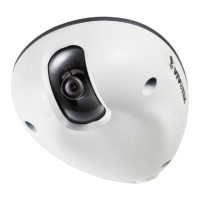
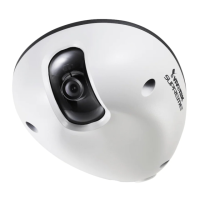
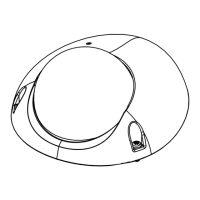
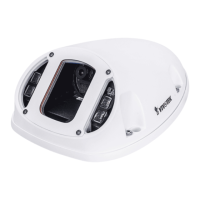
The VIVOTEK MD7560X is a network camera designed for surveillance applications. It captures video and transmits it over a network, with options for Power over Ethernet (PoE) for simplified installation. The camera is designed for both ceiling and wall mounting and includes features for environmental protection and ease of maintenance.

Important Technical Specifications:

  • Model: MD7560X
  • Part Number: 625014800G Ver.1.0
  • Waterproof Level: IP67, indicating high resistance to dust and water ingress.
  • MAC Address: A unique identifier, e.g., 0002D107258A, which should be recorded before installation.
  • MicroSD/SDHC Card Slot: For local storage of video data.
  • Status LED: Provides visual feedback on the camera's operational status.
  • Temperature Sensor: Triggers an event if the internal camera temperature reaches 60°C.
  • Power over Ethernet (PoE) Compliant: Allows for power and data transmission over a single Ethernet cable when connected to a PoE-enabled switch or a PoE power injector.
  • Certifications: FC, CE, VCCI, C-Tick, RoHS, IEC, TECO, TL 9000.

Usage Features:

  • Quick Installation: The guide provides step-by-step instructions for mounting the camera and connecting it to a network.
  • Mounting Options: Can be mounted on ceilings or walls using the provided alignment sticker and screws.
  • Cable Routing: Cables can be routed through the ceiling/wall or from the side of the dome cover, with a removable rubber stopper for side routing.
  • Network Deployment: Supports both PoE-enabled switches and non-PoE switches (with an optional PoE power injector) for flexible network integration.
  • IP Address Assignment: Utilizes "Installation Wizard 2" software for discovering and assigning IP addresses to the camera on the local area network (LAN).
  • Live Video Access: Once configured, live video can be accessed through a web browser or recording software.
  • Adjustable Viewing Angle: The lens can be rotated to achieve the desired viewing angle, with a warning not to over-rotate to prevent damage.
  • Fine-tune Focus: The camera's focus can be manually adjusted for objects closer than 1.0m or if the focus is lost, by loosening, rotating, and tightening the lens lock screw.
  • External DI Devices: Supports connection to external DI devices via a general I/O terminal block.

Maintenance Features:

  • Warning Before Installation: Emphasizes safety precautions such as powering off the camera if smoke or unusual odors are detected, referring to the user manual for operating temperature, avoiding unsteady surfaces, not touching during lightning storms, not inserting sharp objects, and not dropping the camera.
  • Tamper-proof Screw: Secures the dome cover, requiring the supplied screwdriver for detachment.
  • Silica Gel: Included to absorb moisture inside the camera. It should be replaced with a new one if the back cover is opened after installation to maintain the waterproof level.
  • Ground Wire: A ground wire is supplied to be secured to a screw hole and routed to the ground for electrical safety.
  • Secure Screws: Instructions emphasize securing screws tightly to maintain the waterproof level and prevent moisture ingress.
  • MAC Address Recording: Users are advised to record the MAC address before installation for easier identification during network setup.
  • User's Manual Reference: For further setup and detailed information, users are directed to refer to the user's manual on the software CD.

Vivotek MD7560 Specifications

General IconGeneral
BrandVivotek
ModelMD7560
CategorySecurity Camera
LanguageEnglish

Related product manuals