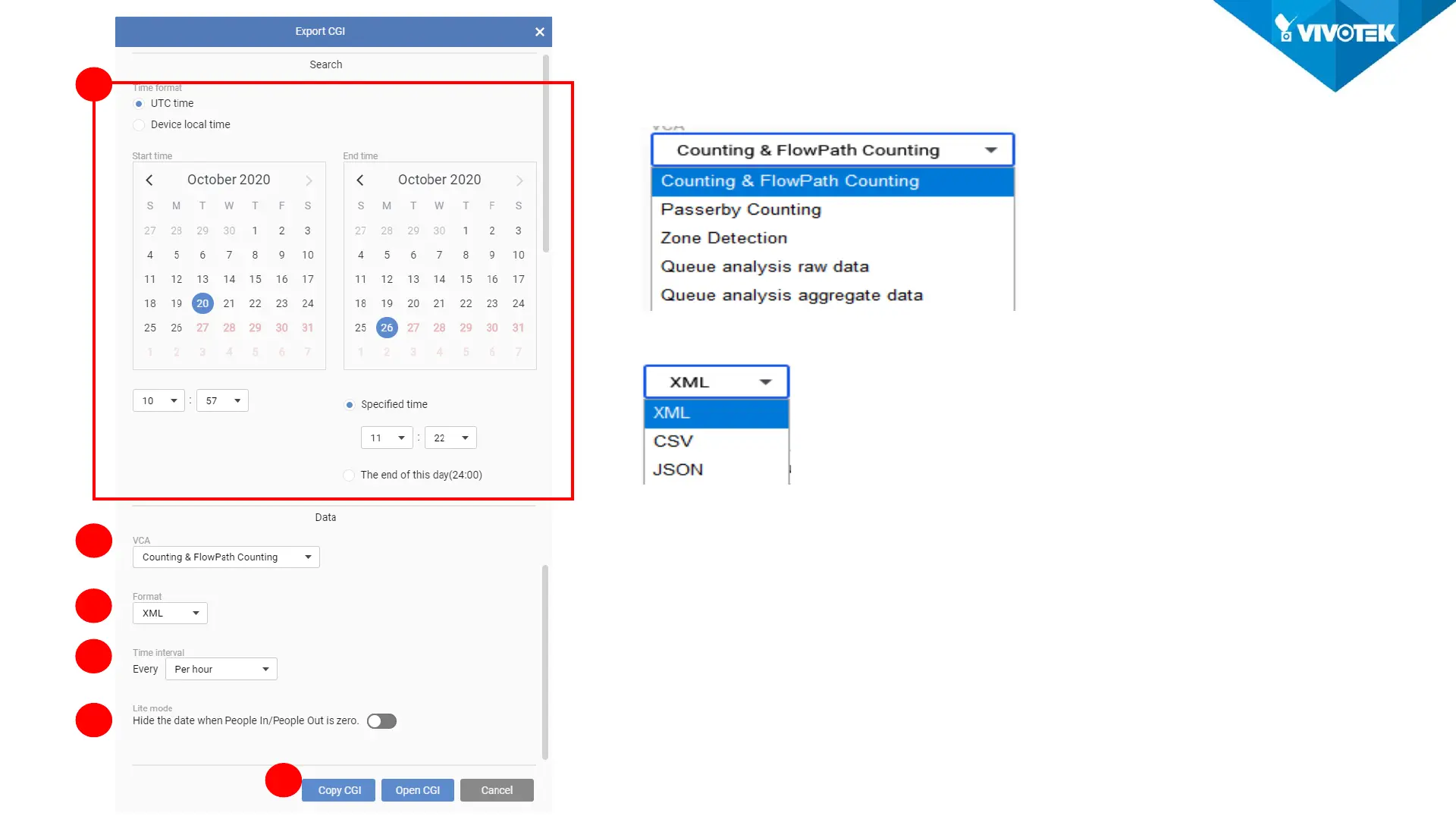
1. Select the report start time and end time
2. Select the report type:
3. Select the report format:
4. Select the period of time does one record representing.
5. Choose whether to show the record with no people
counted.
6. Copy CGI: User can utilize this feature to generate the CGI
for the integration.
Open CGI: User can review the data.
1
2
3
4
5
6













 To Next Page