VIVOTEK
User's Manual - 111
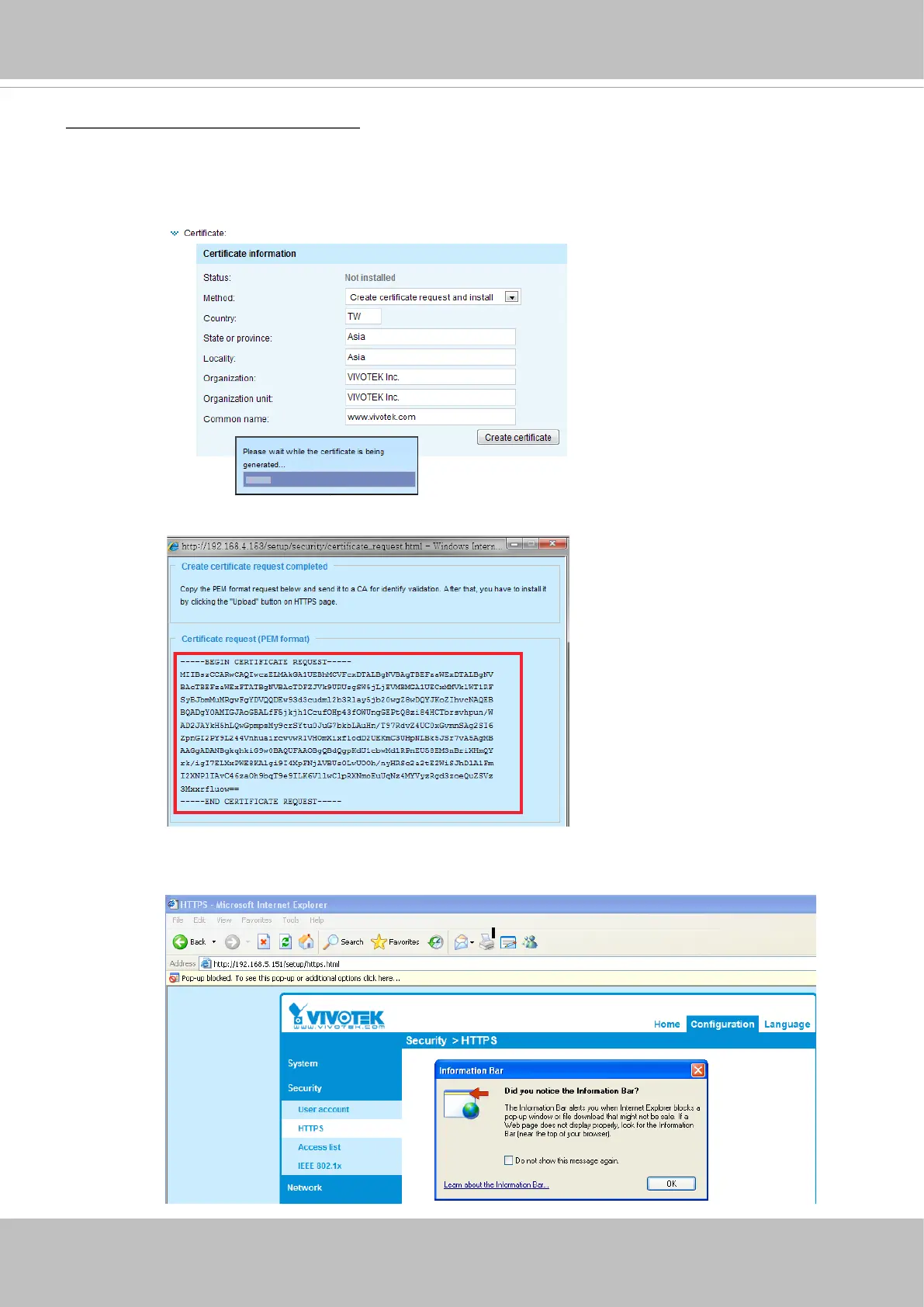
Create certificate request and install
1. Select the option from the Method pull-down menu.
2. Click Create certicate to proceed.
3. The following information will show up in a pop-up window after clicking Create. Then click Save to
generate the certicate request.
4. The Certicate request window will prompt.
If you see the following Information bar, click OK and click on the Information bar at the top of the page
to allow pop-ups.


 To Next Page