VIVOTEK
User's Manual - 15
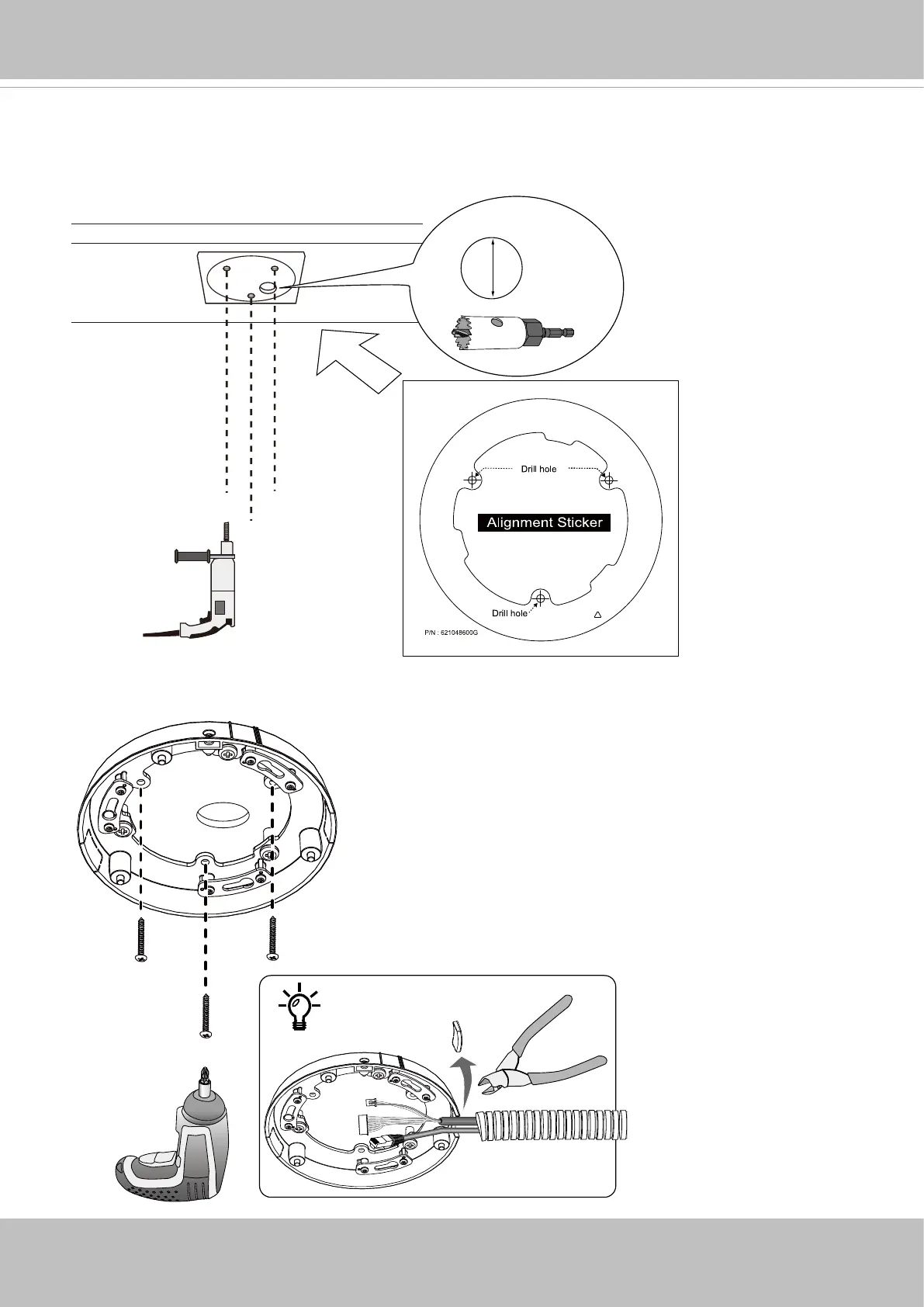
A-2. Hammer the anchors into ceiling, and then secure the top mount bracket using the included
screws. If you need to route cables along the ceiling, remove the side lid on the bracket.
A-1. Attach the alignment sticker to a preferred location. Drill holes for the mounting screws. If
preferred, drill another cabling hole for passing the cables through the ceiling.
Ceiling Mount - Mount Option A
Ø60mm


 To Next Page