VIVOTEK
126 - User's Manual
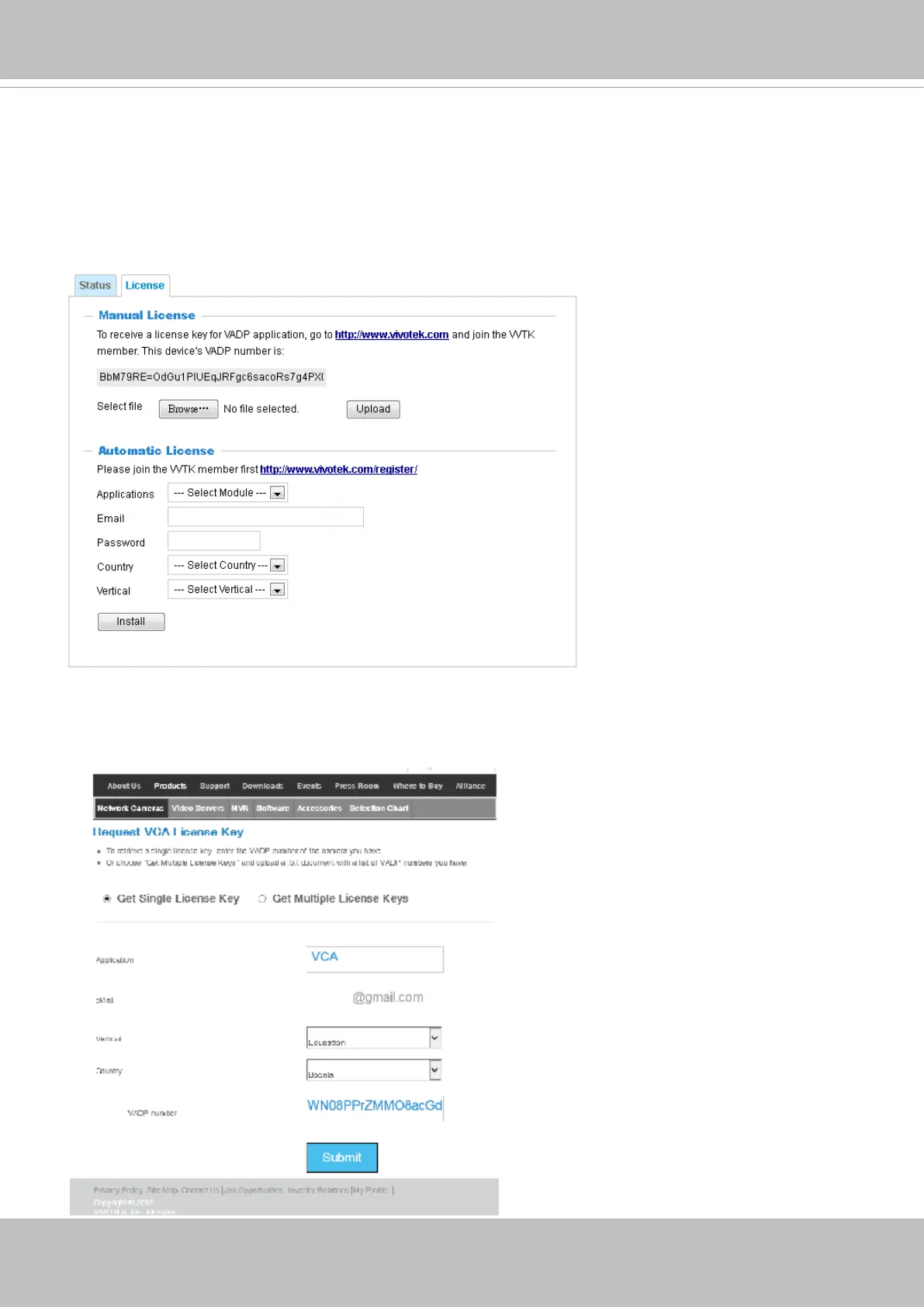
On the License page, use the Manual or Automatic optionsto register and activate the license for
using VIVOTEK's VADP modules. The Automatic method requires an Internet connection.
Without Internet connection, you should acquire the license key elsewhere, and manually upload
to the network camera.
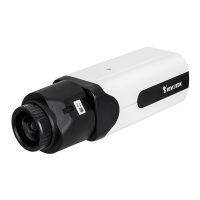
Follow the onscreen instruction on VIVOTEK's website for the registration procedure.
user
You can proced with the following link to download a license key: http://www.vivotek.com/vadp_
requestactivation.aspx?application=VCA or http://www.vivotek.com/vca/#downloads.
When the license key is downloaded to your computer, upload the key to the camera.


 To Next Page