VIVOTEK
User's Manual - 51
Media > Image
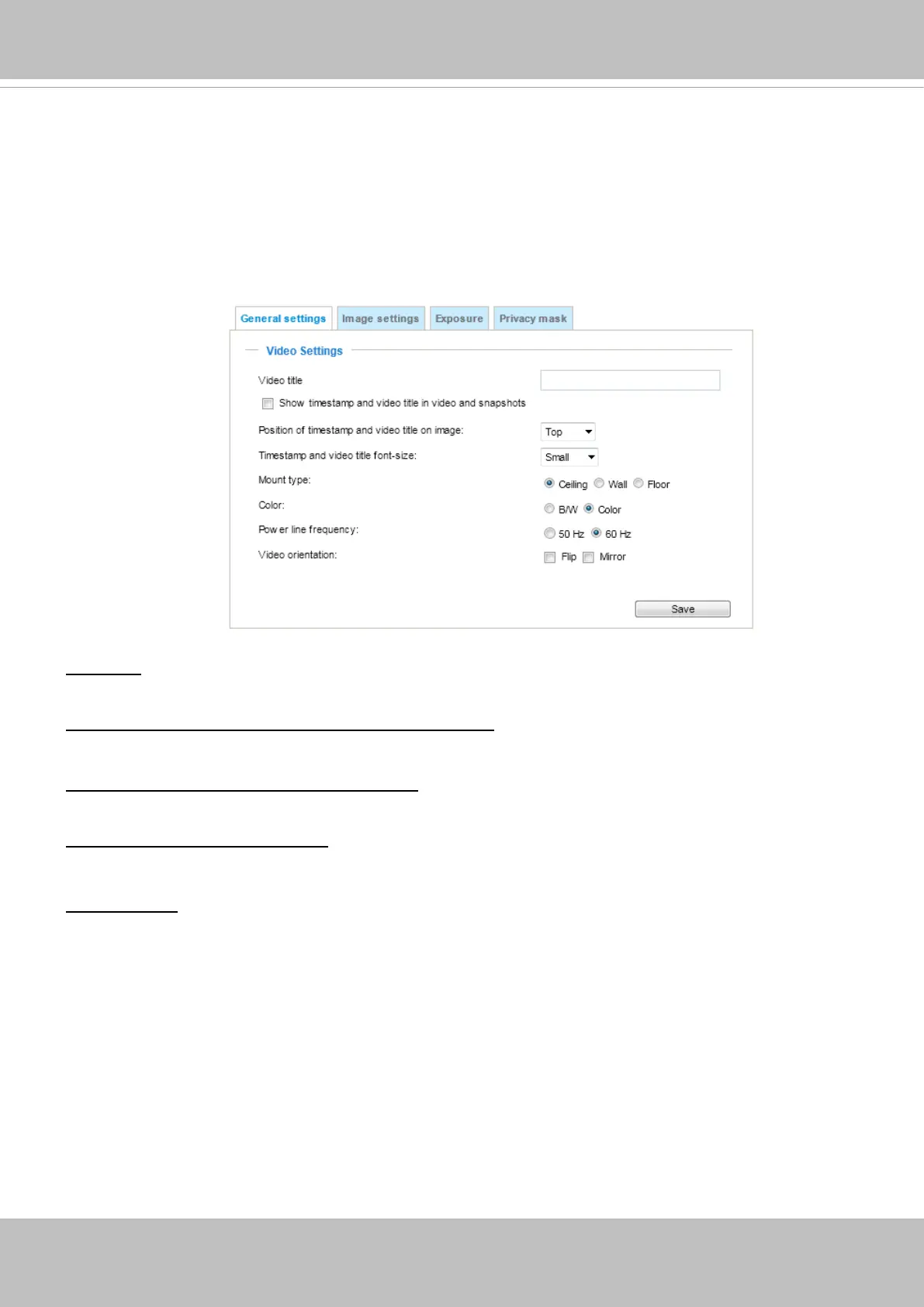
This section explains how to configure the image settings of the Network Camera. It is
composed of the following tabbed windows: General settings, Image settings, Exposure, and
Privacy mask, and Pixel Calculator.
General settings
Video title: Enter a name that will be displayed on the title bar of the live video as well as the view cell on
the ST7501 and VAST recording software.
Show timestamp and video title in videos and snapshots: Enter a name that will be displayed on the title
bar of the live video as the picture shown below.
Position of timestamp and video title on image: Select to display time stamp and video title on the top or
at the bottom of the video stream.
Timestamp and video title font size: Select the font size for the time stamp and title.
Video font (.ttf): You can select a True Type font le for the display of textual messages on video.


 To Next Page