VIVOTEK
User's Manual - 97
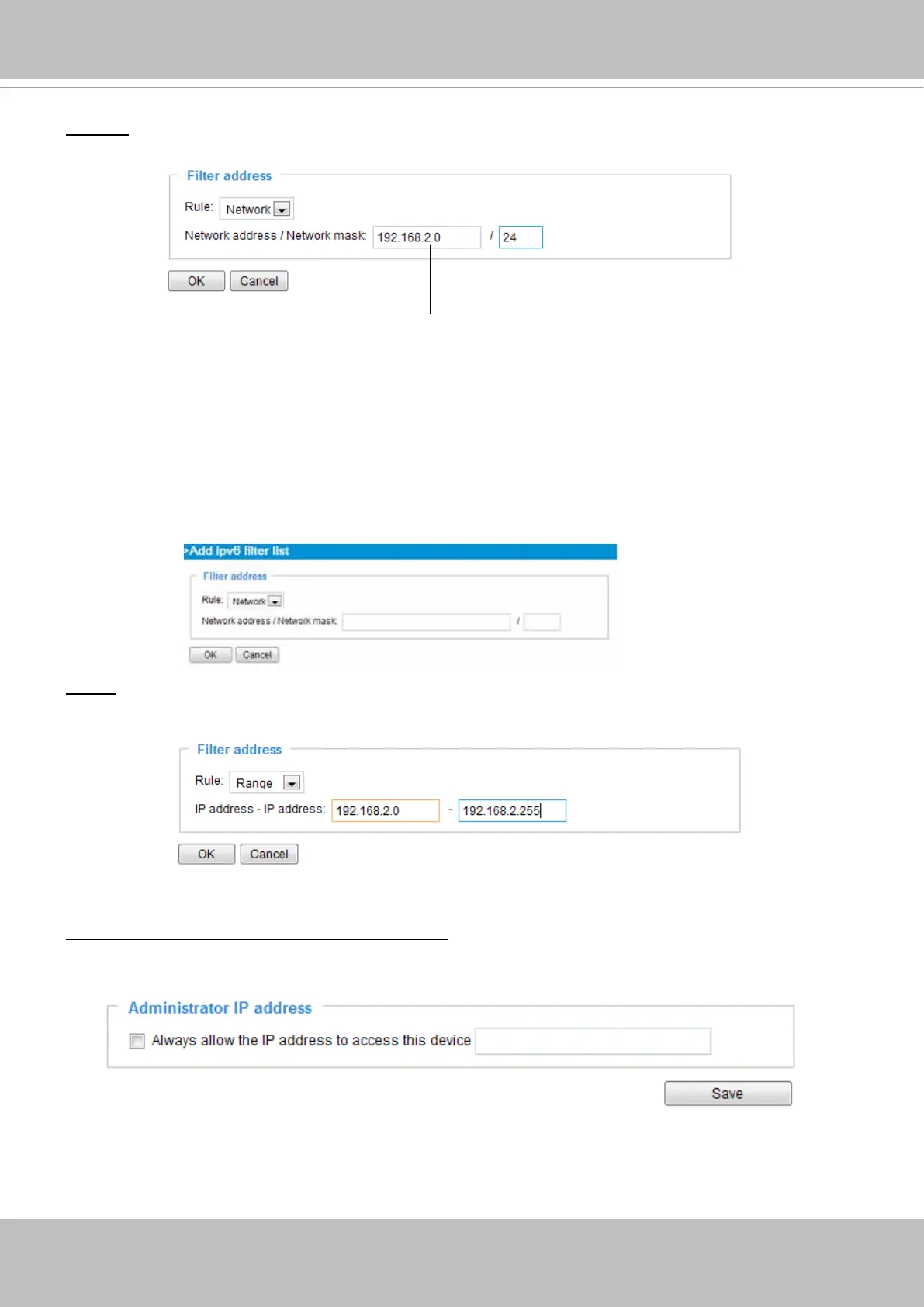
accesses from IP address 192.168.2.x will be bolcked.
If IPv6 lter is preferred, you will be prompted by the following window. Enter the IPv6 address and the
two-digit prex length to specify the range of IP addresses in your conguration.
For example:
• 192.168.100.14/24 represents the IPv4 address 192.168.100.14 and its associated routing prefix
192.168.100.0, or equivalently, its subnet mask 255.255.255.0 has 24 leading 1-bits.
• The IPv4 block 192.168.100.0/22 represents the 1024 IPv4 addresses from 192.168.100.0 to
192.168.103.255.
Network: This rule allows the user to assign a network address and corresponding subnet mask to the
Allow/Deny List. The routing prefix is written in CIDR (Classless Inter-Domain Routing) notation. For
example:
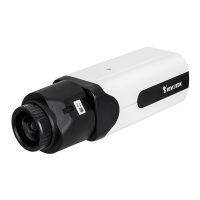
Range: This rule allows the user to assign a range of IP addresses to the Allow/Deny List.
Note: This rule is only applied to IPv4.
For example:
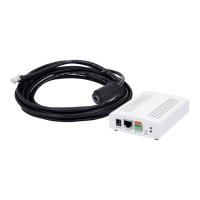
Administrator IP address
Always allow the IP address to access this device: You can check this item and add the Administrator’s
IP address in this eld to make sure the Administrator can always connect to the device.


 To Next Page