VIVOTEK
User's Manual - 91
►
The Preset Positions will also be displayed on the Home page. Select one from the Go to menu, and
the Network Camera will move to the selected preset position.
►
Click Patrol: The Network Camera will patrol along the selected positions repeatedly.
NOTE:
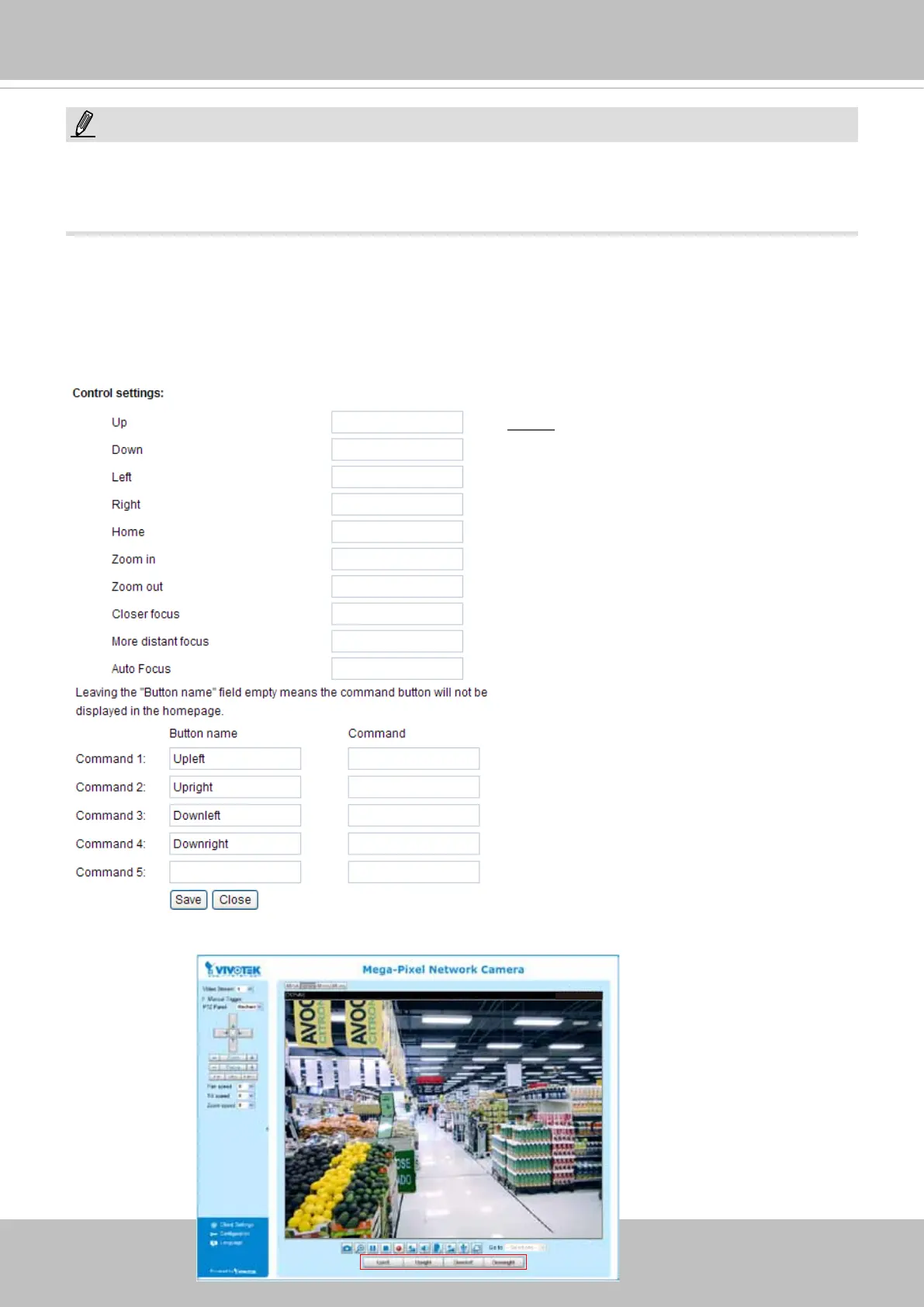
Custom Command
If Custom Camera (scanner) is selected as the PTZ driver, the Preset Position and PTZ Control
Panel on the main page will be disabled. You will need to congure command buttons to control the PTZ
scanner. Click Custom Command to open the Custom Command page to set the commands in the
Control Settings session. Please refer to your PTZ scanner user's manual to enter the commands in the
following elds. Click Save to enable the settings and click Close to exit the page.
►The command buttons will be available on the main page:
2010/12/10 17:08:56
NOTE
►If you select DynaDome/SmartDOME, Lilin
PIH-7x00, or Pelco D protocol as the PTZ
driver, the Control Settings column will not
be displayed.
►For all PTZ drivers, a total of ve additional
command buttons can be congured.



 To Next Page