5
English
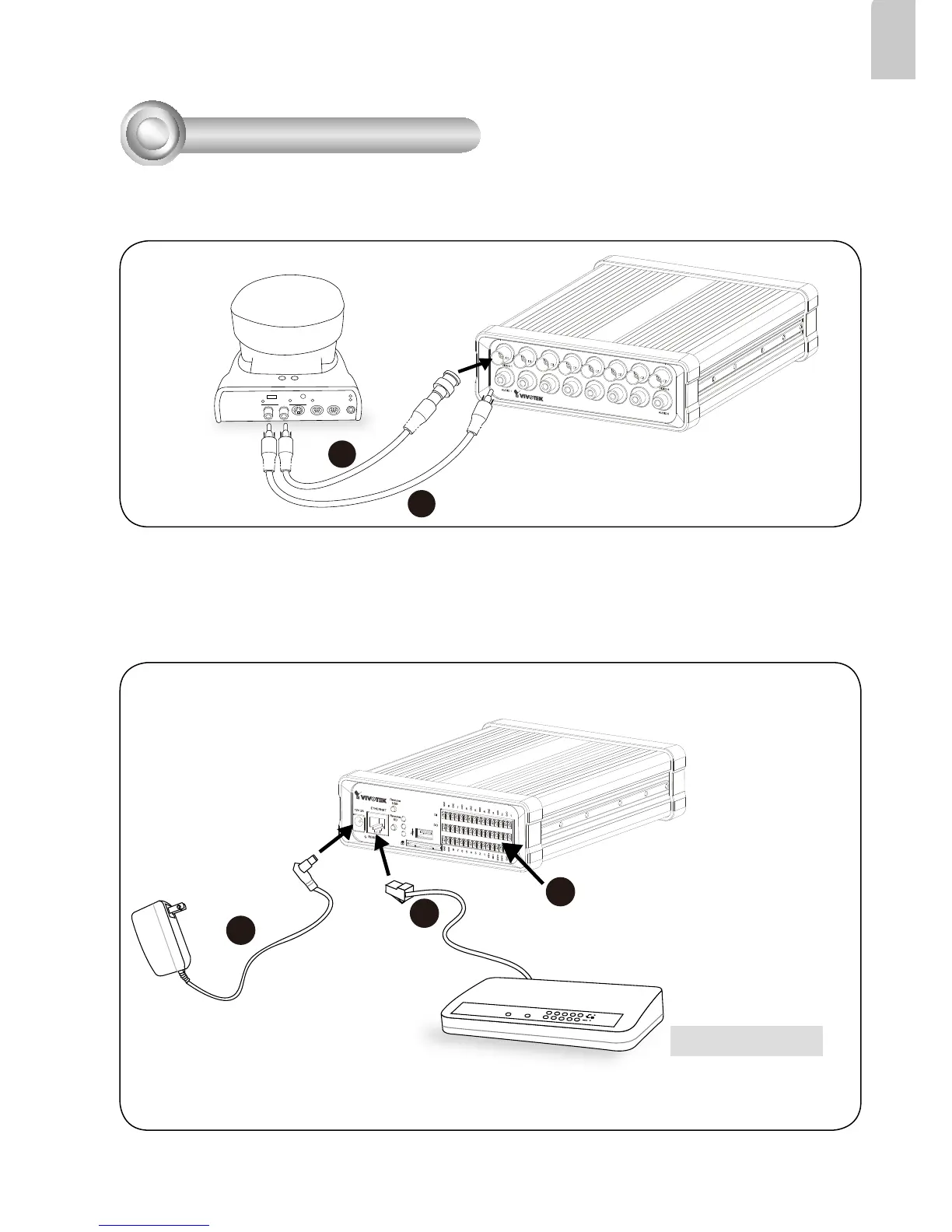
1. Make video connection from the camera to the BNC video input.
2. Make audio connection from the Line-Out audio source to the RCA audio input.
OUT
CAMERA NO.
MIC
POWER
INVIDEO OUT
1 2 3
OFF ON
2
1
3
Network Deployment
3. Connect the Video Server to a switch via Ethernet cable.
4. Connect the power cable from the Video Server to a power outlet.
5. If you have external devices such as sensors and alarms, connect them to the general
I/O terminal block. For detailed pin denition, please refer to the next page.
POW ER
COLLISION
LINK
RECEIV E
PARTITION
1
2
3
4
5
3
4
5
Ethernet Switch



 To Next Page