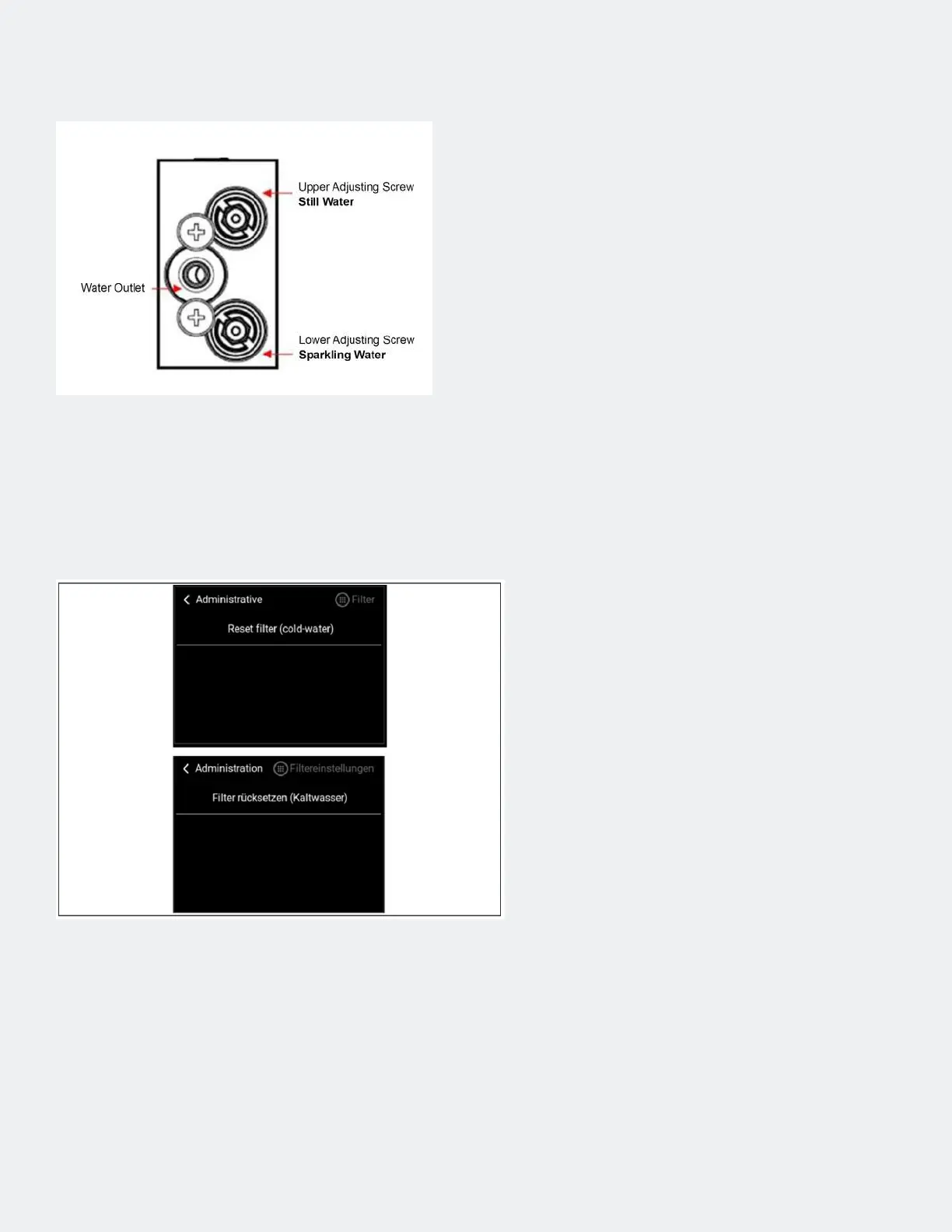
Step 10 — Set the ow pattern on the compensator if the ow is
too fast or too slow
• Set the ow diagram of the compensator.
Instructions starting on the next page.
• Close the housing.
Step 11 — Ensure operation
• Ensure trouble-free operation through
functional test.
• Reset lter capacity (menu Administration -
Filter - Reset lter (cold water), see gure 1.
• Clean the working environment, remove
the Maintenance sign.



 To Next Page