English - 16
Turn the TV on by pressing the POWER button on
the remote. The Guided Setup app is displayed.
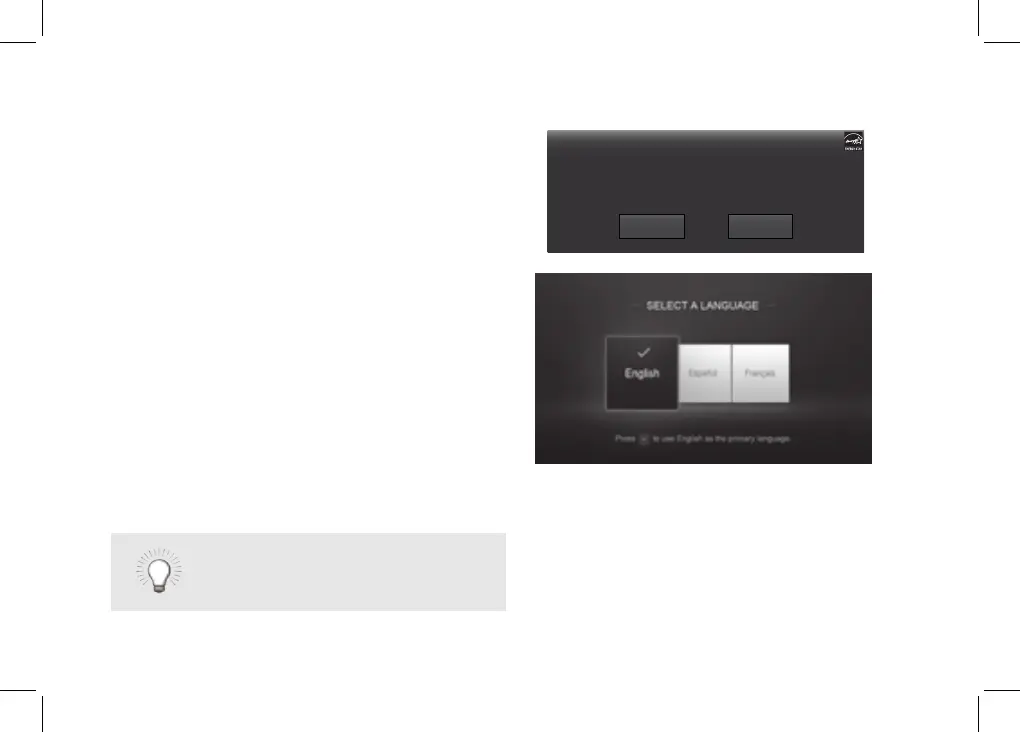
Use the Arrow buttons on the remote to select Home
Use and press OK. Use the Arrow buttons on the
remote to select your preferred language and press
OK.
Follow the on-screen instructions to complete the
rst-time setup.
4
Choose your mode.
Select Store Demo for in-store display.
Select Home Use for in-home use.
Seleccione "Home Use" para Modo de Casa o "Store Demo" para Demostración el la Tienda.
Choisissez "Home Use" pour Mode Domicile ou "Store Demo" pour Démonstration de Magasin.
Store Demo Home Use
If you skipped a step or would like
to repeat the guided setup, see the
HelpTopics
page.



 To Next Page