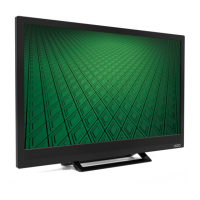
Need help?
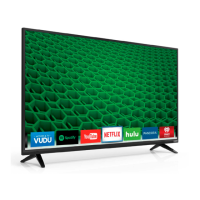
Do you have a question about the Vizio D50f-E1 and is the answer not in the manual?
Advice on unplugging TV and disconnecting antenna during lightning storms.
Advice on locating antenna away from overhead power lines and circuits.
Turn on TV and select Home Use or Store Demo mode.
Choose preferred language and TV signal source.
Scan for channels and confirm setup completion.
Features for enhanced audio feedback and screen magnification.
Settings for displaying captions and audio descriptions.
Guides on switching between connected external devices.
Selects picture modes like Standard, Vivid, Game, and Computer.
Adjusts brightness, contrast, color, tint, and sharpness.
Adjusts Hue, Saturation, Brightness, Offset, and Gain for colors.
Controls color channels and adjusts 11-point white balance.
Adjusts frequencies using preset or custom equalizer settings.
Selects the tuner input type, Antenna or Cable.
Scans for available TV channels and adds new ones.
Turns closed captions on or off for programs.
Adjusts the visual style of digital closed captions.
View system details and change the on-screen menu language.
Configure time, parental controls, and HDMI CEC settings.
Adjust power light and access TV reset functions.
Guides on how to open the Parental Controls menu.
Manages program blocking by rating and locks specific channels.
Resets all on-screen menu settings to their original factory defaults.
Prepare USB drives and view media files like photos.
Details the arbitration agreement and class action waiver for US residents.
 General
| Screen Type | led |
|---|---|
| Wall Mount | 200mm x 200mm |
| Features | full-array led backlight, vizio internet apps plus |
| Tuner | digital |
| Screen Size | 49.5 inches, 50 inches |
| Refresh Rate | 120hz |
| HDR | no |
| Built-In Speakers | yes |
| Surround Sound | dts studio sound, dts trusurround, dts truvolume, dolby digital plus |
| Speakers Output | 20 watts |
| HDMI ARC Ports | yes |
| USB Ports | 2 |
| USB 3.0 Ports | 0 |
| Ethernet | yes |
| RF Antenna | no |
| Bluetooth | true, 4.1 |
| Network | built-in wi-fi, ethernet |
| Digital Optical Audio Outputs | 1 |
| Analog Audio Outputs | 1 |
| Component Video Inputs | 1 |
| Composite Video Inputs | 0 |
| DVI | 0 |
| VGA Ports | 0 |
| SmartTV | vizio internet apps (v.i.a.) |
| Remote Control | standard |
| 3D | no |
| Power Consumption | 87 kilowatt hours |
| Depth with Stand | 10 inches |
| Height with Stand | 28 inches |
| Width with Stand | 44.4 inches |
| Net Weight with Stand | 27.34 pounds |
| Depth without Stand | 3 inches |
| Height without Stand | 25.6 inches |
| Net Weight without Stand | 26.68 pounds |


 To Next Page