10
5
E190VA / E220VA / E260VA / E261VA
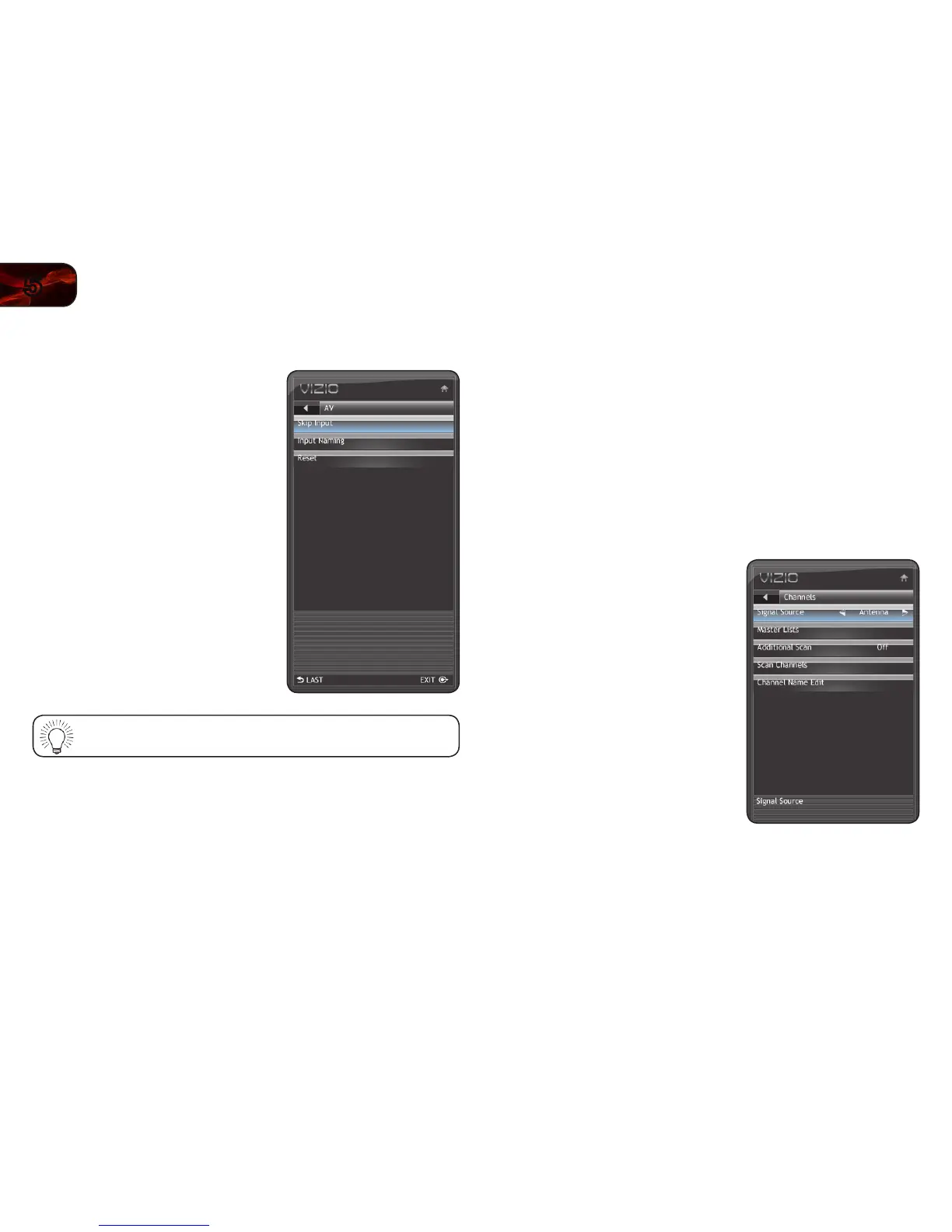
Removing Unused Inputs from the Input List
To remove unused inputs:
1. Press the MENU button on the remote.
The on-screen menu is displayed.
2. Use the Arrow buttons on the remote to
highlight the Input icon and press MENU/
OK.
3. Use the Arrow buttons to highlight Input
Naming and press MENU/OK.
4. Use the Arrow buttons on the remote to
highlight the input source you wish to
remove, then press MENU/OK.
5. Use the Arrow buttons to highlight Skip
Input and press MENU/OK.
6. Press EXIT.
To restore an input to the list, go to the Input Naming screen and
select Reset.
Setting Up Channels
From the channel menu you can:
• Change the signal source
• Customize the master channel list
• Scan for new/additional channels
• Start a new channel scan
• Customize channel names
Changing the Signal Source
Using this option, you can change the signal source for the coaxial (TV) input.
To change the signal source:
1. Press the MENU button on the remote.
The on-screen menu is displayed.
2. Use the Arrow buttons on the remote to
highlight the TV icon and press MENU/
OK. The TV Settings menu is displayed.
3. Use the Arrow buttons to highlight
Channels and press MENU/OK.
4. Use the Arrow buttons to highlight Signal
Source.
5. Use the Arrow buttons to change the
setting to Cable or Antenna.
6. Press EXIT.


 To Next Page