2
5
Controls and Connections
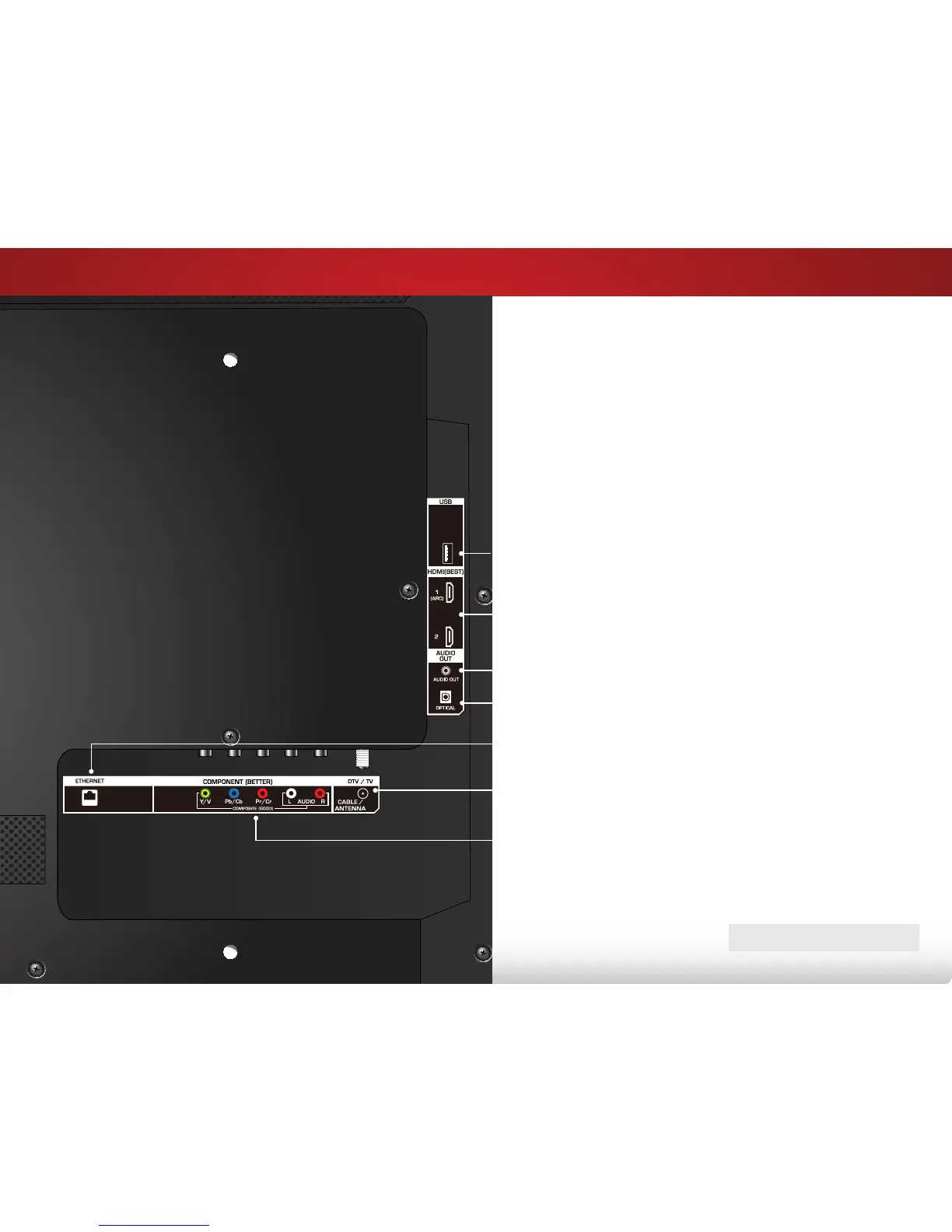
SIDE
Ethernet - Connect Ethernet cable from home network.
Coaxial - Connect coaxial cable from cable, satellite, or
antenna.
Optical Audio Out - Connect optical/SPDIF audio device,
such as home audio receiver.
Stereo Audio Out - Connect 3.5mm audio device, such as
sound bar.
HDMI - Connect HDMI device.
Component/Composite - Connect component or
composite device.
USB - Connect USB thumb drive to play photo, music, or video.
BACK PANEL
Note: The image shown here is for illustrative purposes only and may be subject to change. The actual
number of ports and their locations may vary, depending on the model.


 To Next Page
 Loading...