5
41
uSiNg the iNfO wiNdOw
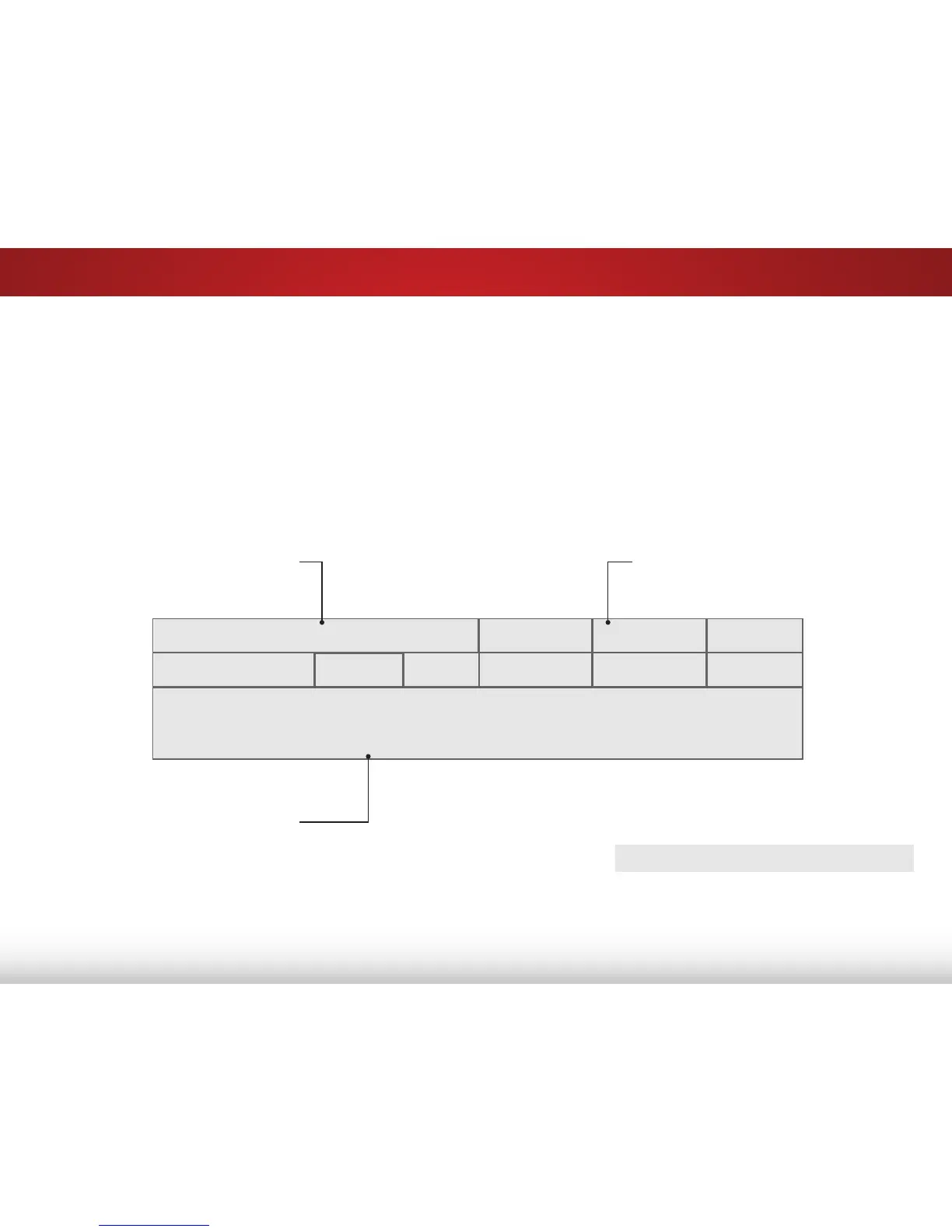
The Info Window can be displayed by pressing the INFO or GUIDE
button on the remote:
• Press the INFO or GUIDE button one time to display
channel and input information.
• Press the INFO or GUIDE button two times to display the
program title and closed captioning information.
• Press the INFO or GUIDE button three times to display the
program description.
DIGITAL EPISODE GUIDE & INFO WINDOW
Oliver’s Holiday Surprise Ch 50-123
LACT DTV CABLE
11:00AM - 12:00PM TV-PG (V) CC-OFF English Dolby 5.1 720p HD
Oliver wakes up one morning only to discover that his pals are missing. In this hour-
long holiday special, Oliver goes on a journey in search of his pals. Who knows what
he’ll encounter on the way?
Program Description
Program Title/CC Information
Channel/Input Information



 To Next Page