7 8
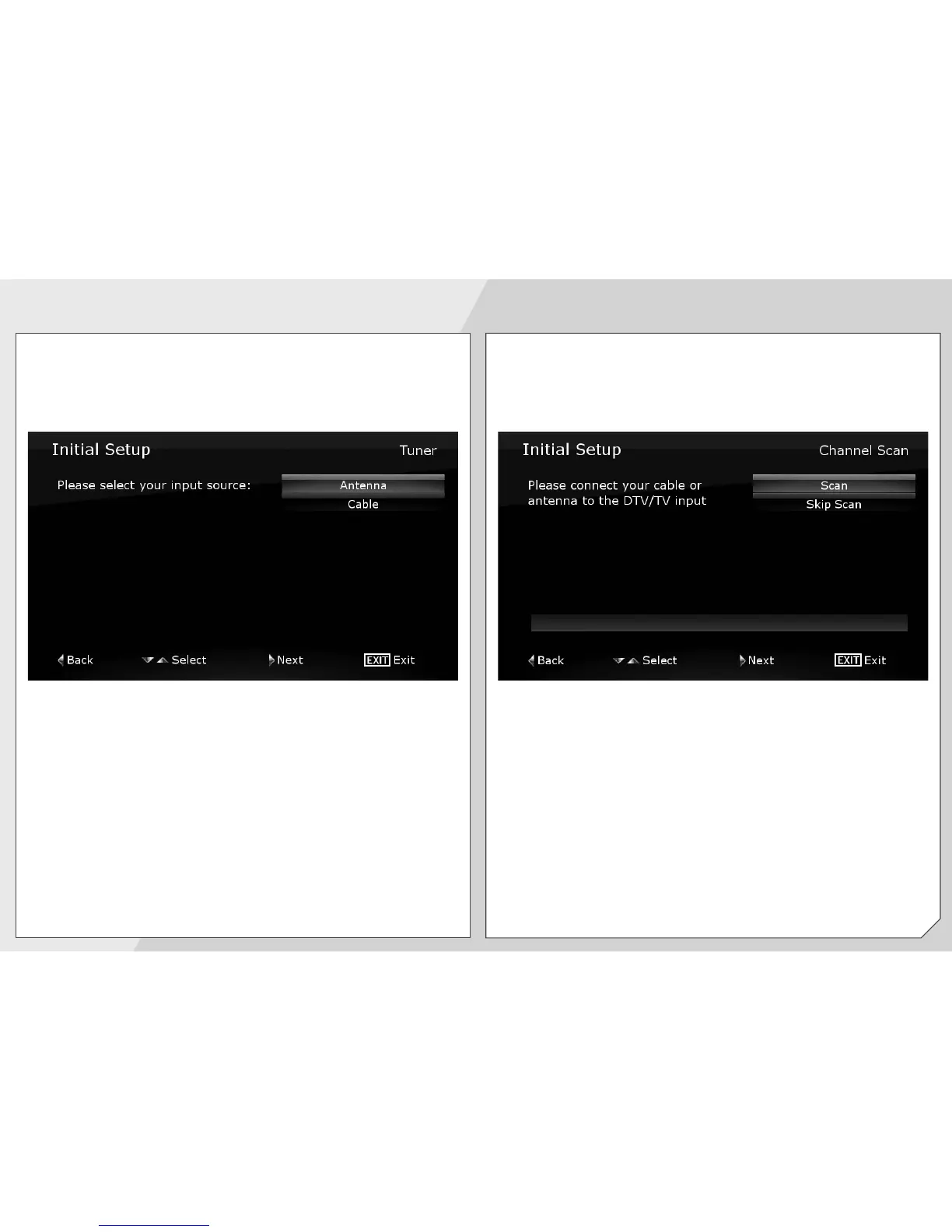
Use the Arrow buttons to highlight the input source
that is delivering your TV signal.
Use the Right Arrow button to go to the next screen.
Select Scan and press Right Arrow.
When the channel scan is complete, press the Exit
button on the remote.
The First-Time Setup is complete.



 To Next Page