1
4
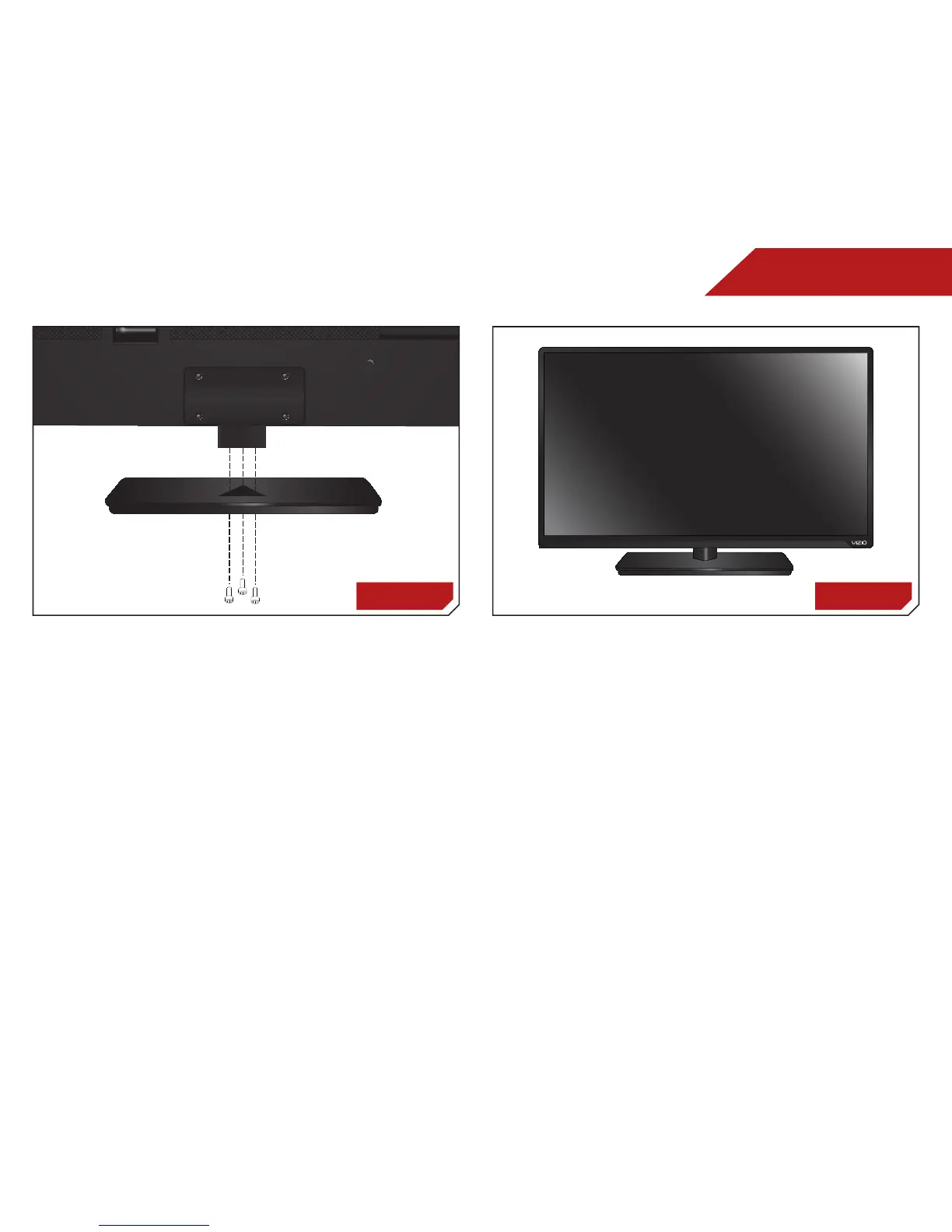
To install the TV stand:
1. Place the TV screen-down on a clean, flat surface. To prevent
scratches or damage to the screen, place the TV on a soft
surface, such as carpet, rug, or blanket.
2. Align the base with the TV and tighten the hex screw into the
base with the included hex wrench.
3. Move the TV with attached stand into an upright position
and place on a flat, level, and stable surface.
4. To ensure proper ventilation, leave at least 1” of space
between the back of the TV and any other objects (walls,
etc).
Step 2 Step 3


 To Next Page
 Loading...