5 6
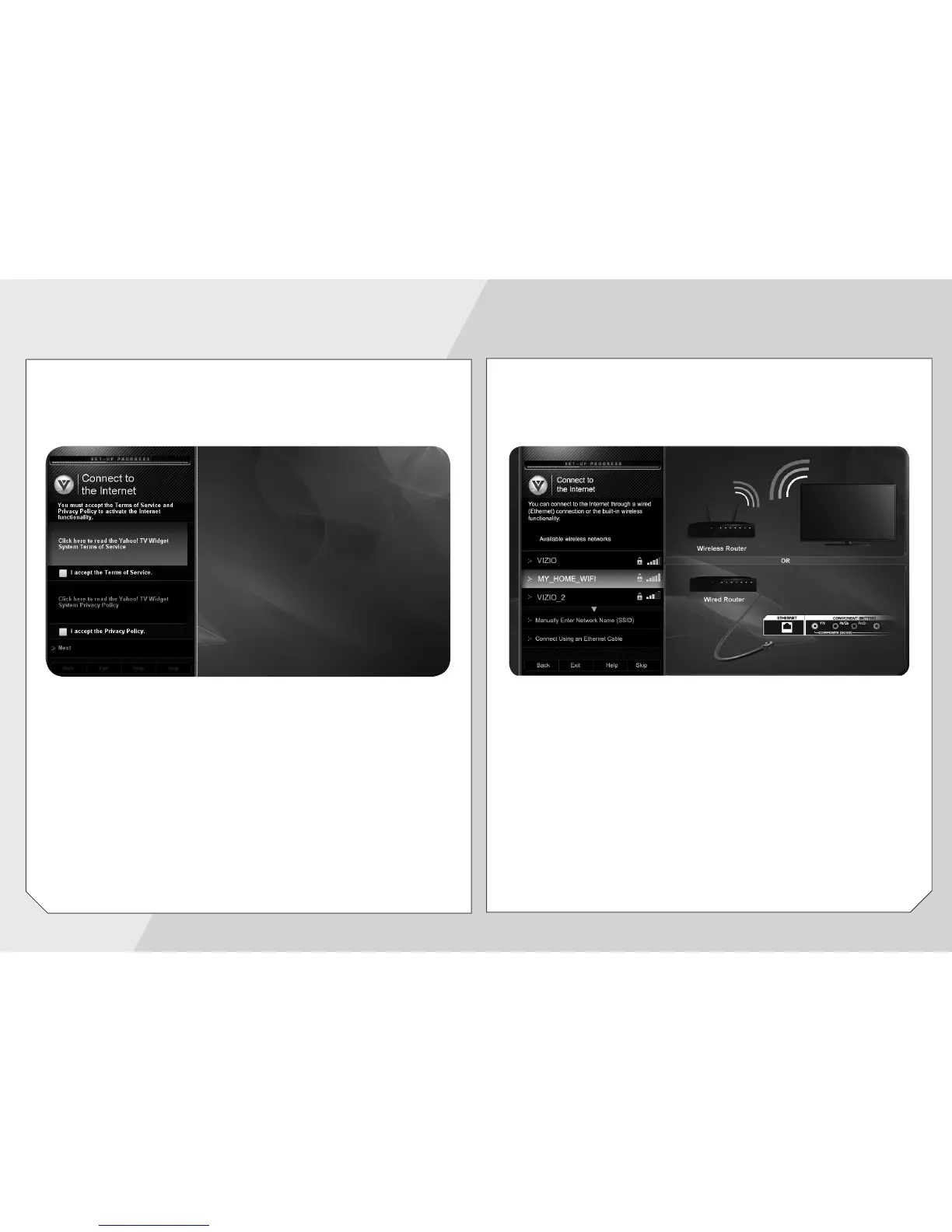
Use the OK and Arrow Up/Down buttons on the
remote to read and accept the Terms of Service and
Privacy Policy for Yahoo! TV Widgets.
When you are finished, highlight Next and press OK.
Select the name of your wireless network from the
list of available networks and press OK.
Enter your network key using the on-screen keyboard,
then highlight Connect and press OK.


 To Next Page
 Loading...