3
18
Note: The images shown here are for illustrative purposes only and may be subject to change. The actual on-screen image and text may vary, depending on the model.
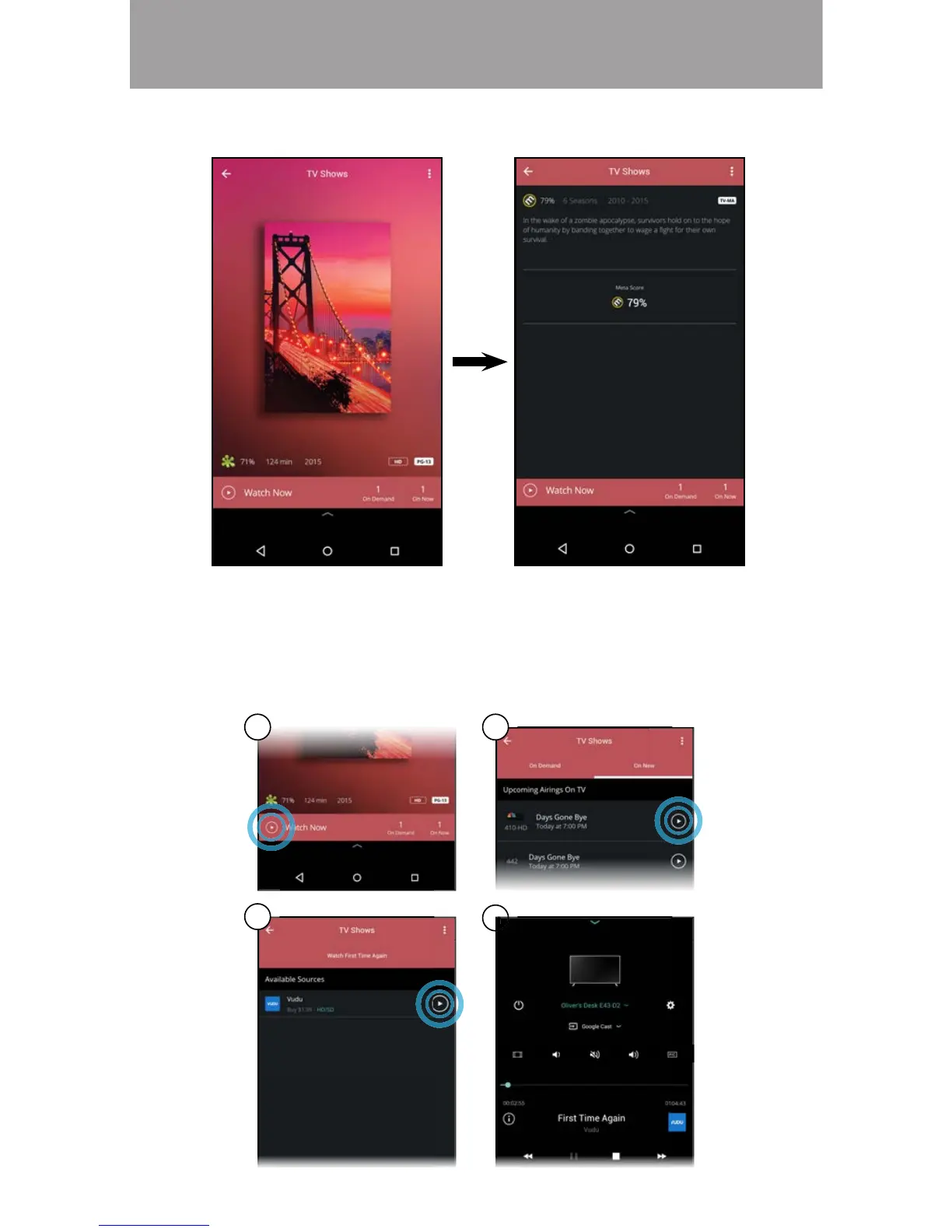
3. Tap on the title you want to watch to see information regarding the cast,
meta scores, and etc.
4. A) Tap on the play button.
B) Select On Demand or On Now (Online feed
*
) and tap the play button.
C) For On Demand: Select a source and tap the play button.
D) Your title begins playing on your display. The Device Menu is
displayed allowing you to control your display settings and content.
A B
C
D
* Separate user account may be required to access content.

 To Next Page
 Loading...