3
22
Note: The images shown here are for illustrative purposes only and may be subject to change. The actual on-screen image and text may vary, depending on the model.
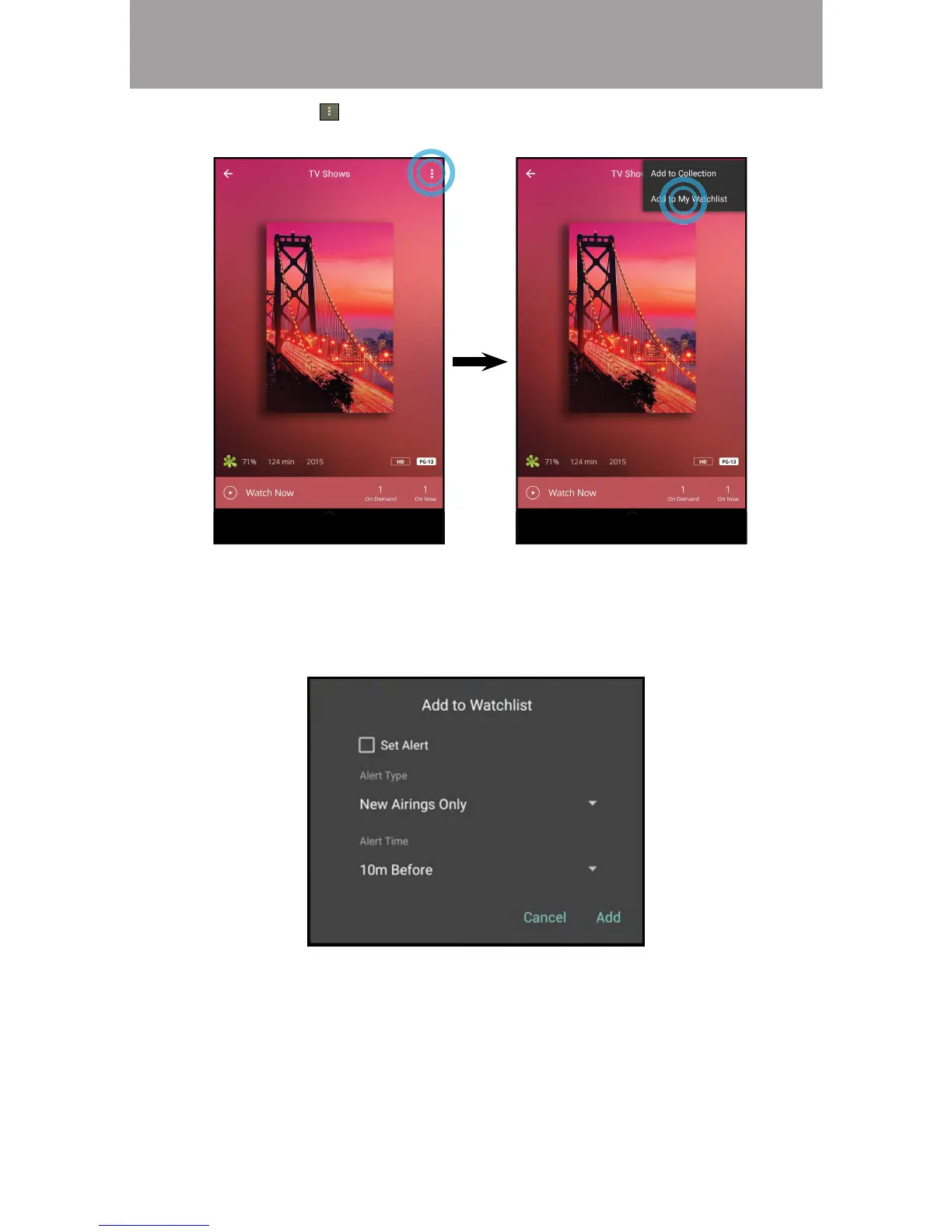
3. Tap on the button and select Add to My Watchlist to add the title to
your watchlist.
4. The Add to Watchlist menu appears. Here you can set an alert for the title,
alerting when it will be aired. Tap on Set Alert to turn the notication on.
Alert Types: New Airings Only, Live Airings Only, nwatched Airings Only,
or All Airings.
Alert Time: 10 minutes, 15 minutes, 30 minutes, or 1 hour before the
title airs.


 To Next Page
 Loading...