3
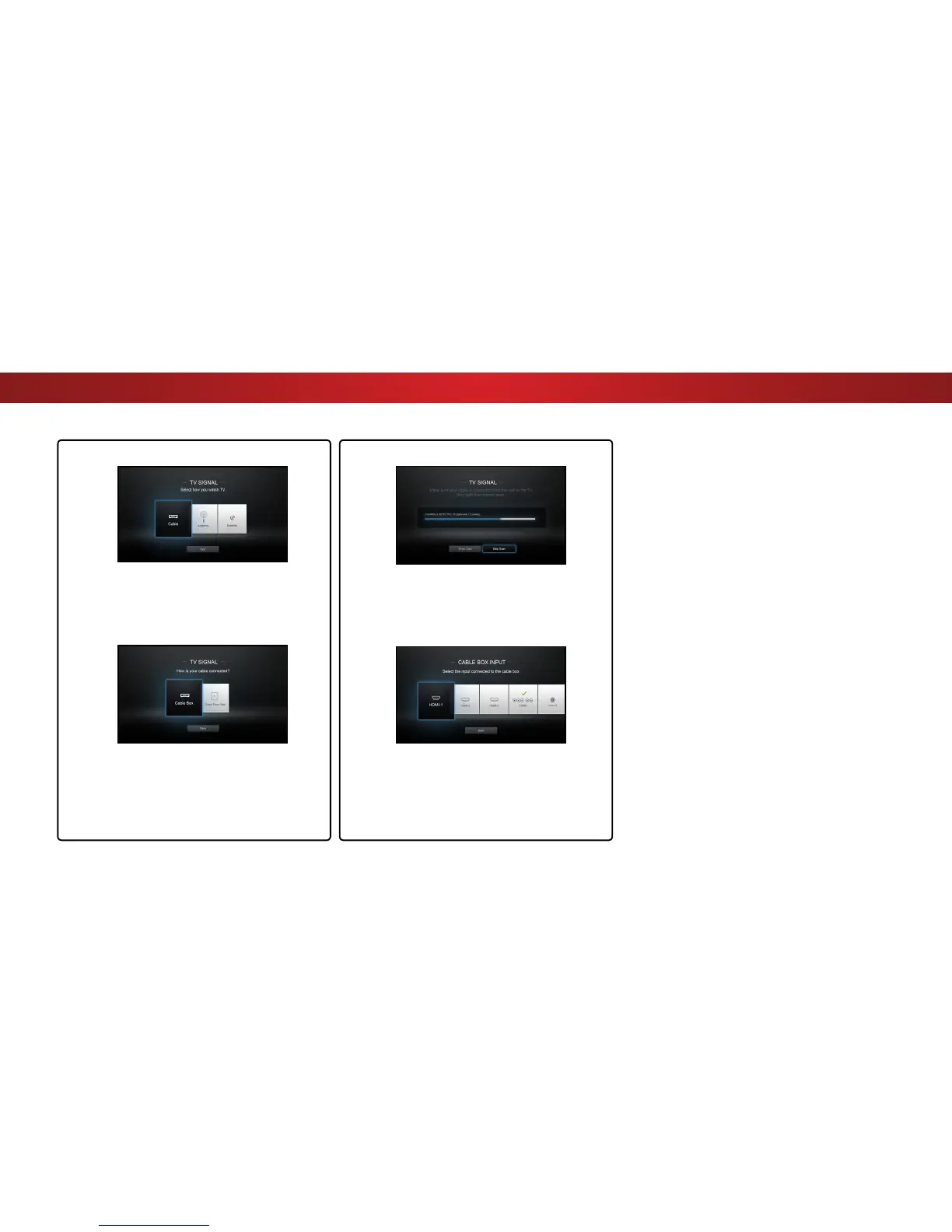
If the TV Signal channel scan screen appears,
the TV will need to scan for channels, which
takes several minutes.
Use the arrow buttons on the remote to highlight
Begin Scan and press OK.
10
Otherwise, use the Arrow and OK buttons
on the remote to select the input your TV
source is connected to.
When you are finished, the message
“Your VIZIO TV is set up.” will appear.
The First-Time Setup is complete.
Use the Arrow buttons on the remote to highlight
your TV source and press OK.
9
If you have cable TV, select whether you
have a cable box or if you connect the TV
directly to a cable from the wall.
Note: Number of ports may differ by TV.
21


 To Next Page