3
36
ADJUSTING PICTURE SETTINGS
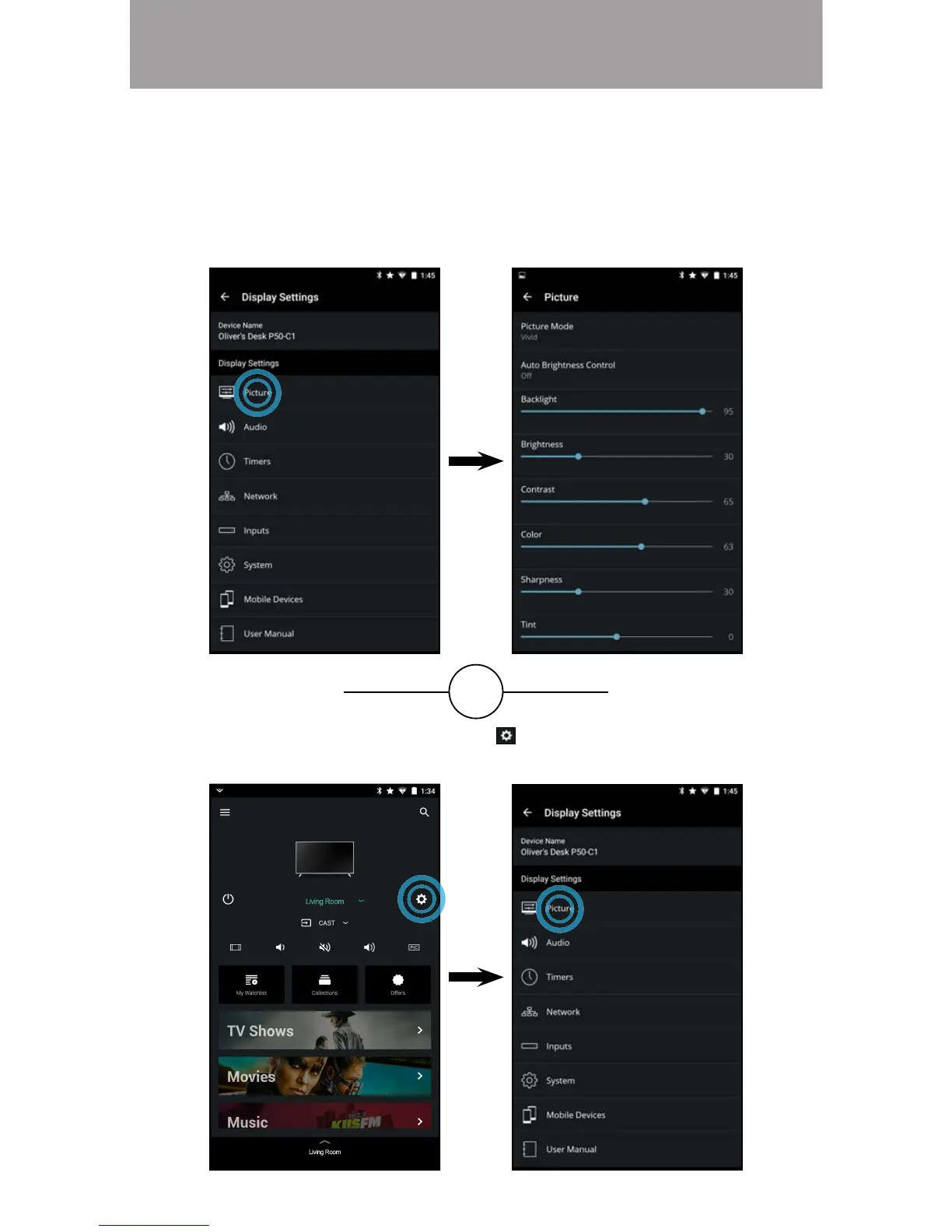
To access the Picture settings menu:
• From the Display Settings menu, tap on Picture. The Picture menu
is displayed.
OR
• From the Device Menu, tap on the button. The Display Settings
menu is displayed. Then tap on Picture to access the Picture menu.
In addition to letting you browse, watch, and listen to content, the VIZIO SmartCast
App lets you adjust your SmartCast Display settings directly from the App.



 To Next Page