Need help?
Do you have a question about the Vizio M Quantum X Series and is the answer not in the manual?
Key safety guidelines for TV installation, use, and maintenance.
Explanation of symbols and text conventions used in the manual.
Measures for protecting the TV during lightning storms.
Guidelines for grounding antenna and cable systems.
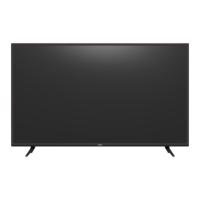
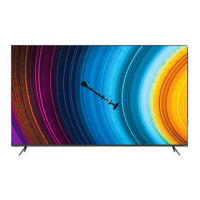
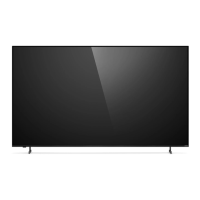
Details of the TV's front panel, including sensors and buttons.
Identifies and describes the various ports on the back of the TV.
Explains the function of each button on the VIZIO remote.
Instructions for replacing batteries in the remote control.
Steps to pair the voice remote and use voice commands effectively.
How to select different input sources for connected devices.
Guide to navigating and selecting options within the TV's on-screen menus.
Instructions for connecting Bluetooth headphones to the TV.
How to select and customize picture modes for different viewing scenarios.
How to adjust the white balance of the picture for desired color tone.
Fine-tuning picture settings like Black Detail, Noise Reduction, etc.
Options for saving, copying, locking, and resetting custom picture modes.
Settings for connected VIZIO sound bars via HDMI ARC/eARC.
Steps to connect the TV to Wi-Fi or wired networks.
Advanced network configuration using manual setup.
How to scan for channels before viewing programs.
How to remove unwanted channels from the channel list.
How to select audio language for digital channels.
How to lock or unlock specific TV channels using a PIN.
How to block content based on its rating.
How to activate, deactivate, and select closed captions.
How to change the language displayed in the TV menus.
How to set the TV's time, time zone, and daylight saving.
How to rename input sources for easier recognition.
How to switch between Eco Mode and Quick Start Mode.
Managing the front power indicator light status.
Setting timers to automatically turn off the TV or blank the screen.
Configuring CEC for controlling connected HDMI devices with the TV remote.
Pairing mobile devices and the voice remote for TV control.
How to reboot the TV to resolve temporary issues.
How to reset the TV to its original factory default settings.
Managing viewing data collection and personalized advertising preferences.
Overview of the Smart TV platform's apps and features.
Using the VIZIO Mobile app for TV control and configuration.
Information about VIZIO's free streaming TV service.
How to access and navigate the WatchFree+ live TV channels.
Steps for preparing a USB drive for media playback.
How to connect and browse media files from a USB drive.
Instructions for safely disconnecting a USB drive from the TV.
Solutions for common problems with the remote, sound, and picture quality.
Troubleshooting steps for "No Signal", power issues, and distorted images.
Resolving audio, Wi-Fi connection, and mobile app download issues.
Assistance with missing channels and voice assistant functionality.
Official statements regarding radio interference and apparatus compliance for FCC and Canada.
Details on what the warranty covers, how to obtain service, and user obligations.
Specifies what is not covered by the warranty and legal limitations on coverage.
Information on dispute resolution, binding arbitration, and consumer legal rights.
Details on software license agreements and VIZIO's privacy policy.
Guidance on recycling consumer electronics and packaging responsibly.
 General
| TV Type | Smart TV |
|---|---|
| Smart TV | Yes |
| Backlight Type | Full Array LED |
| Refresh Rate | 120 Hz |
| HDMI Ports | 4 |
| Operating System | SmartCast |
| Bluetooth | Yes |
| Dimensions (Without Stand) | Varies by screen size |
| Weight (Without Stand) | Varies by screen size |
| Resolution | 4K (2160p) |
| HDR Support | Dolby Vision, HDR10, HLG |
| Screen Sizes | 65", 75" |
| Series | M Quantum X Series |

 To Next Page