Need help?
Do you have a question about the Vizio D24f-G1 and is the answer not in the manual?
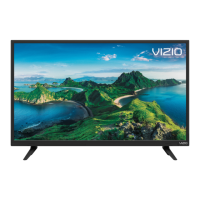
Identifies the front panel components and indicators on the VIZIO TV.
Details the ports and connections available on the rear of the VIZIO TV models.
Provides instructions and specifications for mounting the VIZIO TV to a wall.
Explains the functions of each button on the VIZIO TV remote control.
Guides users on how to navigate through the TV's on-screen menu system.
Explains how to select different input sources for connected devices.
Explains how to adjust the picture's aspect ratio for optimal viewing.
Details additional picture settings beyond basic mode selection for optimal viewing.
Explains how to adjust the white balance of the picture for different viewing conditions.
Allows precise adjustments and saving of custom picture settings.
Covers managing custom picture modes by locking, deleting, or resetting them.
Details how to adjust color management, white balance, and color channels.
Guides on displaying test patterns for screen calibration and analysis.
Allows advanced users to manually configure network settings like IP address and DNS.
Explains how to set sleep timers and manage the auto power off feature.
Explains how to turn off the screen while audio is playing to save LED life.
Instructions on scanning for channels and removing unwanted ones.
Explains how to listen to alternate audio languages using SAP.
Details accessing parental controls, program ratings, and channel locking.
Allows customization of digital closed caption text style, size, color, and background.
Enables users to rename input sources for easier identification.
Covers checking for system updates and viewing system information.
Explains how to change the language of the TV's on-screen menu.
Details setting the TV's time zone and Daylight Saving Time.
Guides on enabling and configuring Consumer Electronics Control (CEC) for connected devices.
Explains how to switch between Eco Mode and Quick Start Mode.
Allows custom TV naming and pairing with mobile devices.
Outlines various accessibility features like Talk Back and Zoom Mode.
Covers resetting the TV to factory defaults and performing a soft power cycle.
Guides on turning the TV's front power indicator light on or off.
Instructions on creating and using a PIN for security.
Explains USB power options and VIZIO's viewing data policy.
Introduces SmartCast Home as a platform for discovering and streaming content.
Details what users can do with SmartCast Home, including app access and mirroring.
Explains how to use the VIZIO SmartCast Mobile app to control the TV.
Describes WatchFree as a free streaming service with live TV channels and movies.
Highlights the benefits of WatchFree, such as free access and a wide selection of content.
Provides instructions on how to access the WatchFree service on the TV.
Details requirements for formatting and saving files to a USB drive for playback.
Guides on connecting, displaying, and safely removing USB media content.
 General
| Screen Type | led |
|---|---|
| Wall Mount | 100mm x 100mm |
| Features | full array led, smartcast, apple airplay, chromecast built-in, works with siri, google assistant, amazon alexa, watchfree |
| Tuner | digital |
| Screen Size | 23.5 inches, 24 inches |
| Screen Technology | standard led |
| Resolution | full hd (1080p) |
| Refresh Rate | 60hz |
| Closed Captioning | no |
| HDR | no |
| Built-In Speakers | yes |
| Speakers Output | 4 watts |
| HDMI Ports | 2 |
| HDMI ARC Ports | yes |
| USB Ports | 0 |
| RF Antenna | yes |
| Network | built-in wi-fi |
| Digital Optical Audio Outputs | 0 |
| Analog Audio Outputs | 1 |
| Component Video Inputs | 0 |
| Composite Video Inputs | 0 |
| DVI | 0 |
| SmartTV | smartcast |
| Streaming Services | apple tv+, disney+, hulu, netflix, paramount+, peacock, prime video, redbox, tubi, xumo, youtube, youtube tv |
| Smart Applications | amazon alexa, apple homekit, google assistant, siri |
| Voice Assistant | no |
| Remote Control | standard |
| 3D | no |
| Power Consumption | 50.3 kilowatt hours |
| Depth with Stand | 6.3 inches |
| Height with Stand | 14.9 inches |
| Width with Stand | 22.1 inches |
| Net Weight with Stand | 5.8 pounds |
| Depth without Stand | 2.9 inches |
| Height without Stand | 13.3 inches |
| Net Weight without Stand | 5.7 pounds |

 To Next Page