Need help?
Do you have a question about the Vizio D50-F1 and is the answer not in the manual?
Essential guidelines to prevent electric shock, fire, and damage during TV operation and maintenance.
Information on registering your VIZIO TV for accessories, services, and warranty support.
Details on VIZIO's extended warranty service plans for additional product protection.
Explanation of warning and tip symbols used within the user manual.
Guidance on protecting your TV from lightning surges via antenna grounding.
Precautions regarding antenna placement near overhead power lines.
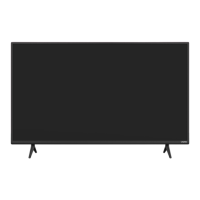
Description of the TV's front panel components, including the power indicator and remote sensor.
Location and function of the remote sensor and the TV's power indicator light.
Identification of rear panel ports for connecting external devices and power.
Step-by-step instructions for securely mounting the TV to a wall using a bracket.
Technical details for wall mounting, including screw size, hole pattern, and weight.
Detailed explanation of each button's function on the VIZIO remote control.
Instructions on how to open the remote and replace the batteries correctly.
Guided process for setting up language, country, network, and channels upon first use.
How to use the remote's buttons to move through and select menu options.
Steps to switch between different connected video and audio input devices.
Explanation of how different aspect ratio modes affect the displayed image.
Guide to selecting and understanding various preset picture modes for optimal viewing.
How to manually fine-tune picture elements like brightness, contrast, and color.
Adjusting advanced picture parameters for enhanced detail and reduced motion artifacts.
How to modify the white balance and color hue for a preferred picture tone.
Creating and saving personalized picture settings for different viewing scenarios.
Securing custom picture modes with a PIN to prevent unintended changes.
Removing custom picture modes that are no longer needed.
Restoring edited picture modes back to their original factory default settings.
Fine-tuning Hue, Saturation, and Brightness for individual color channels.
Options to turn individual color channels on or off for testing purposes.
Adjusting the white balance across eleven specific brightness levels for accurate color.
Displaying the SMPTE color bar test pattern for calibration and diagnostics.
Showing a uniform color field test pattern to check for screen uniformity.
Displaying a gradient test pattern to assess color transitions and banding.
Using a pattern to check for screen uniformity issues like dead pixels or backlight bleed.
Configuring speaker output, volume display, and surround sound effects.
Fine-tuning audio levels, balance, and lip synchronization for optimal sound.
Selecting output formats for digital audio and configuring analog audio properties.
Adjusting audio frequencies using presets or custom equalizer settings.
Steps to connect the TV to a Wi-Fi network by selecting SSID and entering password.
Configuring network settings like IP address, subnet mask, and DNS manually.
Locating the TV's MAC addresses for network setup or router configuration.
Connecting to Wi-Fi networks whose SSID is not publicly broadcast.
Verifying the TV's network connection status, signal strength, and speed.
Setting a timer for the TV to automatically turn off after a specified period.
Configuring the TV to automatically turn off after a period of inactivity or no signal.
Performing an automatic scan to find available broadcast and cable channels.
Removing unwanted channels from the channel list for easier navigation.
Selecting different audio languages or SAP for analog broadcasts.
Choosing preferred languages for digital broadcasts, including video descriptions.
Steps to enter the parental controls menu and set a system PIN.
Enabling or disabling program ratings to manage content viewing.
Preventing access to specific channels by locking them with a PIN.
Blocking content based on its rating category (e.g., movie, TV show) for different age groups.
Turning closed captions on or off for programs that support them.
Modifying the text style, size, color, and background of digital closed captions.
Assigning custom names to input ports for easier identification of connected devices.
Accessing technical data and status information about the TV and its network connection.
Selecting the preferred language for the TV's on-screen menus.
Configuring the TV's time zone and daylight saving settings for accurate time display.
Allowing the TV remote to control connected HDMI devices via CEC.
Switching between power-saving Eco Mode and faster-starting Quick Start Mode.
Assigning a unique name to the TV for easier identification on networks.
Introducing features like Talk Back and Zoom Mode for enhanced user accessibility.
Resetting the TV to its original factory settings to resolve issues or clear data.
Turning the TV's front power indicator light on or off.
Establishing a PIN for system security, parental controls, and factory reset.
Information about VIZIO's data collection practices for content analysis and advertising.
How to use the Info button to view current TV name, input, picture mode, and time.
Overview of SmartCast TV for discovering, streaming, and controlling content.
Features of SmartCast TV, including app access, 4K streaming, and voice control.
Instructions on how to access and start using the SmartCast TV platform.
Requirements for formatting USB drives and saving media files like videos and photos.
Connecting a USB drive and browsing or playing media files on the TV.
Procedures for safely disconnecting a USB drive from the TV to prevent data loss.
Accessing help, FAQs, and support videos via the VIZIO support website.
Ways to contact VIZIO customer service via telephone or live chat.
Reasons to register your VIZIO product for customized support and updates.
Solutions for a non-responsive or malfunctioning remote control.
Troubleshooting steps for when the TV displays no signal or a blank screen.
Diagnosing and resolving problems related to the TV not powering on or producing sound.
Addressing common picture quality issues like distortion, incorrect colors, or poor image.
Solutions for interference causing "noise" or static on the TV screen.
Understanding why the TV image size may change when switching input sources.
Instructions for downloading and installing the VIZIO SmartCast mobile application.
How to switch between different input sources using the remote or app.
Detailed steps for connecting the TV to a wireless Wi-Fi network.
Guidance on streaming content from popular apps like Netflix and YouTube.
Steps to exit the TV's demonstration or store mode.
Information on connecting and watching broadcast or cable TV channels.
Physical dimensions, weight, and mounting hole specifications for various models.
Details on resolution, backlight type, refresh rate, and contrast ratio.
Information on available ports, audio outputs, power consumption, and standby power.
Overview of On-Screen Display language options and product certifications.
Statement regarding compliance with FCC rules for digital device interference.
Compliance statement for Canada's license-exempt radio apparatus regulations.
Details on the warranty period, what is covered, and the zero bright pixel guarantee.
Procedures for getting service, user obligations, and VIZIO's responsibilities.
Items not covered by the warranty and limitations on implied warranties.
Information on binding arbitration and class action waivers for U.S. residents.
Explanation of how warranty terms apply and general legal rights.
Terms governing the use of software provided with the VIZIO product.
Information on US export control laws applicable to VIZIO products.
Notes on factors affecting internet connectivity and video quality.
Guidance on proper disposal of batteries and consumer electronic products.
 General
| Screen shape | Flat |
|---|---|
| Response time | - ms |
| Display diagonal | 50 \ |
| Display brightness | - cd/m² |
| Display technology | LED |
| Native aspect ratio | 16:9 |
| Native refresh rate | 120 Hz |
| LED backlighting type | Full-Array |
| Display number of colors | 1.073 billion colors |
| Supported graphics resolutions | 3840 x 2160 |
| Motion interpolation technology | - |
| 3D | No |
| Battery type | AAA |
| Number of batteries supported | 2 |
| Composite video in | 0 |
| HDMI ports quantity | 3 |
| USB 2.0 ports quantity | USB 2.0 ports have a data transmission speed of 480 Mbps, and are backwards compatible with USB 1.1 ports. You can connect all kinds of peripheral devices to them. |
| Component video (YPbPr/YCbCr) in | 1 |
| Processor cores | 8 |
| High Dynamic Range (HDR) technology | High Dynamic Range (HDR) 1500, High Dynamic Range 10+ (HDR10 Plus) |
| Wi-Fi standards | Wi-Fi 5 (802.11ac) |
| Tuner type | Analog & digital |
| RMS rated power | 10 W |
| Power consumption (standby) | 0.5 W |
| Power consumption (typical) | 71.9 W |
| Product color | Black |
| Panel mounting interface | 200 x 200 mm |
| Screw thread | M6 |
| Package depth | 151.9 mm |
| Package width | 1270 mm |
| Package height | 760 mm |
| Package weight | 18600 g |
| Remote control type | XRT136 |
| Operating system installed | SmartCast OS |
| On Screen Display (OSD) languages | ENG, ESP, FRE |
 Weight and Dimensions
| Depth (with stand) | 260.1 mm |
|---|---|
| Height (with stand) | 718.1 mm |
| Weight (with stand) | 13600 g |
| Depth (without stand) | 84.1 mm |
| Width (without stand) | 1129.3 mm |
| Height (without stand) | 657.1 mm |
| Weight (without stand) | 13300 g |

 To Next Page