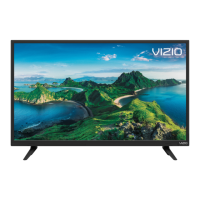
Need help?
Do you have a question about the Vizio D24fM-K01 and is the answer not in the manual?
Essential safety precautions for TV installation and use.
Guidelines for grounding antennas and lightning protection.
Identifies TV's front panel controls, sensor, and power button.
Details the various input/output ports on the TV's rear panel.
Instructions for connecting audio and video devices using various cables.
Specifications and steps for mounting the TV on a wall.
Explanation of remote buttons, functions, and battery replacement.
Pairing and using the voice remote for TV control and commands.
Step-by-step guide for initial TV setup, network, and account configuration.
How to navigate menus and change input sources.
Instructions for pairing Bluetooth headphones to the TV.
Adjusting picture modes, color temperature, and advanced picture settings.
Adjusting TV audio, speakers, and sound bar settings via HDMI ARC.
Connecting to Wi-Fi, hidden networks, and manual network setup.
Scanning for channels, skipping unwanted ones, and managing analog audio.
Locking channels, blocking content by rating, and enabling program ratings.
Setting up closed captions and customizing their appearance.
Changing menu language, time, TV name, power modes, and PIN.
Rebooting, checking updates, factory reset, and managing viewing data.
How to view current input, resolution, audio type, and network name.
Using SmartCast apps, WatchFree+, and the VIZIO Mobile App.
Connecting USB drives and playing music, video, and photo files.
Information on obtaining support, registering the product, and updates.
Addresses common TV problems like no sound, no signal, or remote issues.
Detailed technical specifications for different VIZIO TV models.
Compliance statements regarding FCC and Canada radio interference.
Explains warranty coverage, exclusions, arbitration, and legal terms.
Information on software licenses, trademarks, and product recycling.
 General
| Screen shape | Flat |
|---|---|
| Response time | 10 ms |
| Display diagonal | 24 \ |
| Display brightness | - cd/m² |
| Display technology | LED |
| Native aspect ratio | 16:9 |
| Native refresh rate | 60 Hz |
| LED backlighting type | Full-Array |
| Display diagonal (metric) | 60 cm |
| Motion interpolation technology | - |
| RMS rated power | - W |
| Number of speakers | 2 |
| Wi-Fi standards | Wi-Fi 5 (802.11ac) |
| Product color | Black |
| Panel mounting interface | 100 x 100 mm |
| MBR support | No |
| HDMI version | 1.4 |
| USB 2.0 ports quantity | USB 2.0 ports have a data transmission speed of 480 Mbps, and are backwards compatible with USB 1.1 ports. You can connect all kinds of peripheral devices to them. |
| Digital audio optical out | 1 |
| Package depth | 134.9 mm |
| Package width | 650 mm |
| Package height | 420 mm |
| Package weight | 4300 g |
| Remote control type | XRT260 (Voice RCU) |
 Weight and Dimensions
| Depth (with stand) | 160 mm |
|---|---|
| Width (with stand) | 539 mm |
| Height (with stand) | 365 mm |
| Weight (with stand) | 2700 g |
| Depth (without stand) | 76.8 mm |
| Height (without stand) | 327.9 mm |

 To Next Page