Need help?
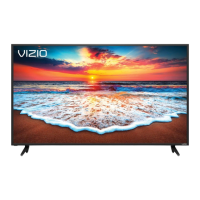
Do you have a question about the Vizio D70-F3 and is the answer not in the manual?
Key safety precautions for TV operation and installation to prevent electric shock or fire.
Instructions for securely mounting the TV on a wall using appropriate brackets and hardware.
Explains the purpose of each button on the remote control for TV operation.
Guides through language, network, and channel setup for initial TV use.
Modifies display settings like brightness, contrast, color, aspect ratio, and picture modes.
Configures sound output, volume leveling, surround sound, and digital audio settings.
Explains SmartCast features and how to launch apps from the home screen.
Provides contact info and online resources for assistance with TV issues.
Addresses issues like remote problems, no signal, sound, image quality, and provides usage guides.
Outlines coverage, obligations, and exclusions for the product warranty.
 General
| Screen Size | 70 inches |
|---|---|
| Display Type | LED |
| Smart TV | Yes |
| Smart TV Platform | Vizio Smartcast |
| USB Ports | 1 |
| Ethernet Port | Yes |
| Bluetooth | No |
| Built-in Chromecast | Yes |
| Resolution | 3840 x 2160 |
| HDR Support | HDR10, HLG |
| Backlight Type | Full Array LED |
| Refresh Rate | 120Hz |
| Wi-Fi | Yes (802.11ac) |
| Audio Output | Optical, RCA |
| Voice Control | Yes |


 To Next Page