EasyManua.ls Logo

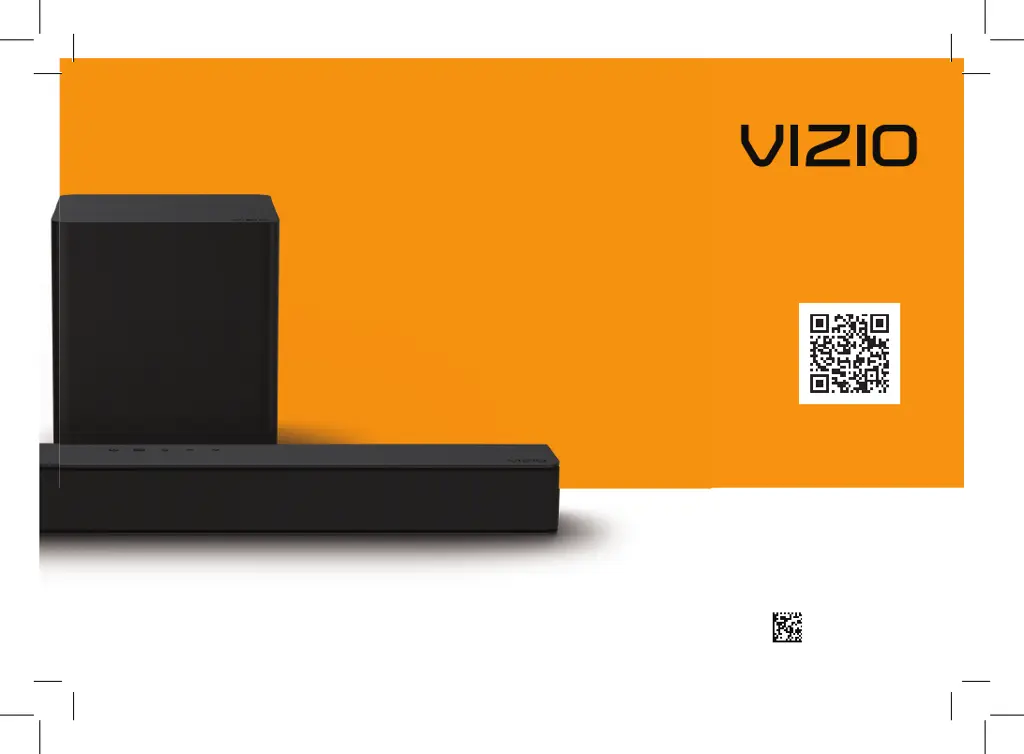
Vizio V 2.1 Series - User Manual

Vizio V 2.1 Series
40 pages
Print Icon
To Next Page IconTo Next Page
Loading...
Model: V21t-J8
Please read this guide before using the product.
V-Series
2.1
User Manual
Scan to
learn more.
70-VZV21T-DFUB3

Questions and Answers

  • J
    James OconnorJul 29, 2025
    Why is my Vizio Speaker System remote not working?
    • A
      amyyoungJul 29, 2025
      If your Vizio Speaker System remote isn’t working, try these steps: 1. Replace the remote batteries with new ones. 2. Point the remote directly at the center of the sound bar when pressing a button. 3. If you're using a Bluetooth connection, be aware that some buttons on the remote may not be supported by the streaming application.
  • E
    Emily McleanAug 12, 2025
    How to troubleshoot no power on Vizio V 2.1?
    • R
      riveraanitaAug 12, 2025
      If your Vizio Speaker System isn't powering on, try the following: * Press the POWER button on the remote control or on the top of the sound bar. * Make sure the power cord is securely connected. * Plug another device into the same electrical outlet to confirm that the outlet is working properly.
  • T
    Tanya TaylorAug 20, 2025
    How to fix buzzing or humming sound on Vizio V 2.1?
    • P
      pgatesAug 20, 2025
      If you're experiencing buzzing or humming with your Vizio Speaker System, here are a few things to try: * Make sure all cables and wires are securely connected. * Try connecting a different source device (like a TV or Blu-ray player) to see if the buzzing continues. If it stops, the problem might be with the original device. * Connect your current device to a different input on the sound bar.
  • H
    hinesjenniferNov 4, 2025
    What to do if my Vizio V 2.1 Speaker System has no sound?
    • J
      jacob19Nov 4, 2025
      To address the issue of no sound on your Vizio Speaker System: * First, increase the volume by pressing the VOLUME UP button on the remote or the sound bar itself. * Ensure the sound bar isn't muted by pressing the MUTE button on the remote. * Try selecting a different input source by pressing INPUT on the remote or sound bar. If you're using a Digital Optical input, try setting the TV output to PCM or connect directly to your Blu-ray player or another source, as some TVs might not pass through digital audio. For digital inputs, if the input LEDs flash rapidly, set the source to output PCM. Also, check your TV's audio output setting and ensure it's set to FIXED or STANDARD, not VARIABLE. If using Bluetooth, make sure the volume on your source device is turned up and the device isn'...

Summary

Important Safety Instructions

Package Contents

Controls & Connections

First-time Setup

Using the Remote

Remote Control Overview

Explains the function of each button on the VIZIO remote control for operating the soundbar.

Mode & Level Settings

Input Settings

Describes how to cycle through and detect audio inputs based on LED indicators.

Bluetooth Mode Settings

Explains how to discover and pair the soundbar via Bluetooth using LED feedback.

DTS TruVolume Control

Details how to enable/disable TruVolume for consistent audio output levels.

DTS Virtual:X Settings

Explains how to enable/disable Virtual:X for simulated overhead sound or stereo playback.

Equalizer Mode Selection

Guides on switching between preset equalizer settings like Movie, Music, Dialogue, and Game.

Bass Level Adjustment

How to adjust the bass level using the remote and monitor via LED indicators.

Subwoofer Level Adjustment

How to adjust the subwoofer level using the remote and monitor via LED indicators.

Treble Level Adjustment

How to adjust the treble level using the remote and monitor via LED indicators.

Auto VA Configuration

How to enable/disable Voice Assistant (VA) via AUX or Bluetooth using remote button combinations.

Using Button Combinations

Factory Reset Procedure

Instructions for resetting the soundbar to factory default settings using button combinations.

VIZIO TV Remote Control Integration

How to enable/disable using a VIZIO TV remote for power and volume control.

Eco Power Mode Management

How to enable/disable Eco Power mode for automatic shutdown after inactivity.

Programming the Sound Bar

Bluetooth Pairing

Using Bluetooth Mode

Connecting to a Voice Assistant

Connecting with HDMI ARC

Connecting a Subwoofer

Wall-mounting

Help & Troubleshooting

Troubleshooting No Power

Solutions for when the soundbar unit does not power on or receive power.

Troubleshooting No Sound

Steps to resolve issues when no audio is being output by the soundbar.

Vizio V 2.1 Series Specifications

General IconGeneral
Configuration2.1
SubwooferWireless
Dolby AudioYes
Frequency Response50 Hz - 20 kHz
Remote ControlYes
Wall MountableYes
ConnectivityBluetooth, Optical, HDMI

Related product manuals