EasyManua.ls Logo

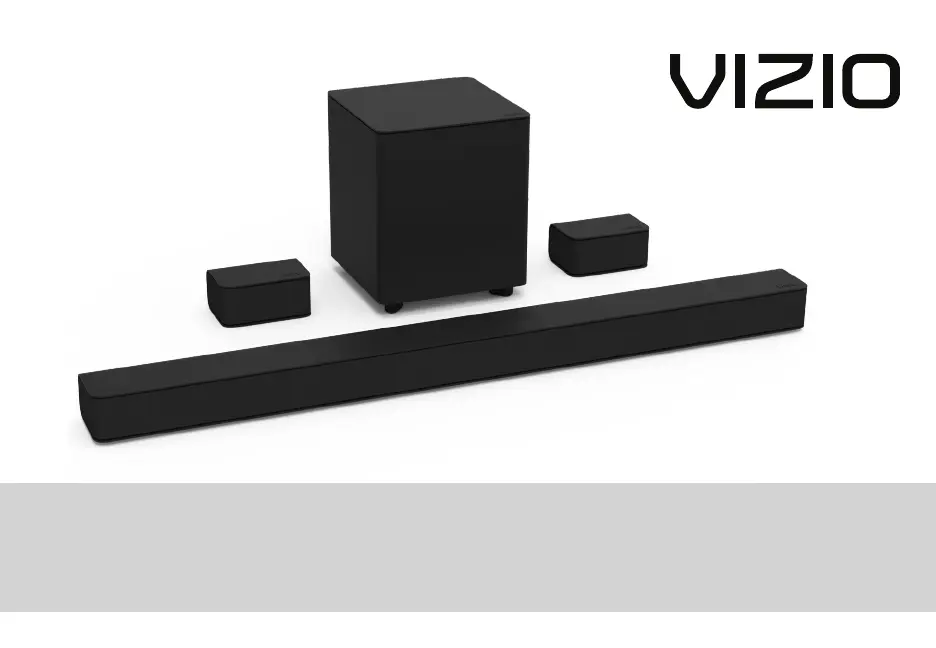
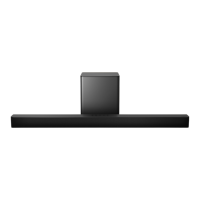
Vizio V51-H6 - User Manual

Vizio V51-H6
44 pages
Print Icon
To Next Page IconTo Next Page
Loading...
Please read this guide before using the product.
USER MANUAL
Model: V51-H6
VIZIO V-Series
5.1 Sound Bar
USER MANUAL
Model: V51-H6
VIZIO V-Series
5.1 Sound Bar
Please read this guide before using the product.

Other manuals for Vizio V51-H6

Questions and Answers

  • Y
    Yolanda GarciaJul 28, 2025
    What to do if my Vizio V51-H6 remote isn't working?
    • A
      Andrea VasquezJul 29, 2025
      If the remote for your Vizio Speaker System isn't working, try these solutions: * Replace the batteries with new ones. * Point the remote directly at the center of the sound bar when pressing a button.
  • J
    Jennifer SnyderAug 5, 2025
    Why is there no sound on my Vizio V51-H6 Speaker System?
    • D
      David UnderwoodAug 5, 2025
      If your Vizio Speaker System has no sound, try the following: * Increase the volume using the VOLUME UP button on the remote or the sound bar. * Ensure the sound bar isn't muted by pressing MUTE on the remote. * Select a different input source by pressing INPUT on the remote or the sound bar. * If using Digital Optical input, set the TV output to PCM or connect directly to your Blu-ray player because some TVs do not pass through digital audio. * If you have an unsupported format on digital inputs, set the source to output PCM. * Check that your TV's audio output setting is set to FIXED or STANDARD, not VARIABLE. Refer to your TV's manual for details. * If using Bluetooth, ensure the source device's volume is up and it isn't muted.
  • J
    John MayAug 12, 2025
    What to do if my Vizio V51-H6 Speaker System has no power?
    • S
      Suzanne VillarrealAug 13, 2025
      If your Vizio Speaker System isn't powering on, try these steps: * Press the POWER button on the remote or the sound bar. * Make sure the power cord is securely connected. * Plug another device into the outlet to check if the outlet is working.
  • H
    Heather ButlerAug 20, 2025
    How to stop buzzing or humming from Vizio V51-H6?
    • S
      Samantha ReyesAug 20, 2025
      To address buzzing or humming from your Vizio Speaker System: * Ensure all cables and wires are securely connected. * Connect a different source device (TV, Blu-ray player, etc.) to see if the buzzing continues. If it stops, the issue may be with the original device. * Connect your device to a different input on the sound bar.

Summary

User Manual

Model Information

Identifies the specific VIZIO V-Series 5.1 Sound Bar model.

Important Safety Instructions

Controls & Connections

First-time Setup

Initial Connection

Guides on connecting the sound bar to the TV using appropriate cables.

Using the Remote

Remote Button Functions

Explains the purpose of each button on the remote control for various operations.

Proper Placement

Mode & Level Settings

Using Button Combinations

Bluetooth Pairing

Using Bluetooth Mode

Connecting to a Voice Assistant

Connecting with HDMI ARC

HDMI ARC Setup Steps

Connecting a Subwoofer

Wall-mounting the Sound Bar

Help & Troubleshooting

Vizio V51-H6 Specifications

General IconGeneral
Audio decodersDTS Digital Surround, DTS TruVolume, DTS Virtual:X
Equalizer modesGame, Movie, Music
RMS rated power- W
Audio output channels5.1 channels
Audio Return Channel (ARC)Yes
Bluetooth version4.1
Connectivity technologyWireless
Digital audio optical in1
Number of speakers6
Display typeLCD
Product colorBlack
Network streaming services supportedPandora, Spotify
Subwoofer locationSeparate
Woofer diameter (subwoofer)5 \
Package depth401.3 mm
Package width977.9 mm
Package height271.8 mm
Weight and Dimensions IconWeight and Dimensions
Depth80.8 mm
Width914.4 mm
Height56.9 mm
Soundbar weight2100 g
Subwoofer depth210.8 mm
Subwoofer height251.5 mm
Subwoofer weight3500 g
Rear speaker depth81 mm
Rear speaker weight900 g

Videos

How to Fine-Tune Sound Levels on VIZIO V51-H6 Soundbar

Related product manuals