EasyManua.ls Logo

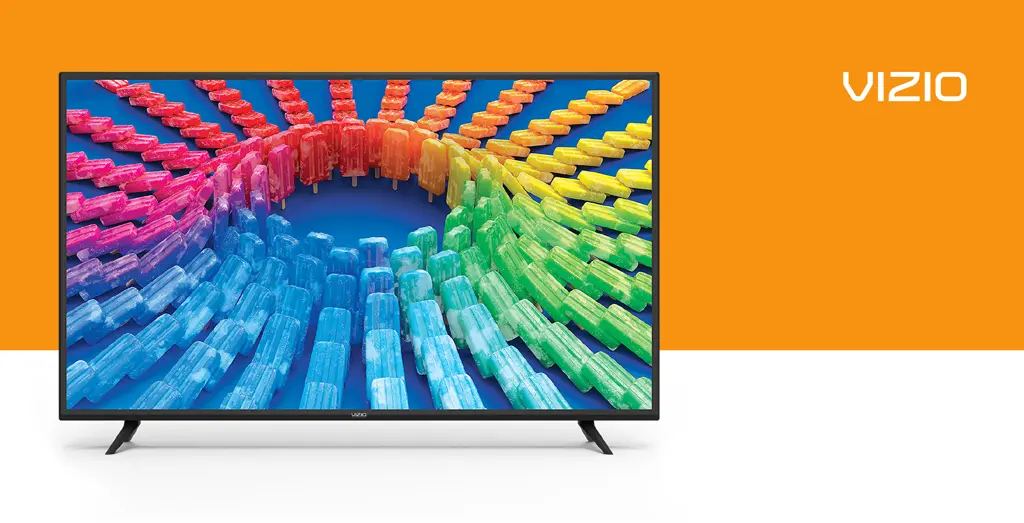
Vizio V Series - User Manual

Vizio V Series
48 pages
Print Icon
To Next Page IconTo Next Page
Loading...
Models:
V405-H9, V405-H19, V505-H9,
V505-H19, V605-H3, V655-H4, V655-H9,
V655-H19, V705-H3 & V705-H13
V-Series
User Manual

Table of Contents

Questions and Answers

  • M
    Meredith NortonAug 16, 2025
    What to do if my Vizio Speaker System remote isn't working?
    • W
      William JordanAug 16, 2025
      If the remote for your Vizio Speaker System isn't working, try these solutions: * Replace the batteries with new ones. * Point the remote directly at the center of the sound bar when pressing a button.
  • S
    Sandra FloresAug 19, 2025
    Why is there no sound on my Vizio V Series Speaker System?
    • T
      tylerhamptonSep 12, 2025
      If your Vizio Speaker System has no sound, try the following: * Increase the volume using the VOLUME UP button on the remote or the sound bar. * Ensure the sound bar isn't muted by pressing MUTE on the remote. * Select a different input source by pressing INPUT on the remote or the sound bar. * If using Digital Optical input, set the TV output to PCM or connect directly to your Blu-ray player because some TVs do not pass through digital audio. * If you have an unsupported format on digital inputs, set the source to output PCM. * Check that your TV's audio output setting is set to FIXED or STANDARD, not VARIABLE. Refer to your TV's manual for details. * If using Bluetooth, ensure the source device's volume is up and it isn't muted.
  • A
    Alejandra WalkerAug 22, 2025
    What to do if my Vizio V Series has no power?
    • C
      Charles CantrellAug 22, 2025
      If your Vizio Speaker System isn't powering on, try these steps: * Press the POWER button on the remote or the sound bar. * Make sure the power cord is securely connected. * Plug another device into the outlet to check if the outlet is working.
  • L
    Lisa CarrollAug 25, 2025
    How to stop buzzing or humming from Vizio V Series?
    • M
      Marissa PruittAug 26, 2025
      To address buzzing or humming from your Vizio Speaker System: * Ensure all cables and wires are securely connected. * Connect a different source device (TV, Blu-ray player, etc.) to see if the buzzing continues. If it stops, the issue may be with the original device. * Connect your device to a different input on the sound bar.
  • S
    Steven MoralesAug 28, 2025
    What to do if there is no sound on Vizio Speaker System?
    • H
      Hannah RossAug 28, 2025
      If your Vizio Speaker System has no sound, first, increase the volume using the VOLUME UP button on the remote or the sound bar itself. Also, check if the sound bar is muted by pressing the MUTE button on the remote. Try selecting different input sources by pressing INPUT. If using digital inputs and there's no audio, set the TV output to PCM or connect directly to your Blu-ray player. For digital inputs, a voice announcement indicates an unsupported format; set the source to output PCM. Ensure your TV audio output is set to FIXED or STANDARD, not VARIABLE, and if using Bluetooth, make sure the source device's volume is up and not muted.
  • J
    john67Aug 31, 2025
    How to fix Vizio Speaker System when there is no power?
    • N
      Nathan OwensAug 31, 2025
      If your Vizio Speaker System isn't powering on, press the POWER button on the remote or the side of the sound bar. Check that the power cord is securely connected. To ensure the outlet works, try plugging in a different device.
  • J
    Julian AdamsSep 3, 2025
    What to do if I hear buzzing or humming on Vizio V Series Speaker System?
    • R
      Ryan RosalesSep 3, 2025
      If you hear buzzing or humming from your Vizio Speaker System, first ensure all cables and wires are securely connected. Try connecting a different source device (TV, Blu-ray player, etc.) to see if the buzzing persists; if it doesn't, the problem may be with the original device. You can also try connecting your device to a different input on the sound bar.
  • S
    sshieldsSep 6, 2025
    What to do if my Vizio Speaker System has no sound?
    • J
      joe53Sep 6, 2025
      If your Vizio Speaker System has no sound, first increase the volume by pressing the VOLUME UP button on the remote or the sound bar itself. Also, ensure that the sound bar isn't muted by pressing the MUTE button on the remote. Try selecting different input source by pressing INPUT on the remote or on the top of the sound bar. When using the Digital Optical input, try setting the TV output to PCM or connect directly to your Blu-ray or another source, as some TVs might not pass through digital audio. For digital inputs, if the input LEDs flash rapidly, set the source to output PCM. Check that your TV audio output setting is set to FIXED or STANDARD, not VARIABLE. If you're using Bluetooth, make sure the volume on your source device is turned up and that the device isn't muted.
  • A
    Anthony LynchSep 8, 2025
    How to troubleshoot a Vizio V Series that has no power?
    • S
      Stephanie HollandSep 9, 2025
      If your Vizio Speaker System has no power, begin by pressing the POWER button on the remote or on the sound bar itself. Then, make sure the power cord is securely connected. Finally, plug a different device into the electrical outlet to confirm that the outlet is working correctly.
  • D
    Darlene CampbellSep 12, 2025
    How to fix buzzing or humming sound on Vizio Speaker System?
    • Z
      Zoe ButlerSep 12, 2025
      If you hear buzzing or humming from your Vizio Speaker System, make sure all cables and wires are securely connected. You can also connect a different source device (TV, Blu-ray player, etc.) to see if the buzzing persists; if it doesn’t, the problem may be with the original device. Also, try connecting your device to a different input on the sound bar.

Summary

Getting Started with Your VIZIO TV

TV Overview and Components

Overview of TV panels, remote, wall-mounting, and connections.

Initial Setup and Connections

Guides through first-time setup, menu navigation, and input changes.

Core TV Settings and Configuration

Picture Settings Adjustment

Customizing picture modes, color, aspect ratio, and advanced picture settings.

Audio and Network Configuration

Setting up audio output, network connections, and Wi-Fi.

Advanced Features and Content Management

Channel Setup and Parental Controls

Scanning channels, skipping, managing audio, and setting parental controls.

Accessibility and System Settings

Configuring accessibility options and system settings like language, time, and PIN.

Smart Features and Media Playback

SmartCast Home and WatchFree

Using SmartCast Home, WatchFree streaming, and mobile app control.

USB Media Playback

Playing music, videos, and photos from a USB drive.

Support, Specifications, and Warranty

Product Support and Troubleshooting

Registration, technical support, and common troubleshooting steps.

Specifications, Regulatory, and Warranty

Technical specs, regulatory info, warranty terms, and legal notices.

Vizio V Series Specifications

General IconGeneral
BluetoothYes
HDMI ARCYes
DTS Virtual:XYes
DTS:XNo
Optical Audio InputYes
Wall MountableYes
Remote ControlYes
TypeSoundbar

Videos

How to Connect AirPods Max to Vizio Smart TV (V-Series)

How to Connect Beats Studio Buds to a Vizio Smart TV (V-Series)

Related product manuals