Removing Virtual COM Ports
Manual Documentation Number: ESP901-902-3704 Chapter 7 51
B&B Electronics Mfg Co Inc – 707 Dayton Rd - PO Box 1040 - Ottawa IL 61350 - Ph 815-433-5100 - Fax 815-433-5104 – www.bb-elec.com
B&B Electronics Ltd – Westlink Commercial Pk – Oranmore, Galway, Ireland – Ph +353 91-792444 – Fax +353 91-792445 – www.bb-europe.com
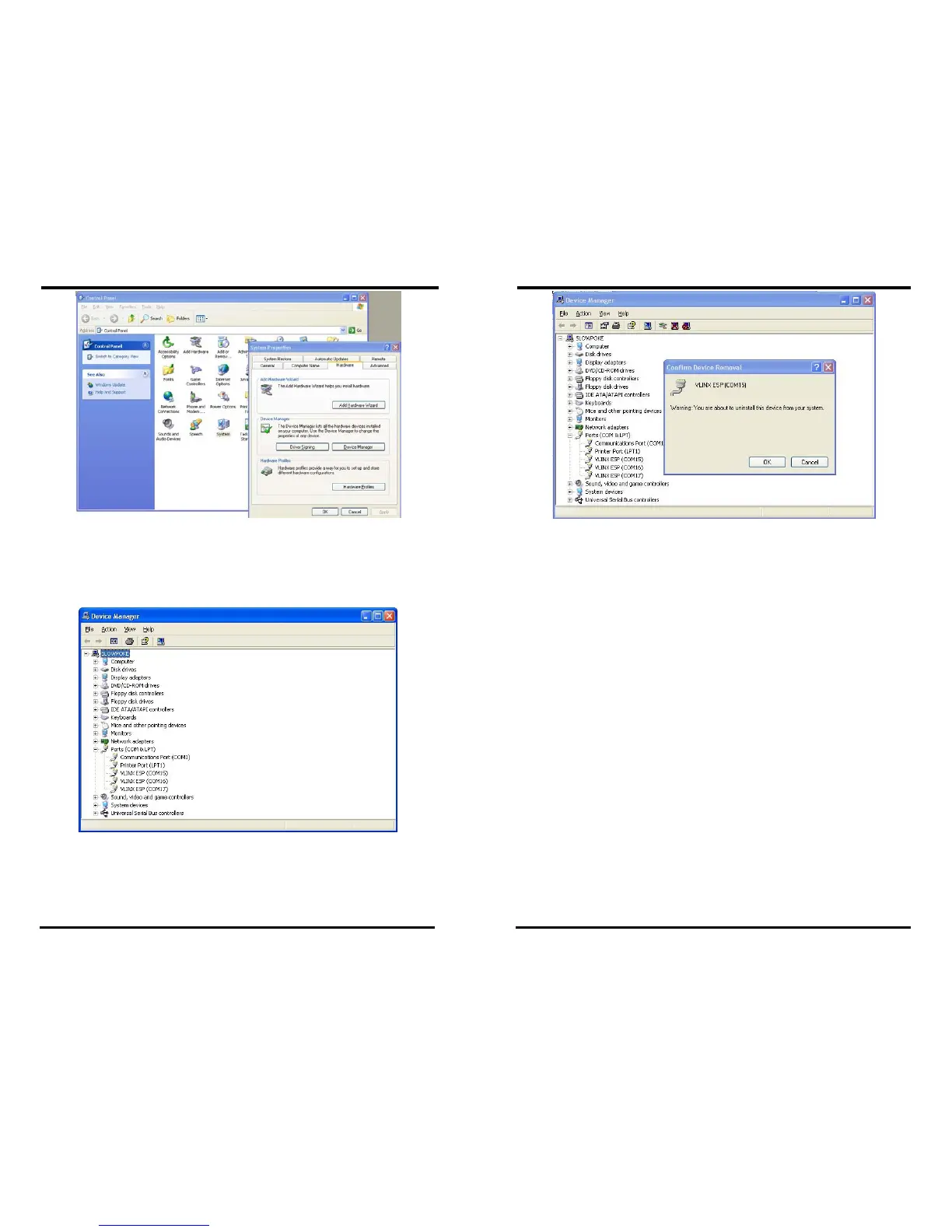
Figure 46. The Control Panel Window
Step 3: Click Device Manager in the Systems Properties window. In
the Device Manager dialogue click the + next to Ports (COM
LPT) to expand.
Figure 47. The Device Manager Window
Step 4: Highlight ESP (COM #) to be removed and click the Action tab
at the top of window, then click
Uninstall. A confirm Device
Removal
window will appear.
Removing Virtual COM Ports
52 Chapter 7 Manual Documentation Number: ESP901-902-3704
B&B Electronics Mfg Co Inc – 707 Dayton Rd - PO Box 1040 - Ottawa IL 61350 - Ph 815-433-5100 - Fax 815-433-5104 – www.bb-elec.com
B&B Electronics Ltd – Westlink Commercial Pk – Oranmore, Galway, Ireland – Ph +353 91-792444 – Fax +353 91-792445 – www.bb-europe.com
Figure 48. Confirm Device Removal
Step 5: click OK to proceed.
The
ESP COM # will be removed and the Device Manager window will
refresh and display the remaining COM ports



 To Next Page