EasyManua.ls Logo

VocoPro PartyOke - User Manual

VocoPro PartyOke
20 pages
Print Icon
To Next Page IconTo Next Page
Loading...
owner’s manual
PartyOke
Portable Karaoke System With Vivid 7" Color LCD
Question and Answer IconNeed help?

Do you have a question about the VocoPro PartyOke and is the answer not in the manual?

Summary

Welcome and Contact Information

Contact Information

Provides VocoPro's physical address, phone numbers, and email for customer service and technical support.

Safe Listening and Hearing Protection

Understanding Sound Levels

Explains sound levels from quiet to dangerous, using decibel examples for context.

General Safety and Warning Symbols

Graphical Symbols Explanation

Explains the meaning of warning symbols like lightning flash and exclamation point.

General Operating Precautions

Details general operating rules, including reading instructions, avoiding water, ventilation, and proper power sources.

Service and Damage Guidelines

Outlines conditions requiring professional servicing and user service limitations.

FCC Compliance and Operating Cautions

FCC Compliance Details

Explains FCC regulations and potential interference issues for the device.

Pre-Operation Cautions

Provides essential pre-operation advice, including installation, handling, and environmental considerations.

Whats Included in the Box

Included Accessories

Lists the essential items included with the PartyOke system, such as the microphone and cables.

Rear Panel Connectivity Options

Audio Input and Output

Details connecting external audio sources and outputting audio to mixers or speakers.

Video Input and Output

Guides on connecting video sources and displaying video on the unit's screen.

Connecting Power and Media Devices

Power and USB Charging

Details connecting the unit to its power supply and using the USB port for charging devices.

Disc Playback Operation

Guides on how to insert, play, and handle discs in the player.

Wireless and Storage Device Connections

Bluetooth Connectivity

Explains the steps to connect a device wirelessly using Bluetooth.

USB Drive and SD Card Insertion

Details how to insert and select USB drives or SD cards for playback.

Top Panel Controls Overview

Input;Output and Volume Controls

Covers controls for input selection, headphone jack, USB/SD, master volume, and microphone volumes.

Audio Effects and Indicators

Explains the TONE and ECHO controls, and the POWER LED indicator.

Front Panel Controls and Features

Playback and Navigation Buttons

Covers buttons for navigating menus, controlling playback, and selecting sources.

Inputs, Display, and Indicators

Details the IR sensor, display screen, microphone inputs, and Bluetooth status indicator.

Remote Control Operation

Playback and Source Controls

Controls for selecting audio sources, managing playback, and adjusting volume.

Navigation and Audio Settings

Functions for navigating menus, adjusting audio settings, and controlling advanced features.

Limited Warranty Terms and Conditions

Domestic Warranty Coverage

Covers warranty for U.S. purchases, exclusions, and claims procedures.

International Warranty Coverage

Explains warranty terms for products purchased outside the U.S.

Warranty Limitations and Rights

Discusses limitations on damages, implied warranties, and consumer legal rights.

Warranty Registration and Service Process

Warranty Registration Steps

Outlines the steps to validate and register the product warranty.

Factory Service Guidelines

Explains the process and requirements for sending the unit for factory service.

Model and Serial Number Record

Instructions to record and keep model/serial numbers for warranty purposes.

Warranty Registration Details

Customer and Contact Information

Fields for owner's name, address, and contact details for warranty registration.

Product and Dealer Information

Fields for model, manufacture date, serial number, and dealer details.

Product Feedback and Comments

Sections for product suggestions and general comments.

Customer Support and Contact Details

Technical Support Contact

Provides contact details for technical support and customer assistance.

Online and Social Media Presence

Information on where to find updates and connect with VocoPro online.

Overview

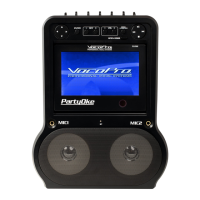
The VocoPro PartyOke is a portable karaoke system designed for entertainment, featuring a vivid 7" color LCD display. It offers a range of input and output options, along with various controls for audio and playback customization, making it suitable for both casual home use and more structured events.

Function Description:

The PartyOke serves as a comprehensive karaoke system, allowing users to play music from multiple sources, including discs (CDs), USB drives, SD cards, and Bluetooth-enabled devices. It features two microphone inputs with individual volume controls, tone adjustment, and echo effects, enabling users to sing along with their favorite tracks. The integrated 7-inch LCD provides a visual display for video content from discs, USB drives, or SD cards, enhancing the karaoke experience.

Important Technical Specifications:

  • Display: Vivid 7" Color LCD
  • Media Playback: Supports discs (CDs), USB drives, and SD cards. Compatible file types include MP3, MP3+G, and AVI. SD cards above SDHC 32GB are not compatible.
  • Connectivity:
    • Audio Input: RCA (L/R) for external audio sources (e.g., DVD player, media streaming device).
    • Audio Output: RCA (RED/WHITE) for connecting to a mixer or powered speaker system.
    • Video Output: Composite video (yellow RCA jack) for connecting to an external monitor.
    • Video Input: Composite video (yellow RCA jack) for displaying external video sources on the PartyOke screen.
    • Microphone Inputs: Two 1/4" unbalanced microphone input jacks (MIC1, MIC2).
    • Headphone Output: 3.5mm (1/8th inch) jack.
    • USB Port: DATA USB for playing digital files from a USB drive.
    • USB Charger: Dedicated USB port for charging devices (does not support audio playback).
    • SD Card Slot: For playing digital files from an SD card.
    • Bluetooth: Wireless connectivity for streaming audio from Bluetooth-enabled devices (pairing PIN: "0000").
  • Power: DC 12V input, supplied by an included wall connection.
  • Controls (Top Panel):
    • Input Select Knob: Switches between DISC/USB/SD and AUX/BT input channels.
    • Master Volume Knob: Adjusts the overall music output volume.
    • MIC 1 Volume Knob: Controls the volume of the microphone in MIC 1 input.
    • Tone Knob: Alters the high/mid/low-frequency response of the music signal.
    • Echo Knob: Controls the amount of echo effect for microphone input.
    • Balance Knob: Pans audio left or right, or centers for a stereo image.
    • MIC 2 Volume Knob: Controls the volume of the microphone in MIC 2 input.
    • Power LED: Indicates unit's on/off status.
  • Controls (Front Panel):
    • Navigation Buttons (Up, Down, Left, Right): For navigating display menus.
    • ENTER Button: Selects options/functions.
    • KEY (-) / KEY (+) Buttons: Lowers/raises the key of music (CD/USB tracks). The key automatically resets to the original recorded key when the disc, USB drive, or SD card is removed.
    • VOL (+/-) Buttons: Adjusts volume level.
    • DISC/USB/SD Button: Cycles through media input playback sources.
    • PREVIOUS/NEXT Buttons (I-- / --I): Skips to previous/next track.
    • PLAY/PAUSE Button (-||): Starts playback, pauses, and resumes.
    • STOP Button (■): Immediately ceases playback.
    • OPEN DOOR Button: Reveals the CD player.
    • IR Sensor: Receives signals from the remote control.
    • Bluetooth Indicator: Flashes when waiting for a device to connect, solid when connected but no audio, flashes when audio plays.
  • Remote Control Functions:
    • CD/USB/SD: Toggles between CD player and USB reader as the main audio source.
    • SUBTITLE: Accesses subtitle selection.
    • KEY (-), KEY (+), KEY: Adjusts music key.
    • MENU: Returns to the original menu.
    • Arrows and OK Buttons: Navigates menus and applies functions.
    • 0-9: Makes specific track number selections.
    • PLAY/PAUSE (►||): Starts, pauses, resumes playback.
    • Fast Forward (►►) / Rewind (◄◄): Skips forward/backward through track/movie.
    • SETUP: Prompts a menu with advanced functions.
    • LANGUAGE: Selects available audio tracks on discs.
    • DISPLAY: Provides current track information on a connected video monitor.
    • RETURN: Returns to previous menu/page (for VCDs).
    • VOLUME (+), VOLUME (-): Increases/decreases volume.
    • A-B: Loops a section of a disc.
    • PROGRAM: Programs up to 16 tracks/chapters in a custom order.
    • REPEAT: Replays the current track.
    • Next (►|) / Previous (◄|): Skips to next track/chapter or returns to the beginning of the current/previous track.
    • MUTE (X): Temporarily disables audio output.
    • GOTO: Navigates to specific portions of VCD discs.
    • L/R: Toggles audio output between left, right, or both channels; can cancel track vocals on multi-plex discs.
    • EQ: Cycles between genre-tuned, bass, and treble-adjusted audio presets.

Usage Features:

The PartyOke is designed for ease of use with its intuitive controls and multi-source playback capabilities. Users can quickly switch between different media inputs using the input selector knob and dedicated buttons. The system allows for personalized vocal performances with adjustable microphone volume, tone, and echo effects. The key control feature enables singers to adjust the pitch of songs to better suit their vocal range. The remote control provides convenient access to all playback functions, menu navigation, and advanced settings, including subtitle selection, language options, and custom programming. The ability to connect to external monitors and sound systems expands its versatility for larger gatherings or more immersive experiences. The USB charging port adds convenience for keeping devices powered during use.

Maintenance Features:

The manual emphasizes several maintenance and safety guidelines to ensure the longevity and proper functioning of the PartyOke.

  • Placement: Install the unit in a cool, dry, clean place, away from windows, heat sources, excessive vibration, dust, moisture, or cold. Avoid sources of hum (transformers, electric motors). Ensure adequate air circulation and do not block ventilation slots.
  • Cleaning: Unplug the unit from the wall outlet before cleaning. Use a clean, dry cloth; avoid liquid or aerosol cleaners.
  • Handling: Do not operate the unit upside-down. Avoid using force on switches, knobs, or cords. When moving the unit, turn it off and gently disconnect power and audio cables. Never pull the cord itself.
  • Disc Compartment: Do not attempt to open the disc compartment door during playback (while the disc is spinning). Hold discs by the edges and place them gently on the spindle platter. Do not place foreign objects or more than one disc in the compartment.
  • Power Management: Unplug the power cord from the wall outlet if the unit will be unused for a long period to save electricity and prevent fire hazards. During an electrical storm, pull out the power cord and remove the antenna cable to prevent lightning damage.
  • Servicing: Do not attempt to open the cabinet or service the appliance beyond what is described in the operating instructions. Refer all other servicing to qualified service personnel.
  • Safety: Adhere to all safety warnings and instructions provided in the manual. Avoid prolonged exposure to excessive noise levels to protect hearing. Ensure proper grounding and power cord protection.
  • FCC Compliance: The device complies with Part 15 of FCC rules, and users are advised against unauthorized modifications to avoid voiding authority to operate the product. In case of interference, relocation of the unit or affected device, using different power circuits, or adjusting antenna setup may resolve the issue.

The manual also includes a section on "Listening For A Lifetime," advising users to set volume levels responsibly to prevent hearing damage, and provides a chart of common sound levels and their potential danger under constant exposure.

VocoPro PartyOke Specifications

General IconGeneral
BrandVocoPro
ModelPartyOke
CategoryKaraoke System
LanguageEnglish

Related product manuals