EasyManua.ls Logo

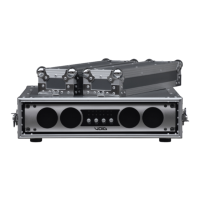
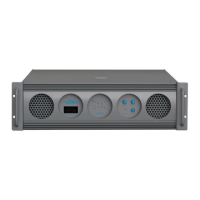
Void Bias V9 - User Manual

Default Icon
48 pages
Print Icon
To Next Page IconTo Next Page
Loading...
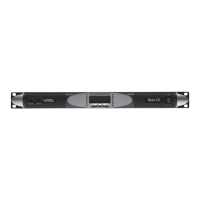
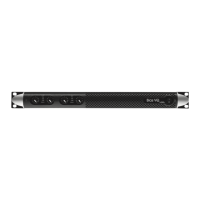
Bias V3/V9
User Guide V1.0

Table of Contents

Question and Answer IconNeed help?

Do you have a question about the Void Bias V9 and is the answer not in the manual?

Summary

Important Safety Instructions

Bias Series User Guide Overview

Installation Guidelines

AC Mains Supply Connection

Guidelines for connecting the amplifier to the AC mains supply safely.

Installation Safety Precautions

Safety precautions and guidelines for amplifier installation.

Connections Overview

Loudspeaker Connections

How to connect loudspeakers, including single-ended and bridged loads.

Amplifier Settings

Clip Limiter CH1;CH2 Configuration

Preventing distortion by setting clip limiters independently for each channel.

DSP Settings

Channel Settings

Configuring channel-specific DSP parameters like EQ and filters.

Peak Limiter Settings

Protecting speakers from mechanical damage and controlling clipping.

Power Limiter Operation

Avoiding voice coil melting by reducing amplifier gain based on power.

Channel Setup and Diagnostics

Configuring channel parameters and using diagnostic tools.

Input EQ Enable;Disable

Turning the input processing block on or off.

Network Operations

AESOP Protocol Introduction

Overview of the AESOP standard for audio and data transmission.

AESOP Repeater Mode

Repeating AES3 streams between ports for network continuity.

AESOP Forward Mode

Configuring AES3 signal forwarding modes for network distribution.

Network Robustness

Understanding network connection reliability and redundancy.

Redundant AES3 Daisy Chain

Implementing redundant AES3 streams for improved network reliability.

AES3 and Ethernet Redundant Daisy Chain

Combining AES3 and Ethernet redundancy in daisy chain networks.

Two Degree Redundant Daisy Chain

Implementing high-degree redundancy using digital and analog inputs.

Network Settings Menu

Configuring network parameters like device mode and IP addressing.

Local Preset Management

Setup Menu Options

System and Signal Protections

Short Circuit Protection

Protection against short circuits and low impedance loads.

Thermal Protection Mechanism

Amplifier protection against overheating.

Software and Armonía Suite

Armonía Pro Audio Suite Overview

Overview of the configuration software for Bias Series amplifiers.

Technical Specifications

Summary

Important Safety Instructions

Bias Series User Guide Overview

Installation Guidelines

AC Mains Supply Connection

Guidelines for connecting the amplifier to the AC mains supply safely.

Installation Safety Precautions

Safety precautions and guidelines for amplifier installation.

Connections Overview

Loudspeaker Connections

How to connect loudspeakers, including single-ended and bridged loads.

Amplifier Settings

Clip Limiter CH1;CH2 Configuration

Preventing distortion by setting clip limiters independently for each channel.

DSP Settings

Channel Settings

Configuring channel-specific DSP parameters like EQ and filters.

Peak Limiter Settings

Protecting speakers from mechanical damage and controlling clipping.

Power Limiter Operation

Avoiding voice coil melting by reducing amplifier gain based on power.

Channel Setup and Diagnostics

Configuring channel parameters and using diagnostic tools.

Input EQ Enable;Disable

Turning the input processing block on or off.

Network Operations

AESOP Protocol Introduction

Overview of the AESOP standard for audio and data transmission.

AESOP Repeater Mode

Repeating AES3 streams between ports for network continuity.

AESOP Forward Mode

Configuring AES3 signal forwarding modes for network distribution.

Network Robustness

Understanding network connection reliability and redundancy.

Redundant AES3 Daisy Chain

Implementing redundant AES3 streams for improved network reliability.

AES3 and Ethernet Redundant Daisy Chain

Combining AES3 and Ethernet redundancy in daisy chain networks.

Two Degree Redundant Daisy Chain

Implementing high-degree redundancy using digital and analog inputs.

Network Settings Menu

Configuring network parameters like device mode and IP addressing.

Local Preset Management

Setup Menu Options

System and Signal Protections

Short Circuit Protection

Protection against short circuits and low impedance loads.

Thermal Protection Mechanism

Amplifier protection against overheating.

Software and Armonía Suite

Armonía Pro Audio Suite Overview

Overview of the configuration software for Bias Series amplifiers.

Technical Specifications

Void Bias V9 Specifications

General IconGeneral
BrandVoid
ModelBias V9
CategoryAmplifier
LanguageEnglish

Related product manuals