Need help?
Do you have a question about the Void Infinite 8 V2 and is the answer not in the manual?
Precautions to prevent electric shock and ensure safe operation, including user-serviceable parts and power disconnection.
Warnings regarding electrical shock from moisture and magnetic field interference with other equipment.
Defines the meaning of the lightning bolt and exclamation point warning symbols used in the manual.
Guidelines for changing bridge/parallel switches and Hi Pass filters relative to input levels.
Advice on connecting cables, avoiding ground loops, and proper output grounding.
Recommendations for 2-ohm loads, CEE Form connectors, and AC mains voltage variations.
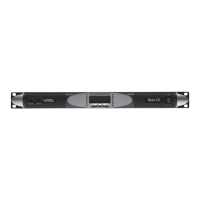
Describes the power switch for turning the amplifier on/off and the standby LED indicator.
Explains the level controls for output adjustment and the LEDs indicating signal presence and channel activity.
Details the CEP and Protect LEDs, indicating circuit status and fault conditions.
Explains the LED readout for average RMS current draw and its operational behavior.
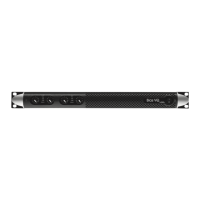
Details XLR inputs, linked XLR outputs, Speakon outputs, and binding posts for audio signal routing.
Explains switches for Bridge Mode, Parallel Mode, Limiter, and Hi Pass filters for operational configuration.
Describes the crossover frequency selection and outputs for multi-way speaker systems.
Covers the ground switch, fuse, and power cable connections, including voltage and connector specifications.
Details key performance data including frequency response, THD, S/N, input sensitivity, and output power.
Provides the physical dimensions and weight specifications for the Infinite Series amplifiers.
Instructions for obtaining service, emphasizing qualified technicians and proper return procedures.
Information on how to register the product warranty for future service needs.
Guidance on the proper disposal of electronic products according to WEEE Directive and RoHS compliance.
Details on connecting and operating the amplifier in bridge mode, including impedance and output configurations.
Explanation of how the parallel mode links inputs and outputs for signal distribution.
Describes the Velocity Sense Protection circuit and its role in safeguarding speakers from damage.
Explains the onboard crossover network, filter selection, and output capabilities for speaker frequency division.
Details the 3-year warranty, coverage for defects, and exclusions for misuse or unauthorized modifications.
Procedures for returning a product for service, including authorization numbers and shipping instructions.
States disclaimers for incidental damages and notes that the warranty cannot be altered by external parties.
Instructions for completing the warranty registration card for purchased products.
Steps to follow when a Void product requires repair, including contacting the dealer and return shipping.


 To Next Page
 General