Page 18
7.2 Ground stacking
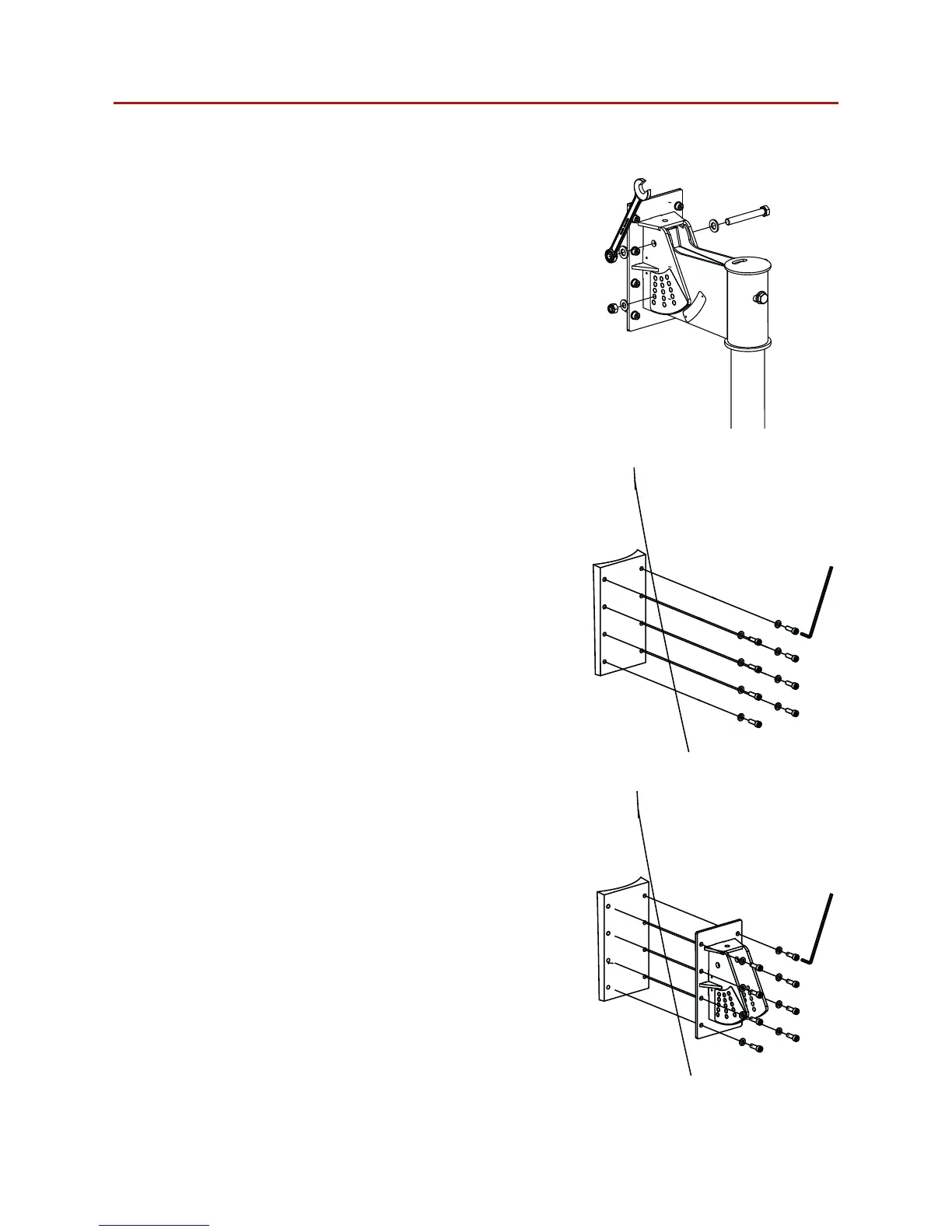
Step 1:
Removing the backing plate from the Nexus
6 bracket by removing the M8 and M12 bolts
from the bracket assembly.
Figure 7.1: Backing plate removal
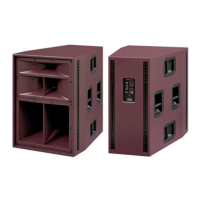
Step 2:
Remove all eight M8 bolts from the rear of the
Nexus 6 loudspeaker.
Figure 7.2: M8 bolt removal
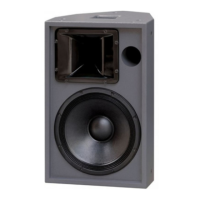
Step 3:
Attached the backing plate to the Nexus 6
ensuring that all eight M8 bolts are securely
fastened.
Figure 7.3: Backing plate attachment


 To Next Page