Playlists are not
played automatically. In-
stead they must be specifically selected via
the track selection menu ⇒ page 24.
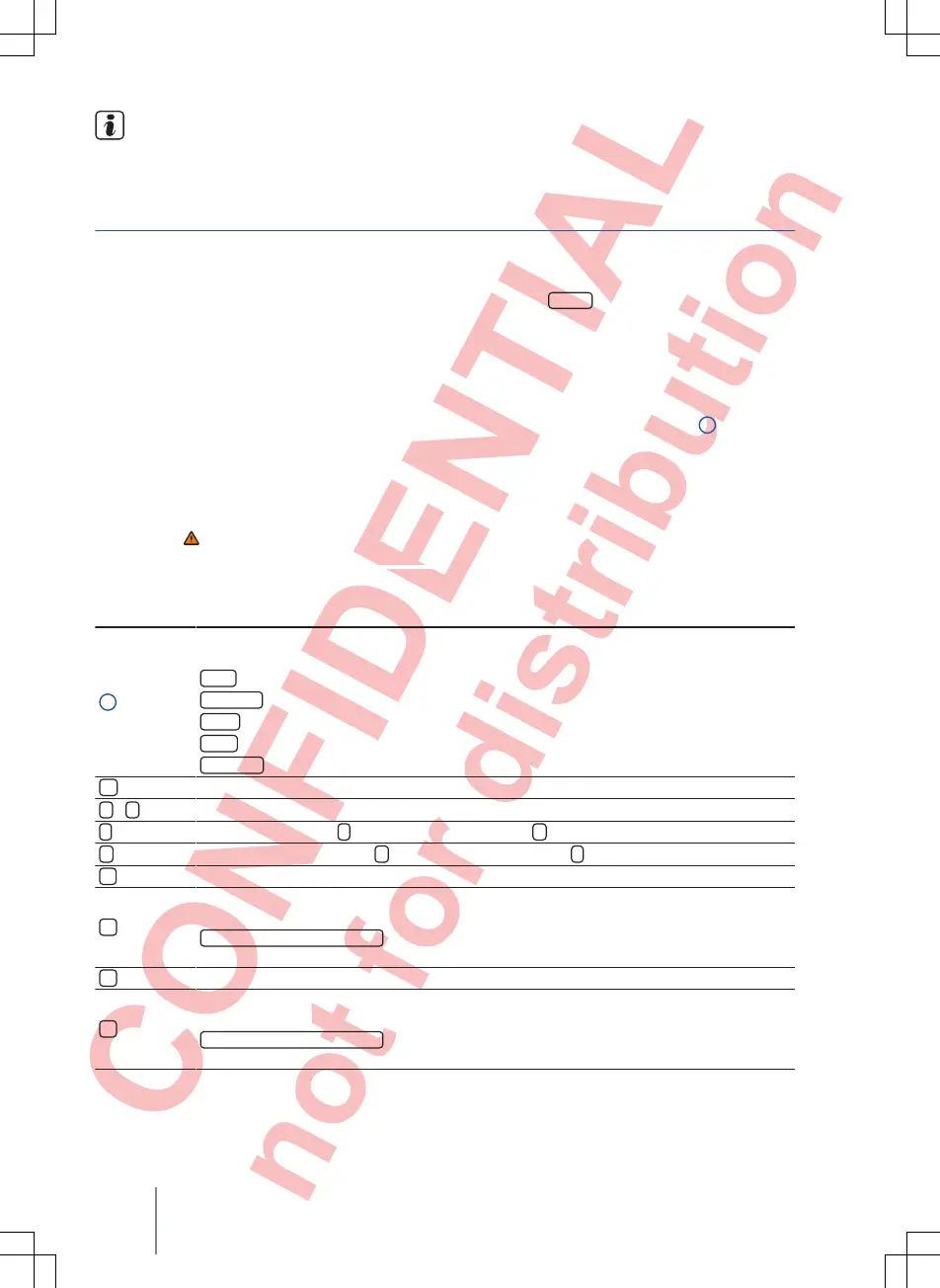
MEDIA main menu
Fig. 17 MEDIA main menu
First read and observe the safety warn-
ings on page 3 and the introductory
information on page
20.
In the MEDIA main menu, various media sources
can be selected and played.
● Press the
MEDIA
infotainment button to open
the MEDIA main menu ⇒
Fig. 17.
Playback of the media source that was most re-
cently played resumes from the point where it stop-
ped.
The media source currently playing is indicated at
the bottom left in the function button
1
.
The MEDIA main menu will indicate if no media
source is available.
Function buttons in the MEDIA main menu
Function button: effect
1
Indicates the media source currently selected. Touch to select a different media source
⇒ page 23
.
CD
: internal CD drive ⇒
page 25.
SD card
: memory card ⇒
page 26.
USB
: external data storage device connected to USB port ⇒
page 26.
AUX
: external audio source connected to AUX-IN socket ⇒ page 27
.
BT audio
: Bluetooth
®
audio ⇒ page 28.
Opens the track list ⇒ page 24.
<
/
>
Changes track when in media mode ⇒
page 24
Playback stops. The
function button changes to
⇒ page 24
.
Playback is resumed. The
function button changes to
⇒
page 24.
Opens the Media setup menu ⇒
page 28.
Repeats all tracks.
All tracks on the same memory level as the current track will be repeated. If
Mix/repeat including
subfolders
is activated in Media setup subfolders are also inclu-
ded⇒
page 28.
Repeat current track.
Random play.
All tracks on the same memory level as the current track are included. If
Mix/repeat including
subfolders
is activated in Media setup subfolders are also inclu-
ded⇒
page 28.
Composition Touch, Composition Colour22



 To Next Page