8
6
13
7
PL A Y TR05
CD in
CD
11
31
CD Player
CD Player mode
Notese
CD loading
Note
CD track selection
If the device is in Radio mode and it has a
CD already loaded:
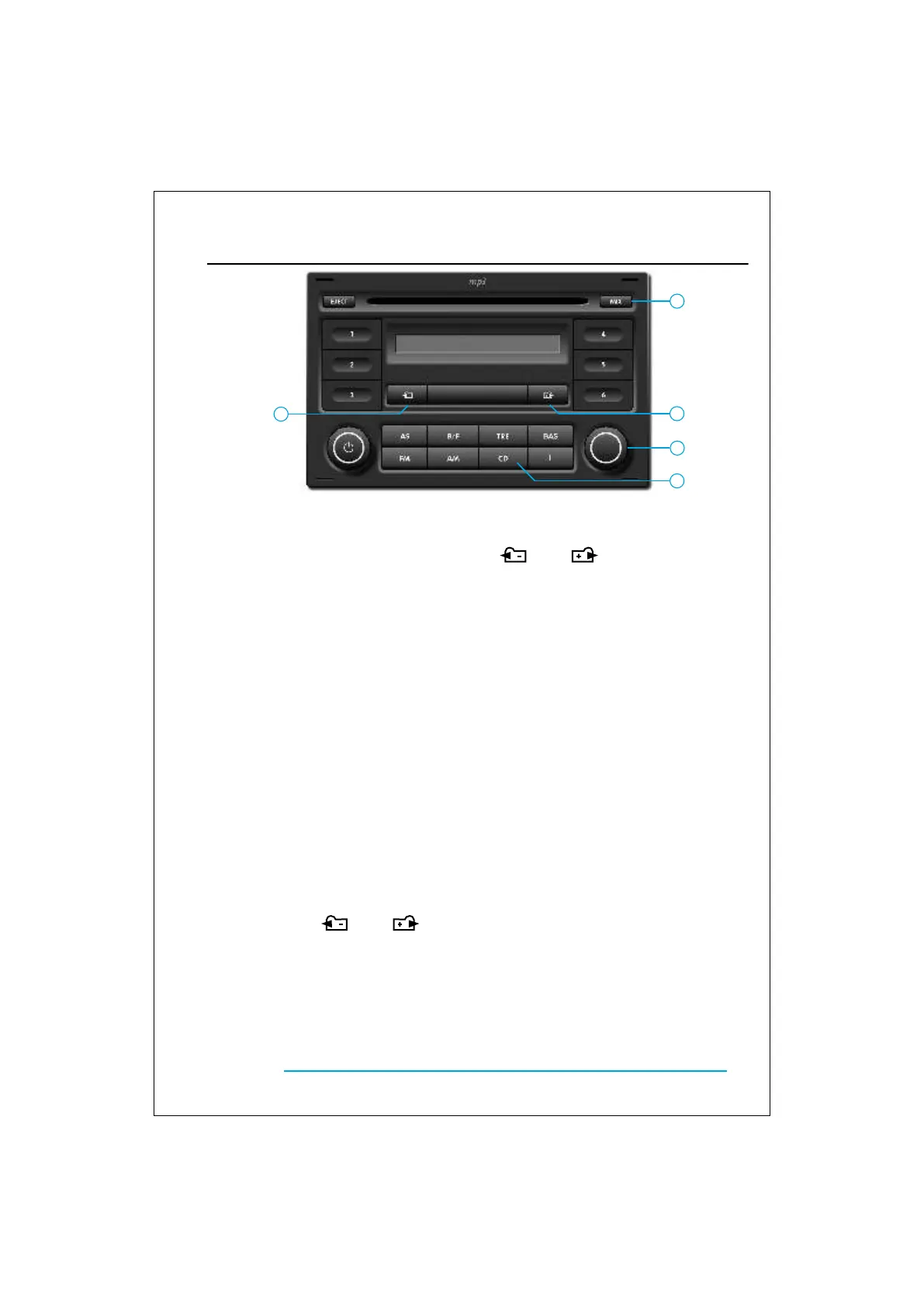
• Briefly press key 13 ( CD ) to switch to
CD mode
- If the device does not have a CD loaded and
key 13 (CD) is pressed, a beep will be heard and
the display will show “NO CD” for 3 seconds.
-If a CD Changer is installed, press repeatedly
the key 13 (CD) to switch between CD mode and
CD Changer mode.
• Slide a CD into the slot with the label
facing up.
The display will show “CD READING” and
the track 1 will be reproduced.
- If a CD is loaded while the unit is in Radio
mode, it will automatically switch to CD Player.
Always that a CD is loaded in the unit, the display
will show “CD in”.
To select a specific track:
• Press buttons 6 ( ) or 7 ( ) or turn
key 11, until the desired track is found.
The display will show the track number.
Fast forwards and fast reverse
Random track
Note
To quickly move within the CD’s tracks:
• Press and hold one of the buttons 6
( ) or 7 ( ), for at least two
seconds, until the desired section of the
track is found.
• To return to the play mode, stop pressing
the button.
• Press the button 8 ( MIX ) and the CD
player will begin playing a randomly
chosen track.
• To deactivate the function, press the
same button again
Once finished the CD, the device will start again
with the first track, with different sequence, until
the function is deactivate.
OPERATION


 To Next Page