6
7
8
12
CDFL 0 0 1 TR07
CD in
11
MP3 Player
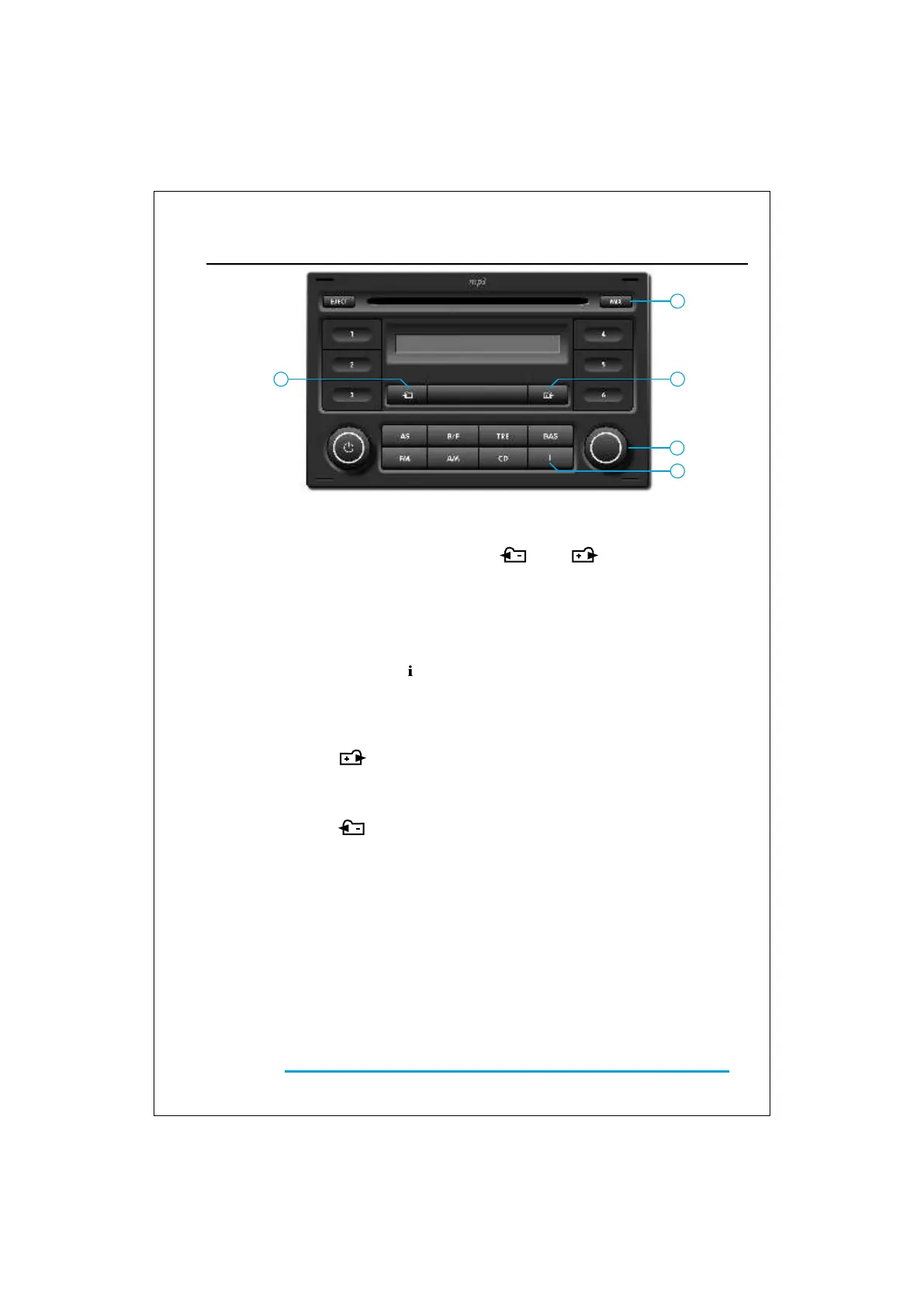
Fast forwards and fast reverse
Random track
Note
CD scan
Note
To quickly move within the CD’s tracks:
• Press and hold one of the buttons 6
( ) or 7 ( ), for at least two
seconds.
• To return to the play mode, stop pressing
the button.
• Press button 8 ( MIX ) and the CD player
will begin playing a randomly chosen file.
• To stop, press the same button again.
Once finished the current folder, the device will
star with the next one, until to finish whole CD.
The device will start again with the first folder,
with different sequence, until the function is
deactivate.
This function performs a brief sampling of
the CD contents.
Follow the next steps:
• Press the key 11 to begin the automatic
scan as from the next file.
The first 10 seconds of each file will be
heard, until the CD is finished.
The display will show “SCAN” and the file
number.
• To stop the scan, press the same key
again.
Once the CD is entirely scanned, the device will
continue with the normal reproduction.
33
OPERATION
MP3 CD Player
Note
Text info
Folder up
Folder down
CD file selection
When a CD containing MP3 files is loaded,
it will be automatically detected by the
device and it will be played from the first
track of the first folder
If a CD containing both types of files (Audio/MP3)
is loaded, it will be played only the MP3 files.
• Press sequentially the key 12 ( ), and
the display will show all the data include
on file ID3 TAG.
• Press the button 7 ( ) to move
up one folder.
• Press the button 6 ( ) to move
down one folder.
To select a specific file:
• Turn the button 11 until the desired file is
found.
The display will show the file number.


 To Next Page