EasyManua.ls Logo

Volkswagen RMT 100 - User Manual

Volkswagen RMT 100
7 pages
Print Icon
To Next Page IconTo Next Page
Loading...
Volkswagen Original Zubehör
Original
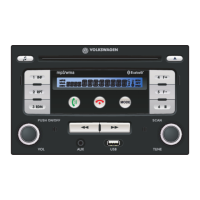
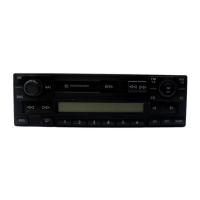
Radio RMT 100
Bedienungsanleitung, Seite 3
Original
radio RMT 100
Operating Instructions, Page 15
Autoradio RMT 100
d'origine
Mode d’emploi, Page 27
Radio RMT 100 original
Instrucciones de manejo, Página 39
Rádio RMT 100 original
Manual de instruçőes, Página 51
Originale radio RMT 100
Istruzioni per l’uso, Pagina 63
Originele radio RMT 100
Gebruiksaanwijzing, Pagina 75
D
GB
F
E
P
I
NL
22
21
20
1
2
3
4
5
15
14
13
12
11
6
7
8
9
10
16 16
17
19
18
Question and Answer IconNeed help?

Do you have a question about the Volkswagen RMT 100 and is the answer not in the manual?

Summary

Device Overview

Control Elements and Display

Details the function of each button, knob, and the display elements of the radio.

General Operation

Driving Safety Precautions

Emphasizes driver focus and safe use of the device while driving.

Radio Operation

CD Operation

Laser Safety Precautions

Details safety class 1 laser precautions for the CD player.

CD Operation Details

Operating the CD Player

Instructions for inserting, ejecting, selecting tracks, and using playback functions.

MP3;WMA and USB Playback

Bluetooth Hands-Free System

Establishing Bluetooth Connection

Step-by-step guide to pairing a mobile phone with the radio via Bluetooth.

Anti-Theft Coding

Entering the Code Number

Procedure for entering the anti-theft code number to unlock the device.

Overview

This document describes the Volkswagen Original Zubehör RMT 100 radio, a device designed for in-vehicle entertainment and communication. It offers a range of audio sources, hands-free calling via Bluetooth, and anti-theft coding for security.

Function Description

The RMT 100 radio serves as a central entertainment and communication hub in a vehicle. Its primary functions include:

  • Radio Operation: Receives FM and MW frequency ranges. It supports automatic and manual station scanning, as well as a search frequency range (SCAN) function that plays each station with good reception for approximately 8 seconds. Users can save up to 12 FM and 12 MW stations across two memory levels (FM1/FM2 or MW1/MW2), each with 6 presets. The radio also incorporates Traffic Announcement (TA) and Radio Data System (RDS) functions. TA interrupts audio playback for traffic announcements, with adjustable volume. RDS enables automatic station tracking, ensuring the best possible reception during travel by automatically changing frequencies. It also supports Program Type (PTY) selection, allowing users to filter stations by categories like news, classic, or pop.

  • CD Operation: Plays standard 12 cm audio CDs. It automatically switches to CD operation upon insertion and begins playback. CDs can be ejected manually or automatically if not removed within ten seconds after ejection. Features include track selection, fast forwards/backwards skipping, SCAN function (plays each track for approx. 8 seconds), track repeat (RPT), random play (RDM), and pause.

  • MP3/WMA Operation: Supports playback of MP3 and WMA music files from CDs, USB memory sticks, MP3 playback devices, or iPods. Similar to CD operation, it offers folder selection, track selection, fast forwards/backwards skipping, SCAN function (plays each track in the current folder for 10 seconds), track repeat (RPT) for single tracks or all tracks in a folder, random play (RDM) for all tracks in all folders, and pause.

  • AUX-IN Connectivity: Features a 3.5 mm stereo jack for connecting external playback devices. Users should reduce the external device's volume before connecting to prevent overloading.

  • Bluetooth® Hands-Free System: Integrates a hands-free system for mobile phone communication. It establishes a Bluetooth® connection (coupling) with a mobile phone, saving up to 5 paired devices. The system automatically connects to the last detected and listed mobile phone upon radio power-on or vehicle ignition. It supports accepting/rejecting incoming calls, conducting calls, switching to private mode (directing the call to the mobile phone), and saving incoming caller numbers to station buttons. The radio automatically switches on for incoming calls even when off.

  • Bluetooth® Audio (Audio Streaming): Allows playback of music saved on a mobile phone via the radio using the "Bluetooth® Audio" function. This requires the mobile phone to support the Advanced Audio Distribution Profile (A2DP) for high-quality stereo audio signal transfer. Playback and pause functions are typically controlled from the mobile phone, while fast forwards/backwards skipping can be managed via the radio buttons. Music playback is interrupted for incoming calls and resumes afterward.

  • Audio Settings: Provides controls for volume, bass, treble, balance (left/right), and fading (front/rear). It also allows setting a specific "switching on volume" (factory default is VOL 6).

  • Anti-Theft Coding: Implements an electronic lock that prevents unauthorized reactivation if the device is removed. Users must enter a four-digit code number to deactivate the lock. Incorrect code entry results in temporary blocking, with a cycle of two attempts followed by a one-hour block. The code number is provided on a device card, which should be kept in a safe place outside the vehicle.

Important Technical Specifications

  • Supported Audio Formats: MP3, WMA (from CDs, USB memory sticks, MP3 playback devices, iPods).
  • CD Compatibility: Standard 12 cm audio CDs. Not compatible with 8 cm single CDs, irregular shaped CDs ("Shape CDs"), DVD-Plus, Dual Disc, or Flip Discs due to potential damage to the CD drive.
  • Laser Safety: CD player is classified as a Class 1 laser product, meaning it is low-energy and shielded for safe use under normal operation. Opening the CD player exposes users to non-visible laser radiation.
  • USB Compatibility: Supports USB memory using read/playback report 1.1 and 2.0. Only certified USB memory sticks, MP3/WMA playback devices, or iPods should be connected. Computers should not be connected.
  • Bluetooth® Profile: Requires mobile phones to support the Advanced Audio Distribution Profile (A2DP) for Bluetooth® Audio streaming.
  • AUX-IN: 3.5 mm stereo jack.
  • Power Management: Devices connected to the USB socket should be removed before starting the engine to prevent damage from voltage peaks.
  • Memory: Stores up to 12 FM and 12 MW radio stations, and up to 5 Bluetooth® mobile phone connections.

Usage Features

  • Intuitive Controls: Features a setting knob for volume, manual tuning, and menu navigation, along with dedicated buttons for various functions (e.g., station presets, mode selection, skip, repeat, random play, call handling).
  • Display: An integrated display shows current operating conditions, selected audio sources, station frequencies, track information (ID3 Tags for MP3/WMA), and Bluetooth® connection status (symbols for connected phone and audio playback).
  • Acoustic Signals: Provides acoustic signals for confirming actions like saving radio stations or establishing Bluetooth® connections.
  • Safety Features: Includes warnings about driver distraction, recommended volume levels for external signals, and precautions for handling CDs and USB devices.
  • Automatic Functions: Automatic station scanning, automatic CD loading, automatic frequency change (RDS), and automatic Bluetooth® connection establishment.
  • Menu-Driven Settings: Audio settings (bass, treble, balance, fading, switching on volume) and radio settings (TA, AF, PTY) are accessible via a menu system, typically navigated using the setting knob and the audio settings button.

Maintenance Features

  • Cleaning: The device should be cleaned with a soft, dry cloth. For intensive dirt, a lightly moistened dry cloth can be used. Harsh chemicals like thinner, petroleum, or alcohol should be avoided.
  • CD Care: Use only clean, unscratched, and undamaged CDs. Handle CDs by the sides to avoid fingerprints. Clean CDs with a soft, non-fluffy cloth, wiping in straight lines from the middle to the outside. Commercially available CD cleaner or isopropyl alcohol can be used for intensive dirt. Avoid gluing labels or similar items onto CDs, exposing CDs to heat or direct sun, and storing them in designated compartments or original covers.
  • USB Device Care: Ensure USB memory is compatible with the device's read/playback report. Remove USB devices before starting the engine to prevent damage.
  • No User-Serviceable Parts: The CD player and other internal components are not designed for user repair. Any mechanical defects or repairs should be handled by a specialist company.
  • Anti-Theft Code Card: Keep the device card with the code number in a safe place, separate from the vehicle, to prevent unauthorized use if the radio is stolen. In case of loss, contact a Volkswagen partner.

Volkswagen RMT 100 Specifications

General IconGeneral
BrandVolkswagen
ModelRMT 100
CategoryCar Receiver
LanguageEnglish

Related product manuals