2
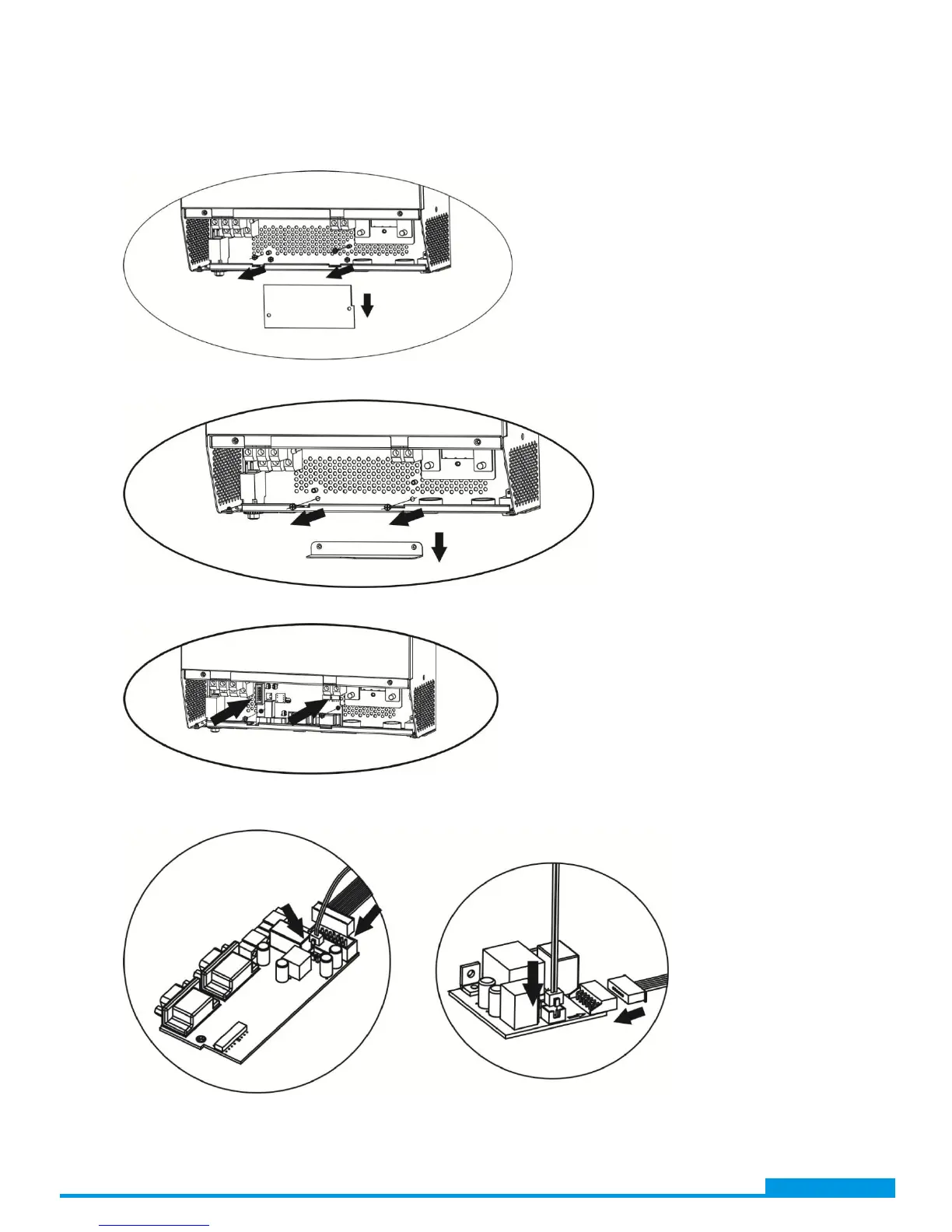
Step 3: Remove two screws as below chart and remove 2-pin and 14-pin cables. Take out the board
under the communication board.
Step 4: Remove two screws as below chart to take out cover of parallel communication.
Step 5: Install new parallel board with 2 screws tightly.
Step 6: Re-connect 2-pin and 14-pin to original position.
Parallel board Communication board
www.voltacon.com
info@voltacon.com



 To Next Page