EasyManua.ls Logo

Voltech BC-1230P - User Manual

Voltech BC-1230P
12 pages
Print Icon
To Next Page IconTo Next Page
Loading...
BC-1230P/ 1240P/ 1260P
Multi-Stage Battery Chargers
User Manual
Keep this manual in a safe place for quick reference at all times.
This manual contains important safety and operation instructions for correct use of the battery charger. Read through the manual
And pay special attention to the markings and labels of the charger, battery and any equipment connected into the system.
Pay special attention to these two types of notices used in this manual;
WARNING:
Failure to heed this warning may cause injury to persons and damage to Equipment.
CAUTION:
Failure to observe this warning may result in damage to equipment and improper functioning of the Charger.
WARNING:
The charger is designed for in-door use. Protect the charger from ingress of water.
This charger is made to charge only properly sized lead acid batteries.
Don't recharging non-rechargeable batteries.
Charging other types of battery or under-sized lead acid batteries may cause fire or explosion.
Install the charger in accordance with all local codes
Do not use the charger if it has been dropped or damaged.
Do not remove casing of the charger, there is no user serviceable parts inside.
Never attempt to charge a frozen battery
Never attempt to charge a damaged battery.
Wear protective goggles and turn your face away when connecting or disconnecting the battery.
Never place the charger on top of a battery.
Never smoke, use an open flame, or create sparks near battery or charger during normal charging operation as Batteries may
give out explosive gas.
Do not charge batteries in a sealed enclosure (boxed- in) due to possible explosion of entrapped explosive gas.
Use of accessories not recommended may cause risk of fire, electric shock or equipment damage.
Disconnect the mains supply before connecting or disconnecting the links to the battery.
If the charger does not work properly or if it has been damaged, unplug its AC and DC connection.
Do not use this charger in connection with any medical device or life support system.
This appliance is not intended for use by persons (including children) with reduced physical, sensory or mental capabilities, or
lack of experience and knowledge, unless they have been given supervision or instruction concerning use of the appliance by a
person responsible for their safety.
Children should be supervised to ensure that they do not play with the appliance.
Battery chargers for charging automobile batteries shall not be fitted with natural rubber-sheathed supply cords.
CAUTIONS:
Refer to battery manufacturer’s specific recommended values for battery type settings and float voltage setting.
Ensure all ventilation ports are not obstructed for efficient fan cooling, keep loose soft material such as paper, cloth, etc. away
from the Charger
During charging, the battery must be placed in a well ventilated area.
If longer output charging cable are required, make sure the cable diameter is adequate for the Current & Cable length.
AC source from portable generator:
The VA rating of a standard generator should be at least 4 times the maximum rating of the charger.
How-ever, Inverter type generators need to have only 2 to 3 times the maximum rating of the charger.
It is recommended that the ac output is stabilized by running the generator for 2-3 minutes before switching on the charger.
This charger is for standalone application only, parallel or series connection with another charger may cause damage to charger
and connected battery.
AC supply cord (leads) should be at least minimum size of 3G 0.75mm
2
nominal cross-sectional area.

Questions and Answers

Summary

Introduction

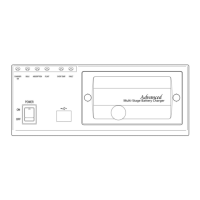
Control and Indicators

Power Switch

Control for turning the charger ON/OFF.

Charger Status LEDs

Indicators for charger ON, Bulk, Absorption, Float, Over Temp, and Fault.

Data and Communication Ports

USB port for PC connection and Remote Display port.

Configuration Switches

Switches for selecting battery type, current, and equalization mode.

Connection Terminals and Sockets

Battery terminals, AC socket, and Temperature sensor socket.

Automatic Cooling Fan

Ensures efficient cooling of the charger during operation.

Power Level Adjustment

Recommended Battery Capacity

Guidance on suitable battery capacity for charger models based on current settings.

Testing with Output Open Circuit

Power Supply Mode

Enables charger to function as a constant DC source without a battery.

Installation and Connection

Normal 4-Stage Charging Operation

Charging Profile Stages

Details the Bulk, Absorption, Float, and Standby charging phases of the IUoU algorithm.

New Cycle Charge Feature

Automatic recharge cycle every 21 days for battery maintenance during storage.

Storage

User Defined Charging Profiles

Equalization Charging

Dual Bank Charging

Temperature Sensor

Cable Size Selection

Fault Indications

Troubleshooting

Specifications

Optional Remote Display HBR-3100

Introduction to Remote Display

Overview of the remote display unit, its features, and capabilities.

Remote Display Connection

Instructions for physically connecting the remote display to the charger.

Remote Display Controls and Indicators

Description of buttons (Output ON/OFF, Alarm, Func, Set) and LEDs on the remote display.

Programming using the Optional Remote

Remote Panel Menu Options

List of configurable settings and data displayed on the remote panel.

Fault Indications via Remote

Detailed list of fault codes and their meanings as shown on the remote display.

HBC Software Installation

Summary

Introduction

Control and Indicators

Power Switch

Control for turning the charger ON/OFF.

Charger Status LEDs

Indicators for charger ON, Bulk, Absorption, Float, Over Temp, and Fault.

Data and Communication Ports

USB port for PC connection and Remote Display port.

Configuration Switches

Switches for selecting battery type, current, and equalization mode.

Connection Terminals and Sockets

Battery terminals, AC socket, and Temperature sensor socket.

Automatic Cooling Fan

Ensures efficient cooling of the charger during operation.

Power Level Adjustment

Recommended Battery Capacity

Guidance on suitable battery capacity for charger models based on current settings.

Testing with Output Open Circuit

Power Supply Mode

Enables charger to function as a constant DC source without a battery.

Installation and Connection

Normal 4-Stage Charging Operation

Charging Profile Stages

Details the Bulk, Absorption, Float, and Standby charging phases of the IUoU algorithm.

New Cycle Charge Feature

Automatic recharge cycle every 21 days for battery maintenance during storage.

Storage

User Defined Charging Profiles

Equalization Charging

Dual Bank Charging

Temperature Sensor

Cable Size Selection

Fault Indications

Troubleshooting

Specifications

Optional Remote Display HBR-3100

Introduction to Remote Display

Overview of the remote display unit, its features, and capabilities.

Remote Display Connection

Instructions for physically connecting the remote display to the charger.

Remote Display Controls and Indicators

Description of buttons (Output ON/OFF, Alarm, Func, Set) and LEDs on the remote display.

Programming using the Optional Remote

Remote Panel Menu Options

List of configurable settings and data displayed on the remote panel.

Fault Indications via Remote

Detailed list of fault codes and their meanings as shown on the remote display.

HBC Software Installation

Overview

The Voltech BC-1230P/1240P/1260P is a series of multi-stage battery chargers designed for a wide range of applications, including automotive, marine, mobile homes, RVs, electric scooters, golf carts, solar, deep cycle, UPS standby, industrial, and commercial uses. These advanced chargers utilize a micro-processor to control charging profiles and protective functions, ensuring fast, complete, and gentle charging of lead-acid batteries.

Function Description:

The primary function of these chargers is to provide multi-stage (IU0U) switching mode battery charging. They are designed to charge both standalone batteries and batteries with connected loads. The innovative charging profiles adapt to the "state of charge" of the batteries, delivering the optimal current and voltage to prevent under or overcharging.

The chargers offer eight selectable charging profiles tailored for various battery types: Wet, Gel, AGM, LiFePO4, Calcium-Calcium, and Lead Crystal batteries. Additionally, two user-programmable charging profiles are available via a USB port and personal computer for professional users. A programmed maintenance charge includes a timely Equalization charge specifically for Wet lead-acid batteries.

The device incorporates comprehensive protective functions, all controlled by the micro-processor. Upon startup, the charger performs a series of self-tests on these protective functions, displays, and critical components like the cooling fan. An optional detachable remote control panel (HBR-3100) provides enhanced monitoring capabilities, displaying battery status, charger output, protection status, hours of operation, and more.

The charging process follows a 4-stage IU0U algorithm:

  1. I-Phase (BULK mode): Constant current charging. The battery is charged at its maximum constant current until it reaches the selected Absorption voltage level. A "Soft-Start Bulk Charging" mode reduces the current to half if the battery voltage is below 10.5V, gradually increasing it as the voltage rises. If the battery voltage doesn't reach 12.0V after 4 hours, the unit enters fault mode and shuts off.
  2. UO-Phase (ABSORPTION mode): Constant voltage charging. Once the battery voltage reaches the selected Absorption voltage level, the charger switches to constant voltage charging. The charging current gradually decreases until a preset value is reached, at which point the charger transitions to Float Stage.
  3. UO-Phase (FLOAT mode): Constant voltage charging. In this stage, the battery is full and only draws the necessary current to maintain its capacity. The float voltage is preset according to the selected battery type. If the charger remains in this mode with charging current less than 5A for over 72 hours, it automatically switches to Standby mode.
  4. UO-Phase (STANDBY mode): Constant voltage charging. This mode, applicable to certain battery types, reduces the charging voltage by 4% compared to the standard Float voltage. This helps reduce electrolyte drying out and prolongs the life of an inactive battery.

The charger also features a "New Cycle Charge" every 21 days, automatically initiating a new charging cycle (Bulk to Absorption to Float) from either standby or float mode. This refreshes the battery, preventing electrolyte separation and keeping electrode plates in good condition during long storage periods.

Usage Features:

The charger is designed for indoor use and must be protected from water ingress. It is specifically made for properly sized lead-acid batteries and should not be used for non-rechargeable or undersized batteries, as this could lead to fire or explosion. Installation must comply with all local codes.

Users can preset the maximum output (charging) current in 10% increments to match different battery capacities or loading conditions. This is done using a small slot-type screwdriver to select the desired current via the Charging Current Selection Switch (5) on the front panel. The selected output current can also be viewed on the optional remote panel.

Battery type selection is crucial and is performed using a small slot-type screwdriver on the Battery Selection Switch (4) on the front panel. Users must ensure the selected battery type matches the battery's specifications for Absorption and Float Voltage.

For dual bank charging, the feature supports two totally separate batteries. Both batteries must be of the same chemical makeup and capacity to avoid over and undercharging. They are charged simultaneously, with the battery having the lowest level receiving the most current during the Bulk stage until its voltage matches the second battery. Both batteries then proceed to Absorption and Float Charge together.

The charger can operate in "Power Supply Mode," providing a constant DC source to connected loads without a battery. This is useful for checking the operation of connected powered appliances.

An optional remote display (HBR-3100) can be installed to monitor real-time charging stage, voltage, amperage, battery type, power level, and fault information. It also allows remote control of the output terminal (ON/OFF), triggering Equalization charging for wet batteries, and forcing the charger to float mode. The remote display can be mounted on the charger's front panel or remotely with an extension cable.

Maintenance Features:

Regular maintenance includes checking battery condition, filling cells for wet batteries, and cleaning battery poles. The charger should be secured in a well-ventilated place, ensuring the mounting surface is flat and free of soft covering materials. Air intake is at the bottom, and the outlet is at the back; both must remain unblocked. The charger should never be placed on top of a battery.

For Wet lead-acid batteries, periodic higher voltage charging (Equalization) is recommended to balance cell voltage, reverse electrolyte concentration, and clear sulfate crystals. The Equalization Selection Switch (8) allows manual or auto equalization. Auto equalization starts if the charger remains in Float mode for over 21 days, running for 240 minutes before returning to Float mode. This mode is only for WET (Flooded) batteries, and special precautions must be taken due to explosive gas emission.

The temperature sensor (accessory) is used for optimal charging across a wide ambient temperature range. It must be installed at the Negative Terminal of the battery to avoid damage and ensure correct temperature control. The sensor compensates the charging voltage (20mV/C), lowering it at higher battery temperatures. If the battery temperature reaches 60°C, the charger will shut down, and fault/OTP indicator LEDs will light up.

For storage, if the RV or similar vehicle is in storage for an extended period without solar panels, it's recommended to leave the AC power connected and the charger on, ensuring all loads are turned off or disconnected from the battery. The charger's automatic Standby Charge Mode and 21-day New Cycle charge will manage the battery. Alternatively, if AC mains are disconnected, the battery charger should be disconnected from the battery. Regular checks of the charging process and battery condition are advised during unattended charging.

Troubleshooting guidance is provided for various issues, including the charger not working, no DC output, battery not getting a full charge, long charging times, and persistent Bulk light. Solutions range from checking AC connections and fuses to rechecking battery type selection, current settings, battery condition, and ambient temperature. For internal faults, the charger should be returned to the distributor for repair.

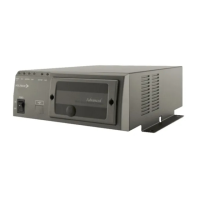
Voltech BC-1230P Specifications

General IconGeneral
Output Voltage12 VDC
Output Current30 A
Battery TypeAGM, Gel
Charging ModeAutomatic (Bulk, Absorption, Float)
Protection FeaturesReverse polarity protection, over-voltage protection, short circuit protection

Related product manuals