3
E
n
g
i
n
e
s
p
e
e
d
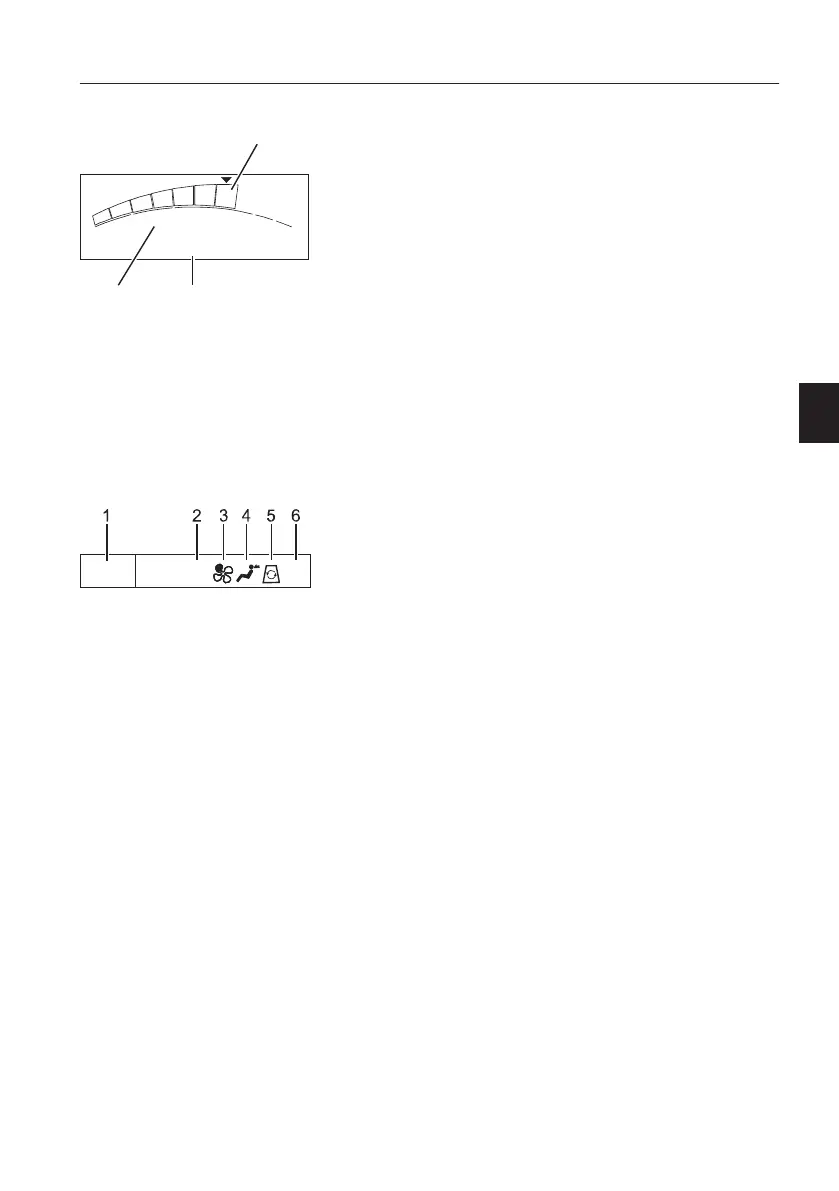
Engine speed screen is displayed when the "Menu
screen" is not shown in "Main screen". For main
menu screen, see page
34
.
The "Engine speed step" selected on "Engine
speed control switch" is displayed on an engine
speed graph that is a segmented rainbow-coloured
bar graph.
The actual speed is displayed below the engine
speed graph (maximum four-digit number).
When the engine is turned off, engine speed is
displayed as "0",
N
O
T
E
!
Engine speed and working mode may vary
according to the optional equipment.
4
M
o
d
e
s
c
r
e
e
n
(
n
o
t
a
p
p
l
i
c
a
b
l
e
)
5
T
i
m
e
a
n
d
E
C
C
Time segment displays current time. Refer to page
34
for instructions on how to set current time in the
main screen.
ECC segment displays the status of the ECC
(Electronic Climate Control unit). This includes
temperature setting, fan speed, airflow direction,
circulation, and air-conditioning status. Refer to
page
72
for more details.
V1106882
1635 rpm
I
F
G
H
P
1
32
1 Engine speed step
2 Working mode index
3 Actual engine speed
V1185320
ACC3
10:37
1 Time
2 Temperature
3 Fan speed
4 Air flow direction
5 Air flow circulation
6 Air-conditioning status
I
n
s
t
r
u
m
e
n
t
p
a
n
e
l
s
I
n
s
t
r
u
m
e
n
t
p
a
n
e
l
,
f
r
o
n
t
3
1



 To Next Page