6
I
n
d
i
c
a
t
o
r
s
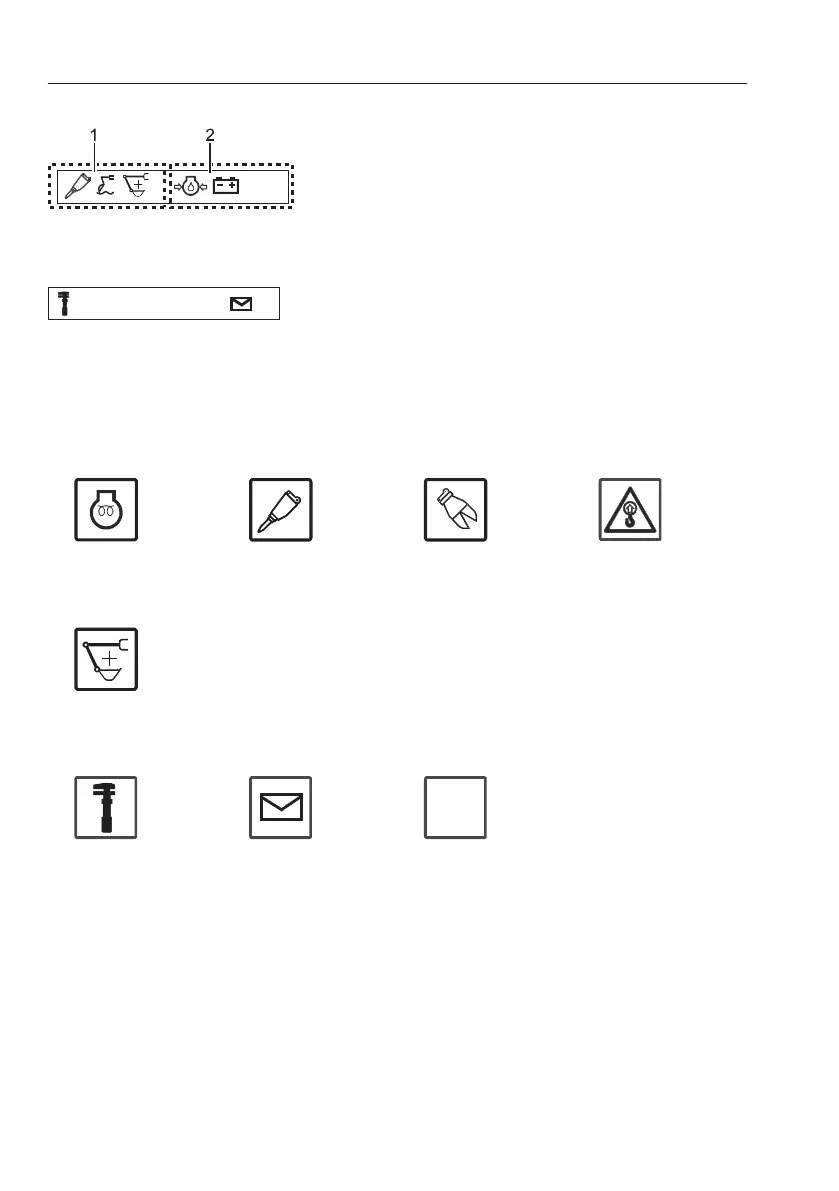
Indicator screen displays indicators as symbols that
represent important meaning to inform the users
easily and quickly. Indicators are divided into two,
function indicator and warning indicator.
- Indicators fill the space from left to right.
- An Indicator that has higher priority is put on the
left side of the one that has lower priority.
- Indicators in both sides can extended their
displaying area to the other side if there is no
indicator in the other side.
- When the all area is filled and there are more
indicators to display, indicators keep replacing
the others so that the user can see all indicators.
I
n
d
i
c
a
t
o
r
s
a
n
d
t
h
e
i
r
p
r
i
o
r
i
t
i
e
s
a
r
e
a
s
f
o
l
l
o
w
s
,
F
u
n
c
t
i
o
n
i
n
d
i
c
a
t
o
r
s
V1065463
V1065465 V1065466
V1065467
1 Air preheating 2 Hammer selected
(not applicable)
3 Shear selected
(not applicable)
4 Overload
indicator
(not applicable)
V1129236
5 Power boost
selected
(not applicable)
V1065471
V1065472
V1065473
SAE
ISO
Service mode
selected
(fixed position)
Message
indicator
(fixed position)
Operating lever
control type
(not applicable)
V1129238
1 Function indicators
2 Warning indicators
V1065462
SAE
ISO
Fixed indicators and positions
3
2
I
n
s
t
r
u
m
e
n
t
p
a
n
e
l
s
I
n
s
t
r
u
m
e
n
t
p
a
n
e
l
,
f
r
o
n
t



 To Next Page