04 Driver support
Park assist camera*
04
190
* Option/accessory, for more information, see Introduction.
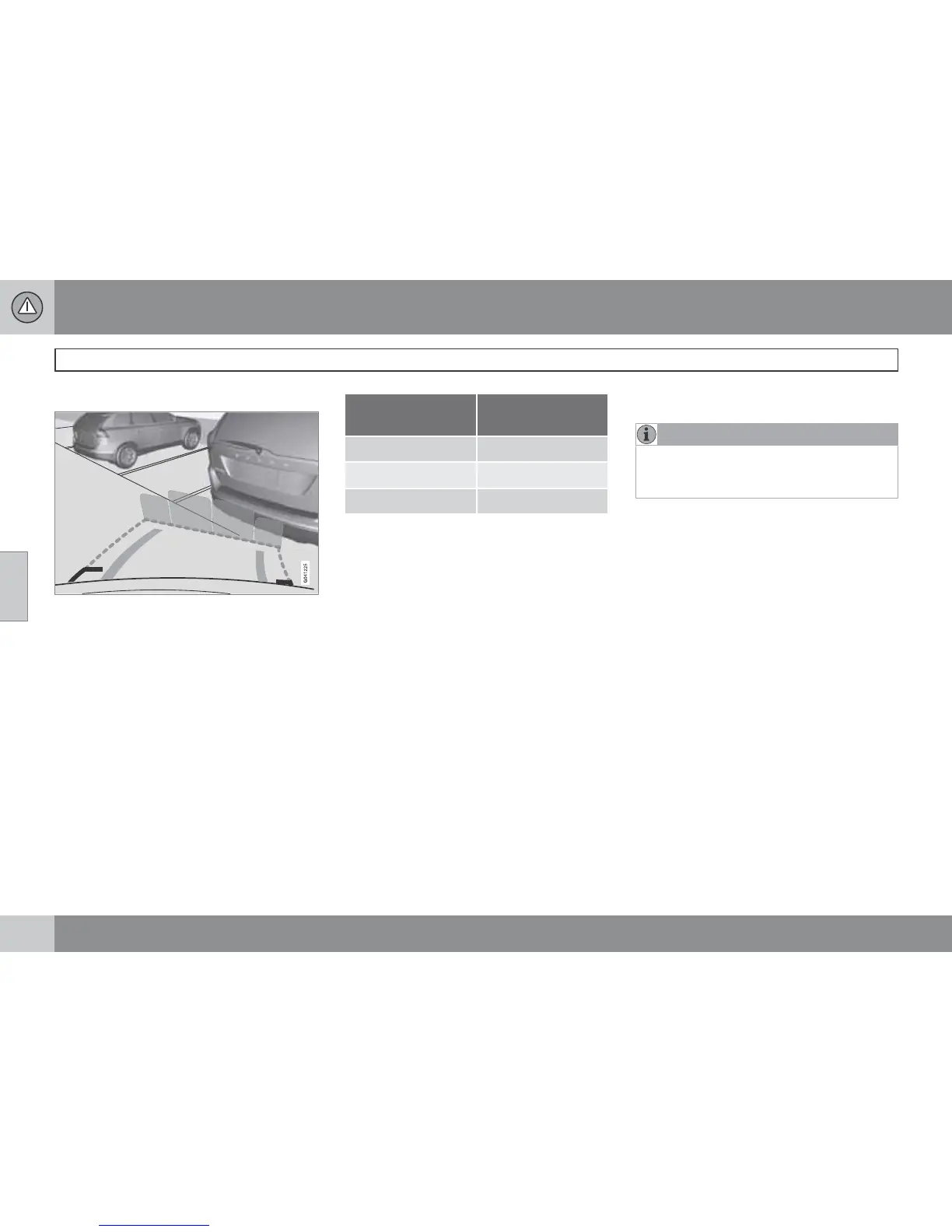
Cars with reversing sensors*
Coloured areas (x 4, one per sensor) show dis-
tance.
If the car is also equipped with parking assis-
tance sensors (see page 185) the distance indi-
cation will be more precise and the coloured
areas show which of the 4 sensors is/are reg-
istering an obstacle.
The colour of the areas changes with decreas-
ing distance to the obstacle - from yellow to
orange to red.
Colour / paint Distance
(metres)
Yellow 1.5–
Orange 0.3–1.5
Red 0–0.3
Settings
Press OK/MENU when a camera view is
shown. Make the settings as desired.
Miscellaneous
•
The default setting is that the camera is
activated when reverse gear is engaged.
•
One press on CAM activates the camera
even if reverse gear is not engaged.
•
Change between normal and zoomed
image by turning TUNE or by pressing
CAM.
•
If the car has more cameras* installed then
the camera in use is changed by turning
TUNE.
Limitations
NOTE
A bike carrier or other accessory mounted
on the rear of the car could obscure the
camera's view.
Pay attention to the possibility that, even if it
only looks like a relatively small part of the
image is obscured, it could be a relatively large
sector that is hidden from view. Obstacles
could thereby go undetected until they are very
close to the car.
To bear in mind
•
Keep the camera lens free from dirt, ice
and snow.
•
Clean the camera lens regularly with luke-
warm water and car shampoo - take care
not to scratch the lens.




 To Next Page