06 Infotainment system
RSE - Rear Seat Entertainment system*
06
``
* Option/accessory, for more information, see Introduction.
283
For electrical socket location, see page 227
Playing back audio/video via the A/V-
AUX input
1. Switch on the rear TV screen by means
pressing the On/Off button on the TV
screen.
2. Aim the remote control at the IR receiver
on the TV screen and press
, turn
TUNE to
A/V AUX , confirm selection with
.
3. Switch on the connected device and press
PLAY or equivalent on the connected
device.
Input volume
The input volume is adjusted in the menu under
A/V AUX input volume.
To activate the system
The RSE system can be activated from either
the front or rear TV screen.
From the front TV screen, press MEDIA, turn
TUNE and select
RSE, confirm with OK/
MENU.
From the rear TV screen, by means of pressing
the On/Off button on the rear TV screen and
then pressing
or on the remote
control, turn TUNE and select a source (e.g.
Disc), confirm selection with .
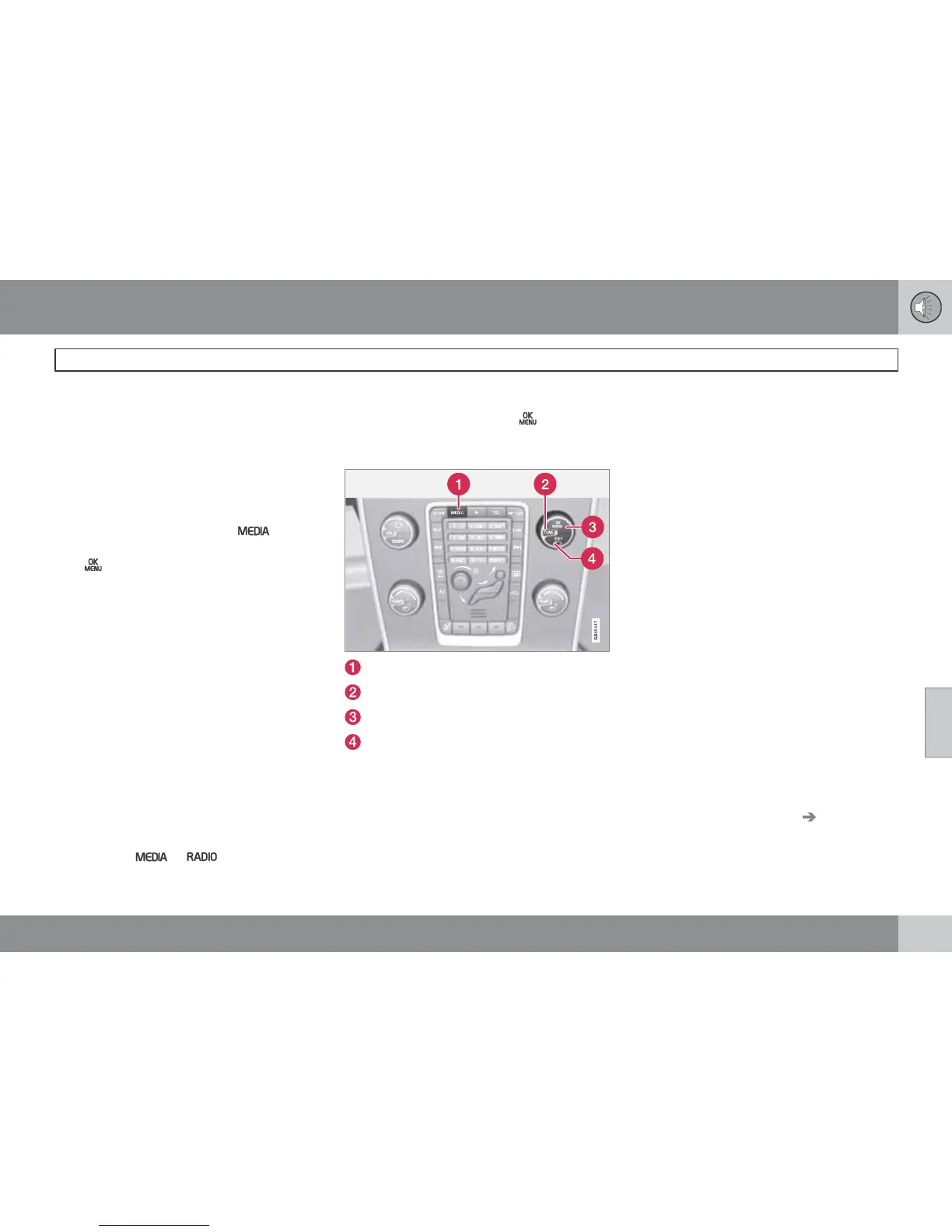
Settings from the front TV screen
MEDIA
TUNE
OK/MENU
EXIT
Selection of source in the rear TV
screens
From the front TV screen it is possible to select
the source (what shall be displayed or played
back) for the right and left-hand rear TV
screens respectively. It is possible select the
same source for both or different sources for
the right and left-hand TV screens respectively.
1.
Press MEDIA, turn TUNE to scroll down to
RSE on the TV screen, confirm selection
with OK/MENU.
2.
Turn TUNE to select the right, left-hand or
both TV screens, and confirm with OK/
MENU.
3.
Turn TUNE to select
RADIO, MEDIA (or
RSE settings). Press OK/MENU to con-
firm.
4.
Turn TUNE to the desired source (e.g.
Disc) and confirm with OK/MENU. The
selected source will start automatically (if
e.g. a disc is in the media player).
Cancel and go back with EXIT.
The remote control can also be used for set-
tings. For more information on the remote con-
trol, see page 278.
Parental control for the TV*
It is possible to set a permitted age limit for the
TV, so that only programmes for the appropri-
ate age can be viewed. The setting is activated
for both TV screens.
Activate under RSE settings
TV parental
control, in accordance with point 2-4 in the
section "Selection of source in the rear TV
screens", see page 283. Choose between
Age





 To Next Page