05 Comfort and driving pleasure
Climate control
05
216
* Option/accessory, for more information, see Introduction.
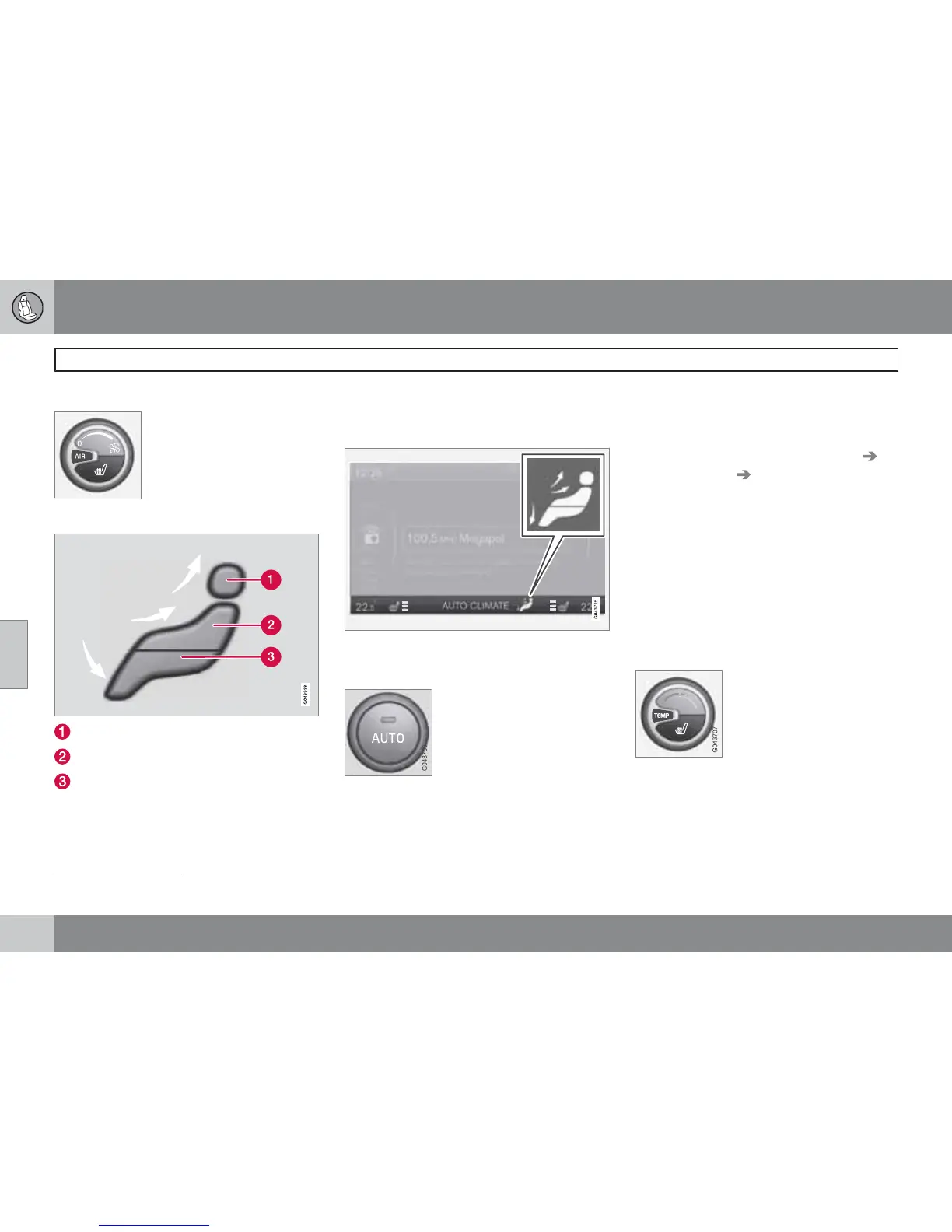
Fan knob for ETC
Turn the knob to increase or
decrease fan speed.
Air distribution
Air distribution - defroster windscreen
Air distribution - air vent instrument panel
Air distribution - ventilation floor
The figure consists of three buttons. When
pressing the buttons the corresponding figure
is illuminated in the TV screen (see figure
below) and an arrow in front of each part of the
figure shows the air distribution that is
selected. For more information on air distribu-
tion, see page 219.
The selected air distribution is shown in the centre
console TV screen.
AUTO
1
The Auto function automati-
cally regulates temperature,
air conditioning, fan speed,
recirculation, and air distribu-
tion.
If you select one or more manual functions, the
other functions continue to be controlled auto-
matically. All manual settings are disengaged
when AUTO is pressed. The TV screen shows
AUTO CLIMATE.
Fan speed in automatic mode can be set in the
menu system MY CAR under: Settings
Climate settings Automatic blower
adjustment. Choose between Low, Normal
or High:
•
Low - Automatic fan control. Low airflow
is prioritised.
•
Normal - Automatic fan control.
•
High - Automatic fan control. A more
intense airflow is prioritised.
For a description of the menu system, see
page 203.
Temperature control
The temperature can be
adjusted with the knob. For
ECC* the temperature for the
driver's side and the passen-
ger side can be set sepa-
rately.
When the car is started, the most recent setting
is resumed.
1
Only applies to ECC.






 To Next Page