- 7 -
- 6 -
spotting scopes
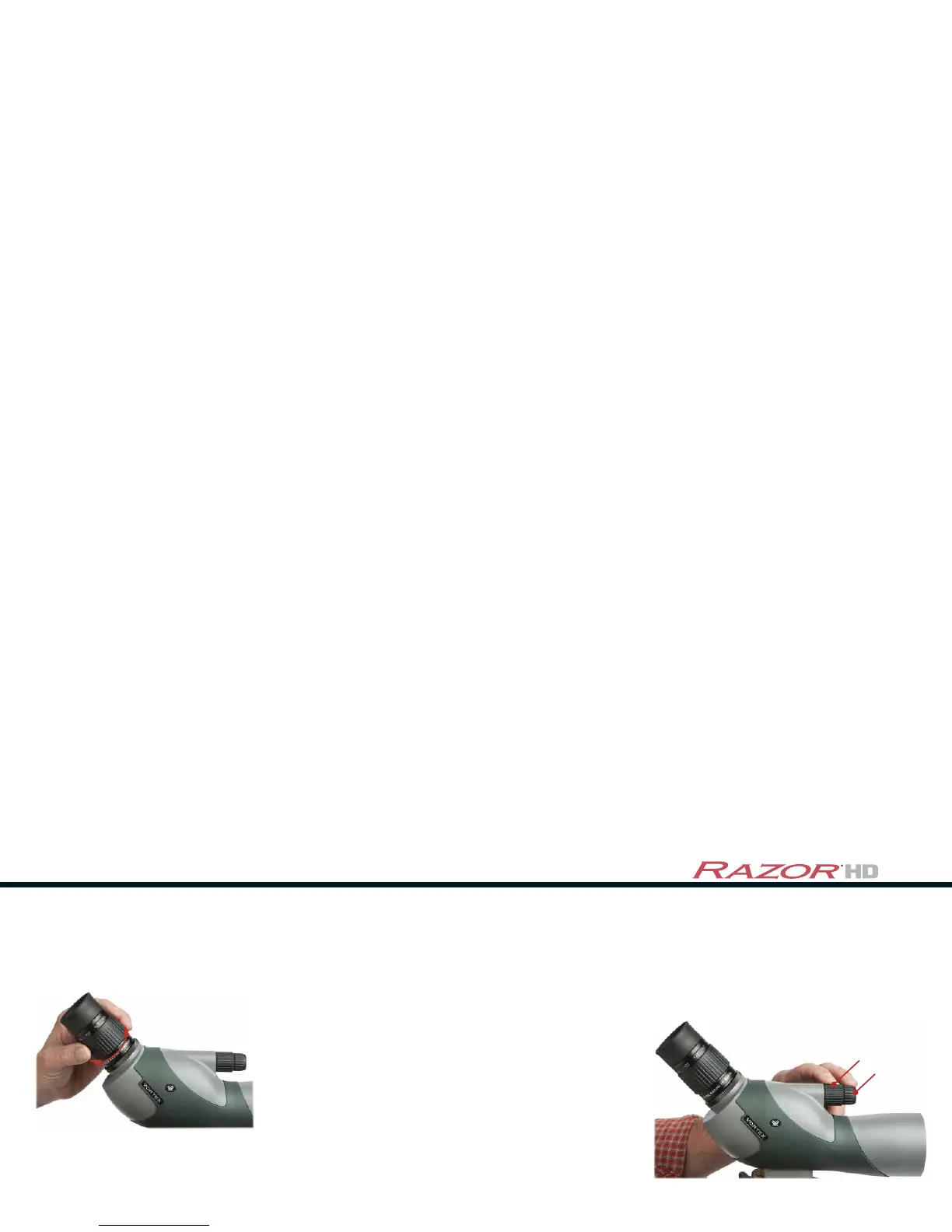
Adjust the focus
After setting the magnification, some refocusing is usually required. Adjust the focus of
the Razor HD with the tip of a finger:
• Slowly turn the fast focus dial until the subject is nearly in focus.
• Turn the fine focus dial to pick out the finest details.
Not only does this two-step
focusing allow you to see
critical details, it also ensures
fatigue-free viewing.
Fast Focus Dial
Fine Focus Dial
The versatile magnification of the Razor spotting scope allows you to view a wide field
of view at a lower power, then zoom in on distant details at a higher power. Change the
magnification of your spotting scope by simply turning the magnification adjustment ring:
Adjust the magnification
• Increase the magnification by
turning the adjustment ring in a
counter-clockwise direction.
• Decrease the magnification by
turning the adjustment ring in a
clockwise direction.
Caution: Never look directly into the sun (or any other intense light) with your Razor HD spotting
scope. This could cause damage to the retina and cornea of your eyes to the point of causing blindness.



 To Next Page