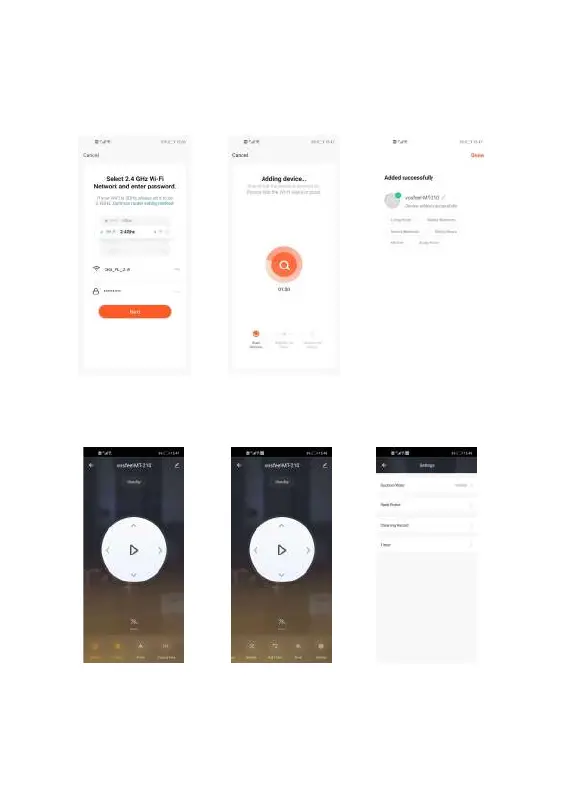
6. Select the available network, only support 2.4GHz, enter the correct WIFI password, click
to confirm.
7. After confirmed, the “Connecting” progress of the robot will be displayed.
8. After the connection is successful, it will appear “Device added successfully”
9. You can enter the operation interface to control the robot now.
10. Click “Set tings”, you can see”Timer”, click it to add schedule cleaning for robot.


 To Previous Page