3.2Quick Start
Charging Dock Placement
1.Connect the adapter to the charging Dock
Place the Charging Dock on a level floor surface against the wall with the base
perpendicular to the ground. Keep the immediate area 2m (6.6’) in front of the charger
and 1 m (3.3’) on both sides of the charger clear of objects and reflective surfaces.
Plug the Charging Dock in. The Power Indicator Light on the Charging Dock glows.
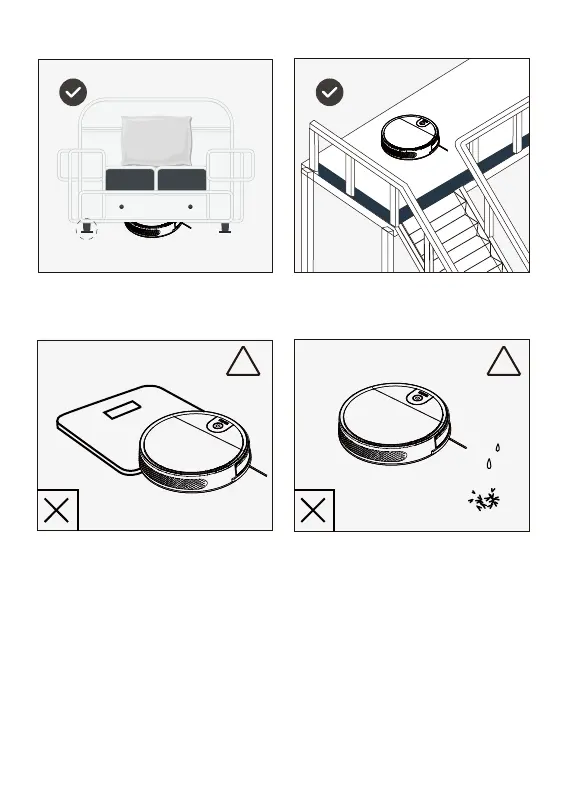
Please be aware that the robot needs at least an
8 cm (3”) clearance to clean under furniture
without complications.
If there is a step or stairs in the cleaning area, please operate
robot to ensure its Anti-Drop Sensors can detect the drop off.
It may be necessary to place a physical barrier at the edge of
the drop off to keep the unit from falling over the edge
! !
Keep Robot away from wet,
flame and burning
Robot may climb on top
of object less


 To Next Page