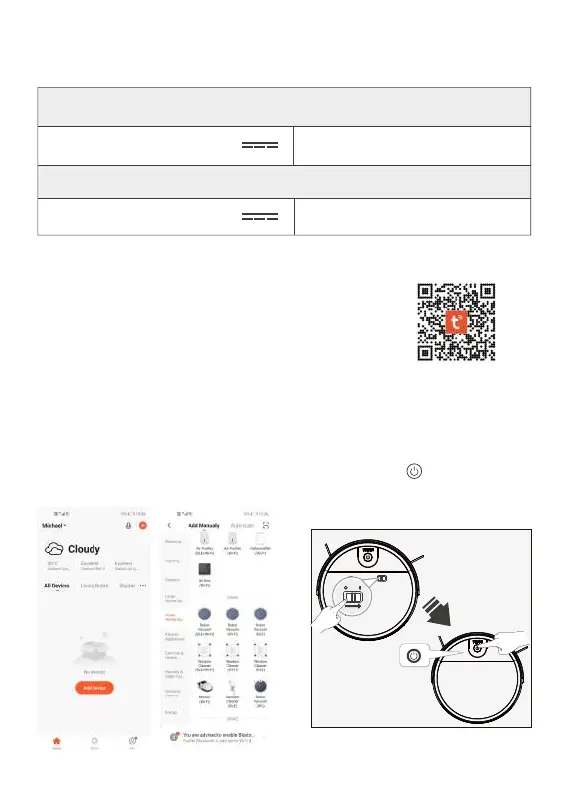
8.WIFI Manual
1. Scan the bar code below to download Tuya WIFl APP--"Tuy Smart".
2. Open APP “Tuy Smart”, registered your account by phone number or email etc.
3.Enter “Add Device” surface.
4. Enter “Add Manually”, click "Small
Home Appliance", then choose "
Robot Vacuum (WIFI)"
7.Technical Parameters
Robot Model:MT-210
Charging Stand
Working Voltage(V) : 14.8
Power Rating(W):37
Rated Input Voltage(V) : 19 Rated output current(A):0.6
5. Open the top cover, turn on the switch
to " I " , long press button for 3 seconds,
you will hear a voice of "Di", then the
robot will enter into network mode.


 To Next Page